ASTRA
• Operation Manual • Rev. 0124C page 25
Chapter 3. Setup Mode
➝
➝
➝
ENTER
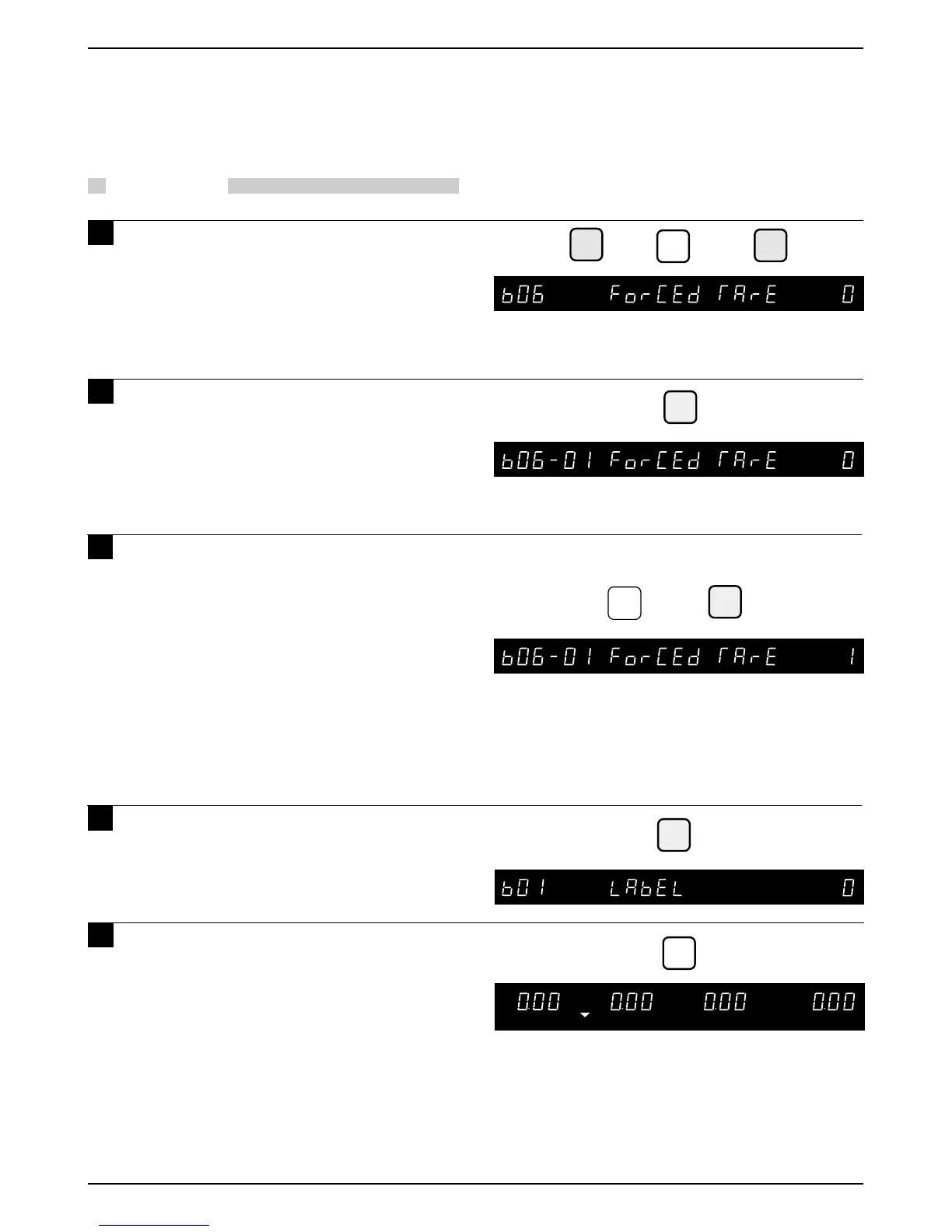
Example: Select forced tare activation
END
➝
or
➜
Note: Refer to page 14, Section 3.1 to enter the Setup Mode.
ZERO
MODE
Press the MODE key to return to
Normal Operation mode after all
SETUP mode procedures are
completed.
5
5
ENTER
➜
1
6
If Forced Tare is active a tare weight must
be entered before a label can be printed. If
no tare weight is entered, the message
"ENTER TARE" is displayed and an error
buzzer sounds when the PRINT key is
pressed.
2:
3.8 Forced Tare
Labels can be issued only if a tare weight is
entered.
PROCEDURES
1 Press the DOWN ARROW key ( ) until
the Forced Tare menu (b06) appears
or key in “6” followed by the DOWN
ARROW key ( ) to enter the menu
directly.
2 Press the ENTER key to enter the
Forced Tare Selection menu (b06-01).
Note : This menu selects whether or not the forced tare
function is active.
3 Key in “0” or “1” and press the ENTER
key.
0 : Forced Tare is not active
1 : Forced Tare is active
Note 1: Number “0” is the default value.
4 Press the END key to return to the
LABEL menu (b01).



 To Next Page