page 62
ASTRA
• Operation Manual • Rev. 0124C
Chapter 6. Normal Mode
PROCEDURES
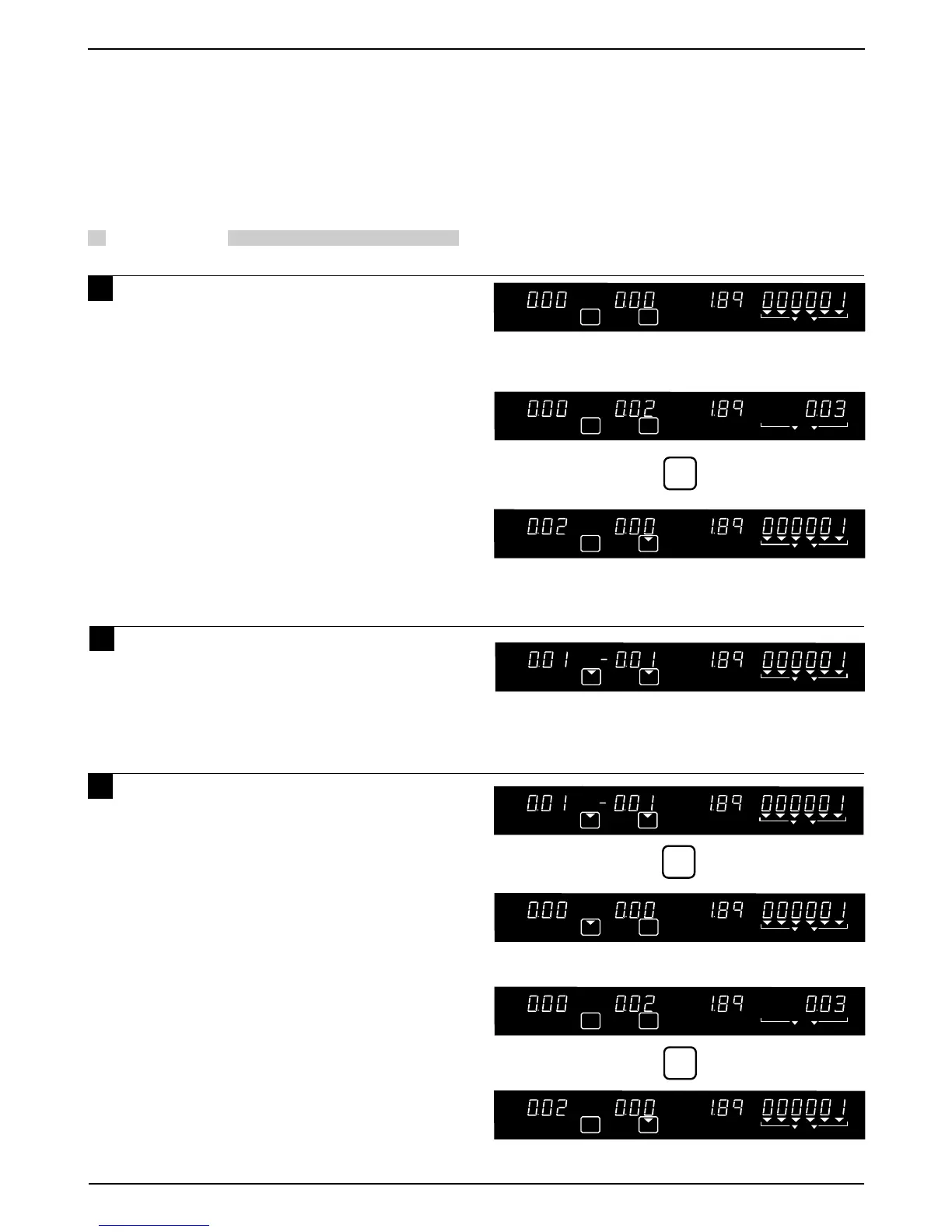
1 Place the tare on the weigh platter.
(Using PLU number 1 without a
programmed tare weight)
2 (Using PLU number 1 with a
programmed tare weight) In this case,
no entry is required.
3 Although the tare is programmed, you
want to delete the tare weight and
actually weigh the tare.
Example: Tare weight “0.02 pounds”
ZERO NET SAVE AUTO PLU
TARE
TARE
ZERO NET SAVE AUTO PLU
Place the tare (0.02 lb) on the weigh platter.
TARE
6.2 Tare Weight Subtraction
Tare weight can be programmed in a specific PLU. When not programmed, either place the tare on the weigh
platter and press the TARE key or key in the weight if the tare weight is known and press the TARE key.
Note: Tare weight operations mentioned here, may be prohibited in some countries due to Weights and Measures Regulations.
ZERO NET SAVE AUTO PLU
Note: With no weight on the platter and no
numeric entry, press the TARE key to
clear any previous tare.



 To Next Page