ASTRA
• Operation Manual • Rev. 0124C page 45
Chapter 4. Registration Mode
➝
ENTER
END
➝
Note: Refer to Section 4.1 to enter the Registration mode.
MODE
Press the MODE key to return to
normal operation mode after all
operations of Registration Mode are
completed.
5
➝
or
➜
➝
9
or
PLU
LIST
• If the PLU list contains many items, do not
thread the paper onto the take up bobbin
. Allow
the labels to remain on the backing paper.
PRINT
4.10 PLU List
PROCEDURES
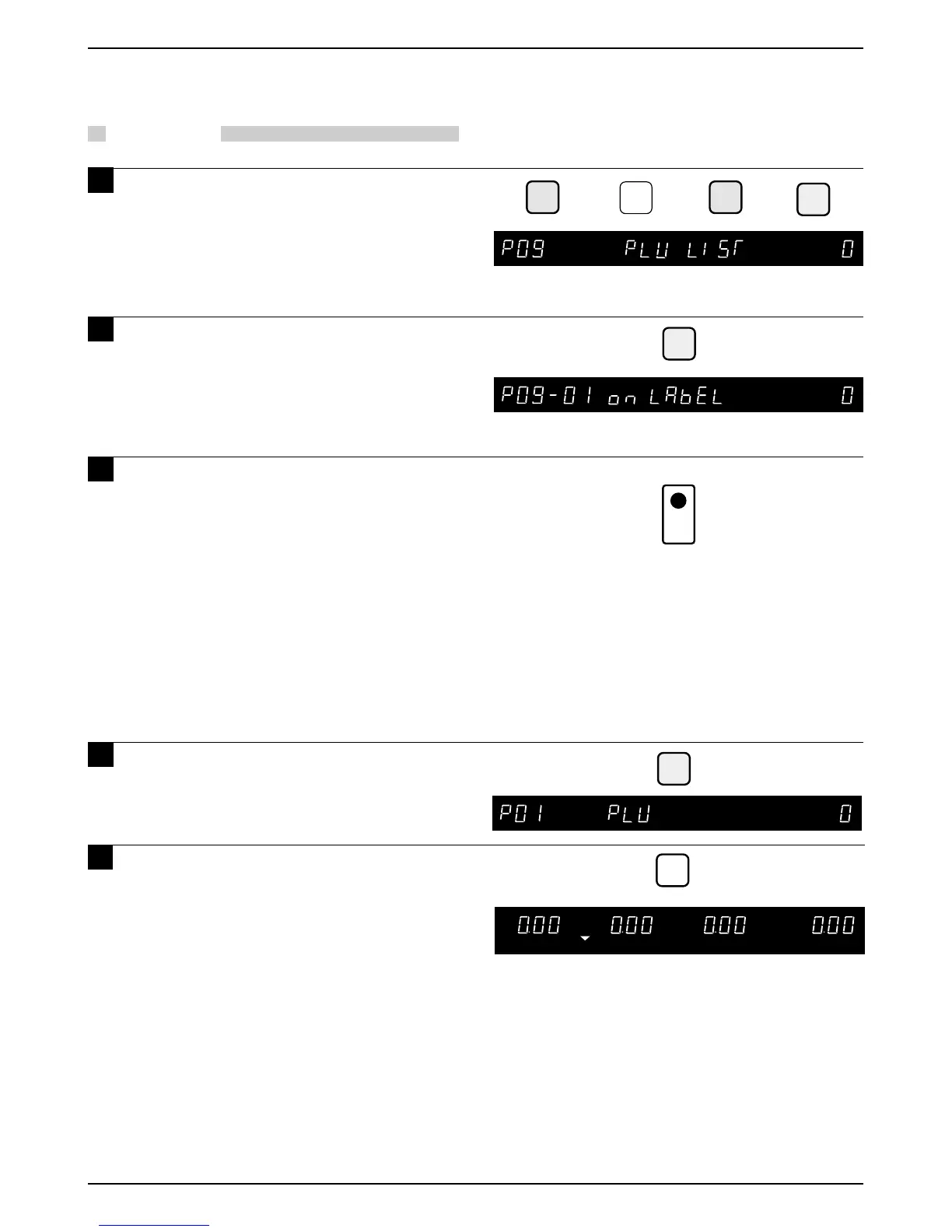
1 Press the DOWN ARROW key ( ) until
the ITEM LIST menu (P09) appears or
key in “9” followed by the DOWN
ARROW key ( ) to enter the menu
directly or press the PLU LIST key to
enter the menu directly.
2 Press the ENTER key to enter the PLU
List menu (P09-01).
3 Press the PRINT key to print the Item
List.
• Printing starts from the first PLU number.
• Starting PLU number can be designated by
entering the PLU number and pressing the
PRINT key.
• To stop printing before completion of the PLU
List, press the ZERO key.
4 Press the END key to return to the
PLU menu (P01).



 To Next Page