page 30
ASTRA
• Operation Manual • Rev. 0124C
Chapter 4. Registration Mode
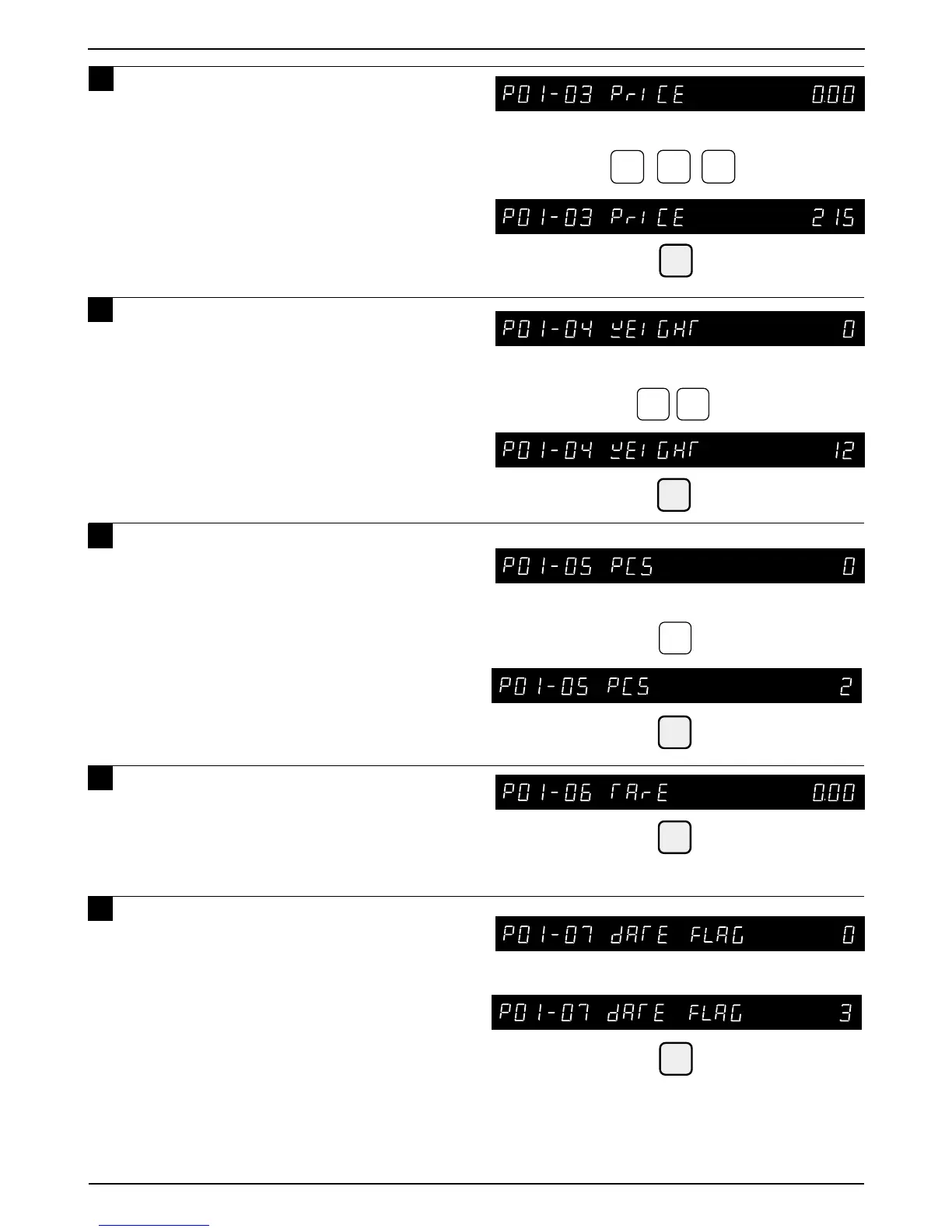
Example: Fixed Weight “12 oz”
ENTER
Example: “2 pcs”
ENTER
2
Example: Expiry date only “3”
ENTER
Example: Price “$2.15”
2
1
5
ENTER
ENTER
1
2
Note: Enter Fixed weight amount in ounces.
7 Key in the unit price or the fixed price
(Max. 5 digits) and press the ENTER
key.
8 Key in the fixed weight (Max. 3 digits)
and press the ENTER key.
Note: Fixed weight is available for fixed price
items only.
9 Key in the number of items (Max. 2
digits) and press the ENTER key.
Note: Number of items is available for fixed
price items only.
10
Key in the Tare Weight (Max. 4 digits)
and press the ENTER key.
Note: Applies only to weighing price items or
weighing/fixed price items.
11
Key in the date print flag (0 to 4) and
press the ENTER key to set the
number of days for expiry.
Date print flag
0 : Default data
1 : No print
2 : Pack date only
3 : Expire date only
4 : Both Pack date and Expire date
Note: Above “0 Default Data” is the data programmed in
the step “B04-01 DATE FLAG” of SETUP mode.



 To Next Page