ASTRA
• Operation Manual • Rev. 0124C page 31
Chapter 4. Registration Mode
ENTER
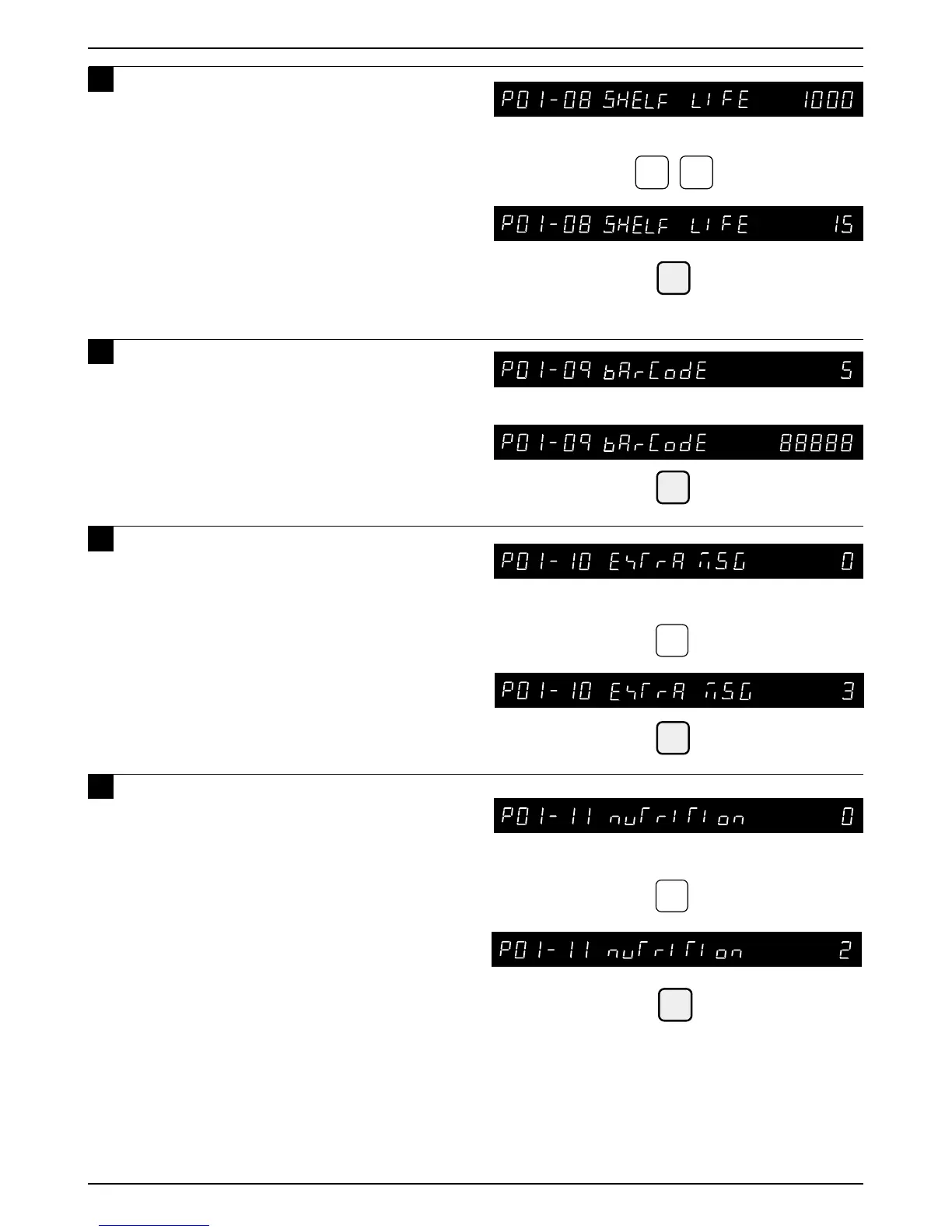
Example: Item code “88888”
Example: Extra message number “3”
3
ENTER
1
5
Example: Number of days to expiry “15”
ENTER
13
ENTER
Example: Panel number “2”
2
Nutrition Panel number
0 : No designation
1 to 999 : Nutrition Panel number
• Nutrition Panel should be registered in P11
Nutrition Panel Registration, Section 4.13
12
Key in the number of days to expiry
(Max. 3 digits) and press the ENTER
key.
Note: “1000” is the code to designate the
default data. If “1000” is set, the number
of days for shelf life programmed as the
default data in the step “B04-02 SHELF
LIFE” of SETUP mode is set
automatically.
1
Key in the barcode (Max. 8 digits) and
press the ENTER key.
Note: When a new PLU is programmed, the barcode
defaults to the PLU number.
14
Key in the extra message number
(0 to 99) and press the ENTER key.
Extra message number
0 : No designation
1 to 99 : Extra message number
• Extra message should be registered in P07
Extra Message Registration, Section 4.8
15
Key in the nutrition panel number
(Max. 3 digits) and press the ENTER
key.



 To Next Page