page 16
ASTRA
• Operation Manual • Rev. 0124C
Chapter 3. Setup Mode
ENTER
ENTER
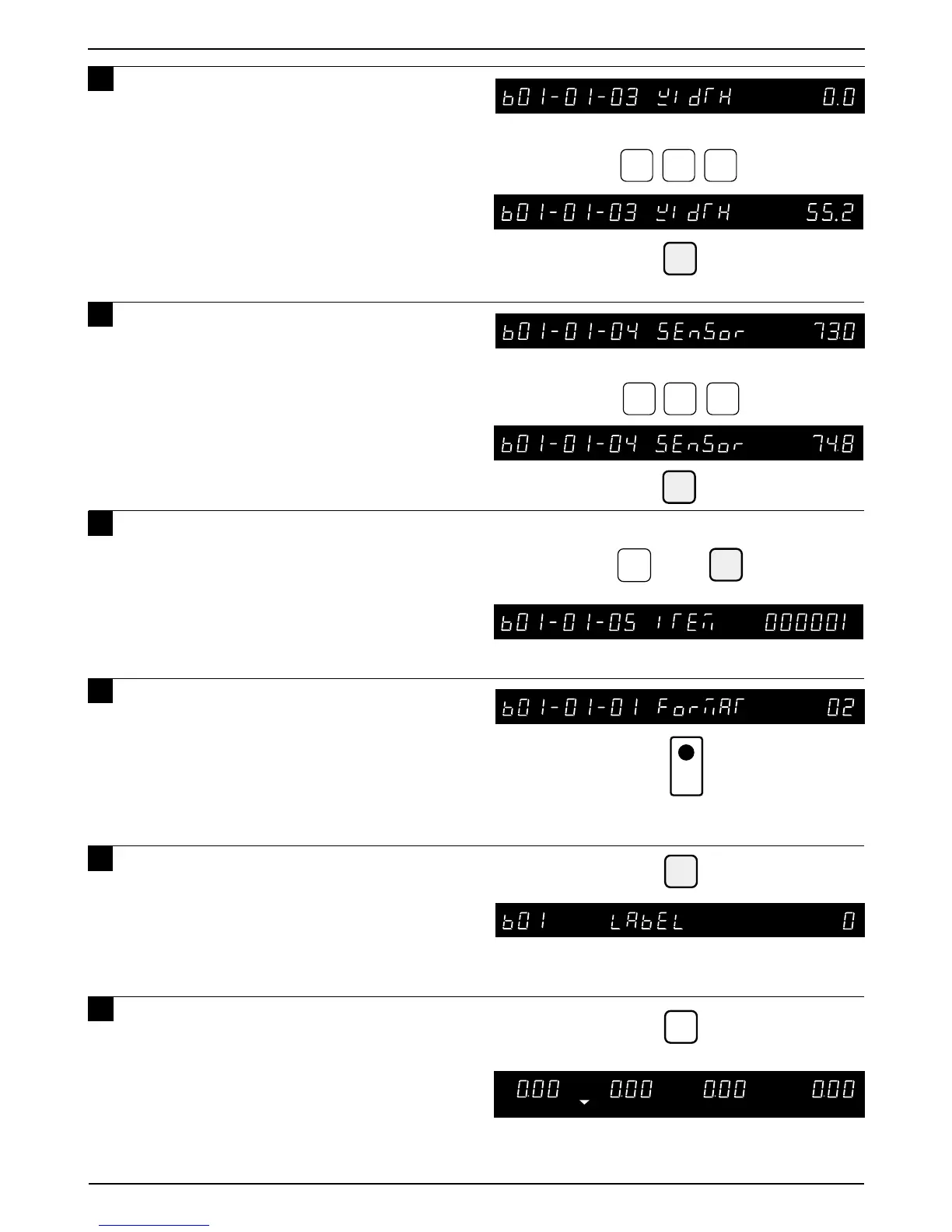
Example: Set the label width to 55.2 mm
Example: Set the distance to 74.8 mm
Example: PLU “1”
1
ENTER
END
5 5
2
7
4
8
7 Key in the required label width
(XX.X mm) and press the ENTER key.
8 Key in the required distance
(XX.X mm) between the label sensor
and print thermal head and press the
ENTER key.
9 Key in the PLU number for test
printing and press the ENTER key.
10
Press the PRINT key for test print to
confirm the label format.
11
Press the END key to return to the
Label menu (b01).
➜
•If the label width is 60mm or larger, this
step may be left at the default value of “0.0”.
Use this step to adjust print position on the
label.
• Increasing this value raises the printing on
the label.
12
Press the MODE key to return to
the Normal Operation mode after
all SETUP mode procedures are
completed.
MODE
12
PRINT
If necessary, return to Step b01-01-04 to
adjust print position.



 To Next Page