ASTRA
• Operation Manual • Rev. 0124C page 67
Chapter 7. Total Mode
4
3
➝
PRINT
END
➝
➝
➝
or
➜
ENTER
PRINT
END
➝
➝
➝
➝
or
➜
ENTER
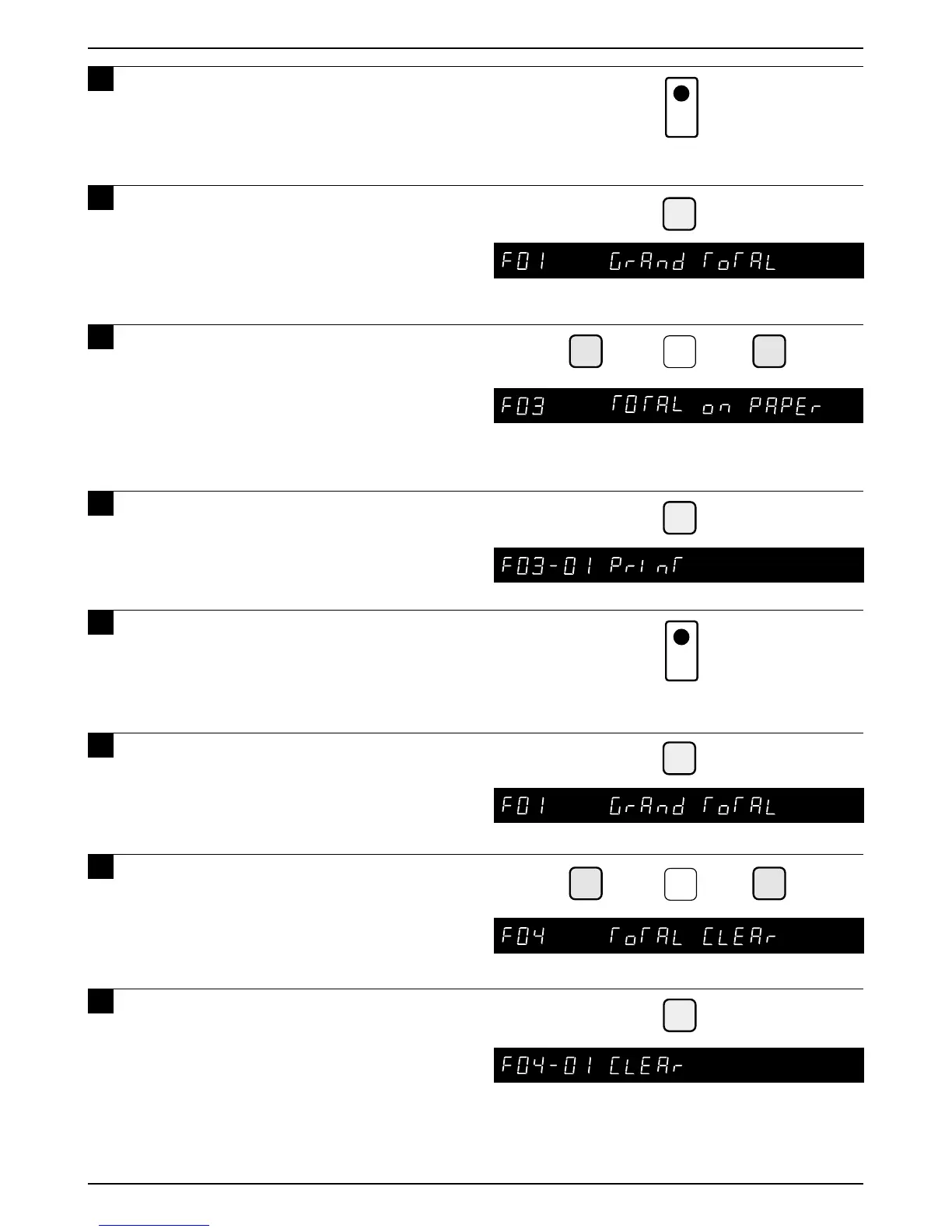
8 Press the PRINT key to print and
issue the total label of each PLU.
9 Press the END key to return to
display “F01 GRAND TOTAL”.
10
Key in the DOWN ARROW key ( )
until the Total on Paper menu appears
or key in “3” followed by the DOWN
ARROW key ( ) to directly access the
menu.
11
Press the ENTER key to enter the next
step.
12
Press the PRINT key to print and
issue the total data of each item by
roll paper.
13
Press the END key to return to
display “F01 GRAND TOTAL”.
14
Press the DOWN ARROW key ( )
until the Total Clear menu appears or
key in “4” followed by the DOWN
ARROW key ( ) to directly access the
menu.
15
Press the ENTER key to enter the
next step.



 To Next Page