CCI.Cam – Commissioning
Pos: 5 /CC -Isobus/Aufbau @ 8\mod_1273585112215_6.doc @ 120207 @ 12223333333332
Pos: 7 /CC -Is obus/I nstal lati on @ 8\mod_1273570481145_6.doc @ 120033 @ 1223333
3 Commissioning
3.1 Mounting the terminal
For information about installing the terminal, please refer to the chapter 5.1
Mounting the terminal in the ISOBUS Terminal CCI 100/200 Operating
Instructions.
3.2 Connecting the Terminal
3.2.1 Connecting to ISOBUS/power supply
Please refer to the information in the chapter 5.2.1 Connecting to ISOBUS/power
supply of the ISOBUS Terminal CCI 100/200 Operating Instructions.
3.3 Connecting to a camera
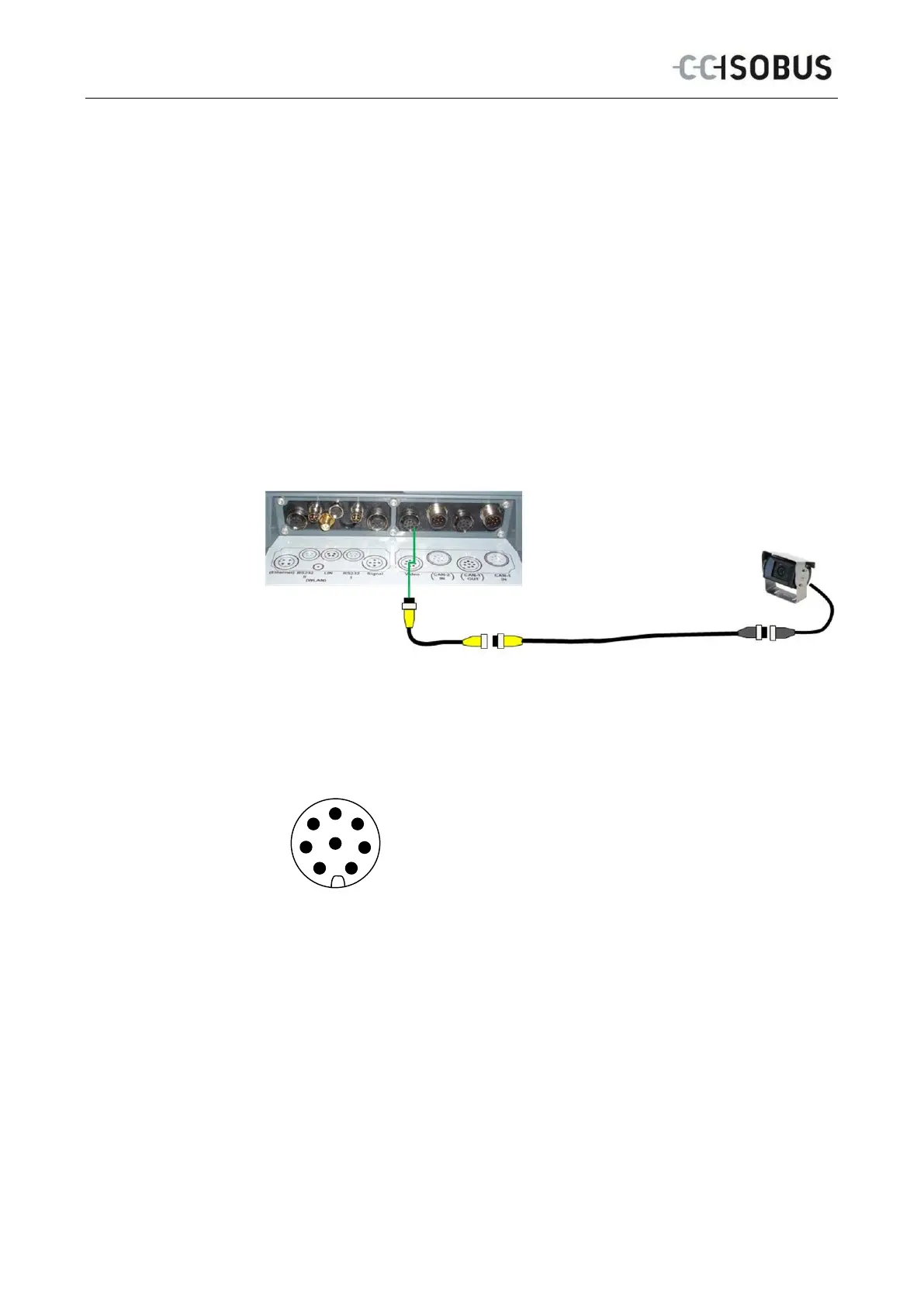
A camera can be directly connected to the terminal via the "Video" interface.
Camera connection
The connection of the camera to the terminal occurs
via the "Video" interface.
Refer to the following set-up for the pin layout:
1. Video signal
2. RS485B
3. RS485A
4. +12V / +24 V
5. Mini Out
6. +12V / +24 V
7. GND
8. Shield
6



 To Next Page