CCI.TECU – Operation
4.2 Main view
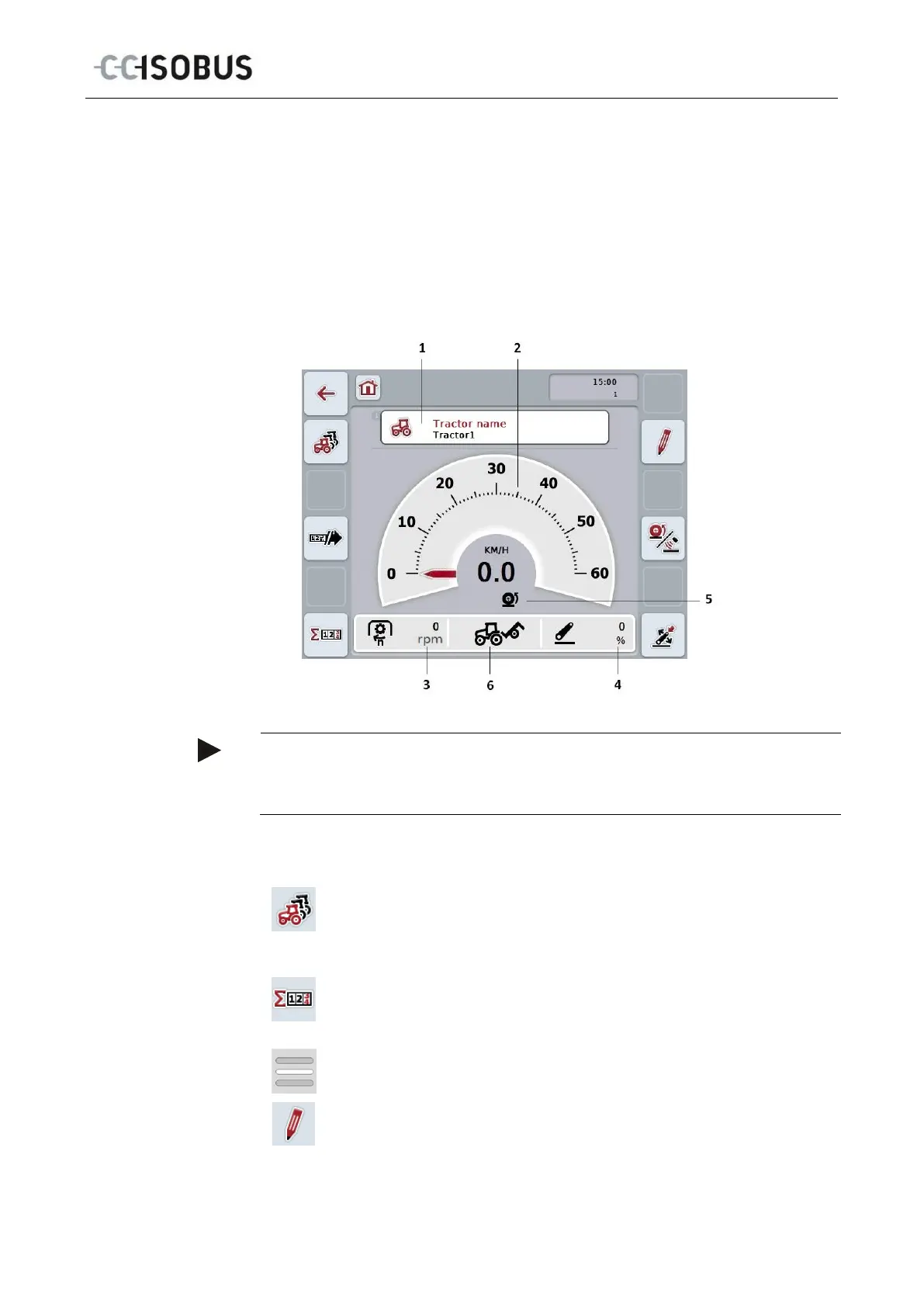
The CCI.TECU main view provides the following information:
1. Designator of the current tractor,
2. Speed display,
3. Power take off speed display,
4. 3-point hitch position display,
5. Display for the selected speed sensor and
6. Working or transport position display.
Note
The speed display of CCI.TECU does not replace the tachometer of the tractor.
This speed control may not be used when driving on routes where road traffic
You have the following operating options:
Change to the list of tractors:
Press the "List of Tractors" button (F8) on the touchscreen.
More detailed information about the list of tractors can be found in
chapter 4.3.
Change to the hectare counter:
Press the "Hectare counter" button (F12) on the touchscreen.
More detailed information on the hectare counter can be consulted in
chapter 4.4.
Select tractor
Edit the selected tractor
11



 To Next Page