CCI.TECU – Operation
4.5 Hectare counter
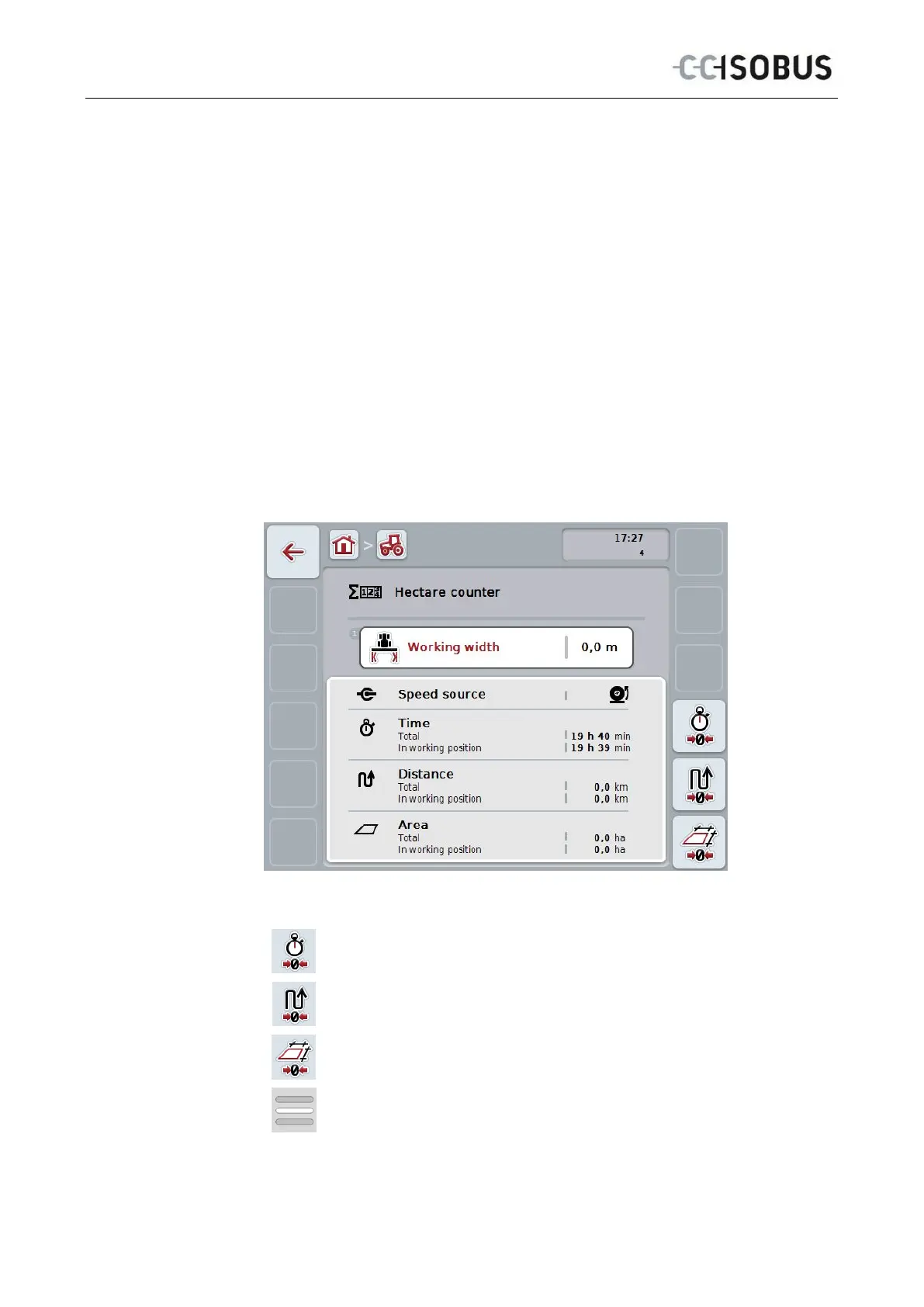
Under the menu item Hectare Counter there is information on
• Working width of the active implement
• Speed source for hectare counter
• Working time,
• Distance covered and
• Processed area.
A total value and a value in the working position are given for the time, distance
and area respectively.
Total:
This shows the time, the distance covered and the area
processed since the last reset of the individual counters.
In the working
position:
This shows the time, the distance covered and the area
processed in working position since the last reset of the
individual counters.
You have the following operating options:
Reset time:
Press the "Reset Time" button (F4) on the touchscreen.
Reset distance:
Press the "Reset Distance" button (F5) on the touchscreen.
Reset area:
Press the "Reset Area" button (F6) on the touchscreen.
Enter working width
34



 To Next Page