COMPLEX RADIO CONTROL SYSTEM
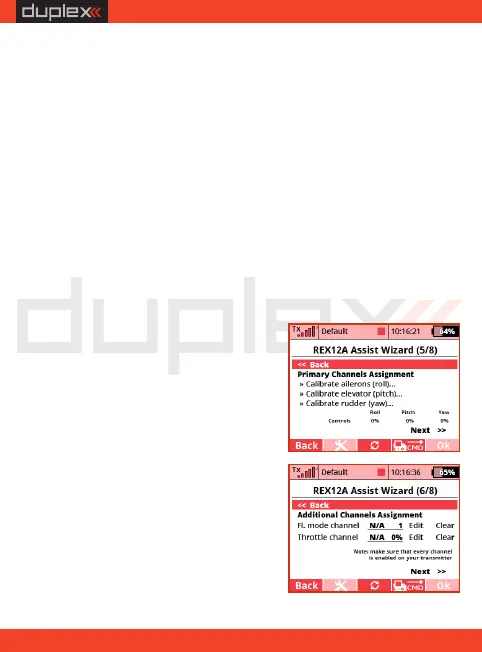
11. Assign the individual channels for
stabilisation so that the receiver
learns neutral positions and channel
throws. Follow the step by step
guide. Calibrate all axes sequentially
one by one. Check correct responses
to the controls by the values
displayed in the "Controls" list.
channels. If all the servos in the model are digital, the output
period will be automatically set to 7.5ms. Otherwise, it will be
17.5ms. The output control period for the motors is 2.5 ms, which
means 400Hz.
Use OneShot125 - by checking this option, you enable the
OneShot125 mode to control the multicopter speed controllers.
This is a special mode where the pulses from the receiver are
eight times shorter than the standard servo pulses. OneShot125
must also be supported on the controllers side.
Always stabilise motors - after activating this option, the
multicopter will be stabilised from the moment of arming and
the first throttle application until switching off the motors.
Stabilisation will always work, even with throttle at idle position.
This option is not recommended for first flights with a multi-
copter.
12. Assign a channel for switching
flight stabilisation modes. This
channel should be operated by a
three- position switch, so that all
three flight modes should be
EN
19


 To Next Page