I c.
Put
a
check
mark
(Save/Unsava/prlnt/output
mora
than
one message
at
the
same
time)
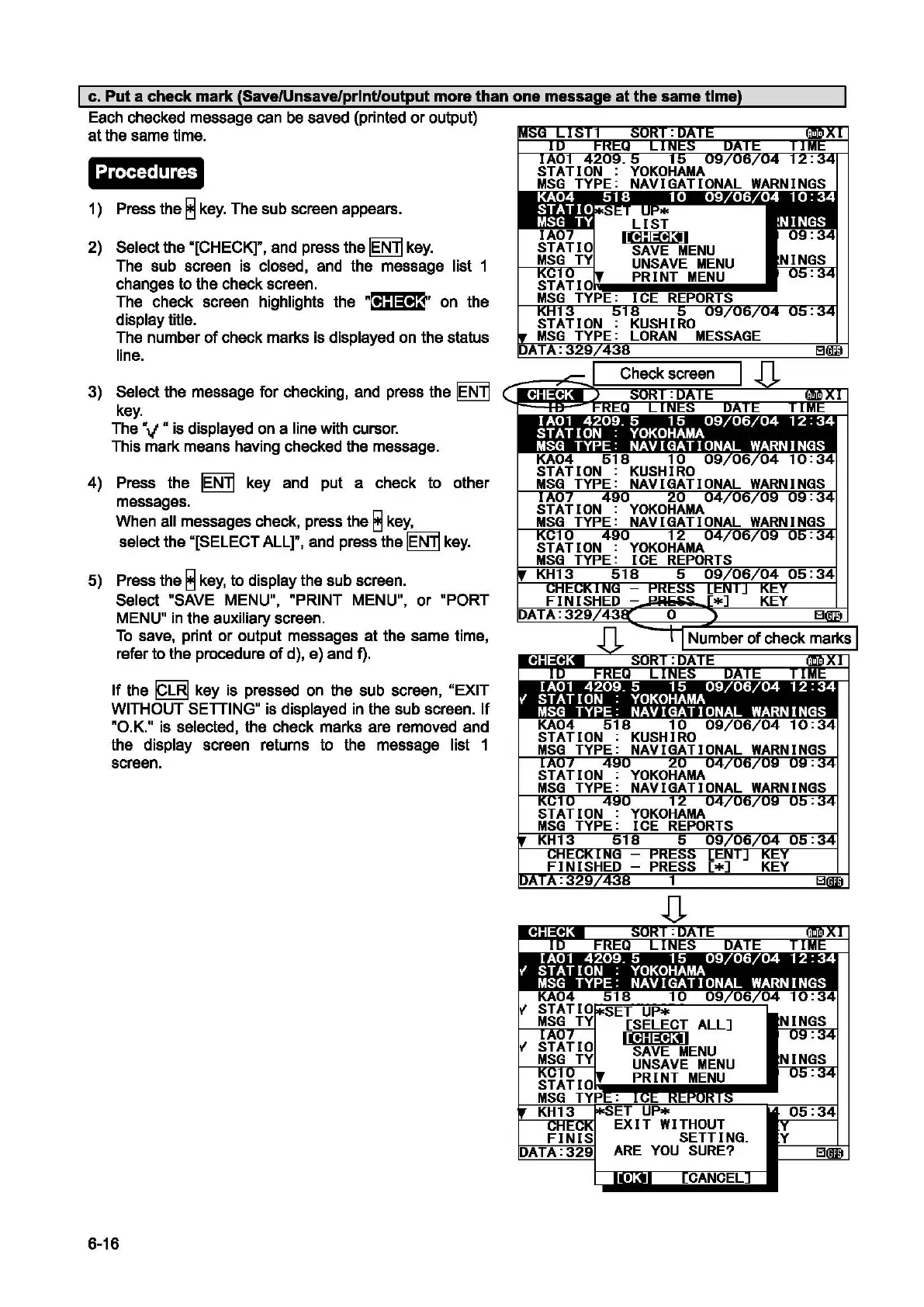
Each checked message can
be
saved (printed
or
output)
at the same time.
Procedures
1)
Press the 8
key.
The sub screen appears.
2)
Select the ·[CHECK]", and press the IENlj
key.
The sub screen is closed, and the message list 1
changes to the check screen.
The check screen highlights the
R@#l$~~·
on the
display title.
The number
of
check marks is displayed on the status
line.
3) Select the message for checking, and press the
lEN]
key.
The V " is displayed
on
a line with cursor.
This mark means having checked the message.
4) Press the
IENTj
key and put a check to other
messages.
When all messages check, press the 8
key,
select the "[SELECT
ALLr,
and press the IENlj
key.
5)
Press the 8
key,
to display the sub screen.
Select "SAVE MENU",
RPRINT
MENU",
or
"PORT
MENU"
in
the auxiliary screen.
To
save, print
or
output messages at the same time,
refer to the procedure
of
d),
e)
and f).
If
the
19]1
key is pressed on the sub screen, "EXIT
WITHOUT SETTING" is displayed in the sub screen. If
RO.K."
is selected, the check marks are removed and
the display screen returns to the message list 1
screen.
6-16
EXIT
WITHOUT
SETTING.
ARE
YOU
SURE?


 To Next Page
 Loading...