– 8 –
1
2
3
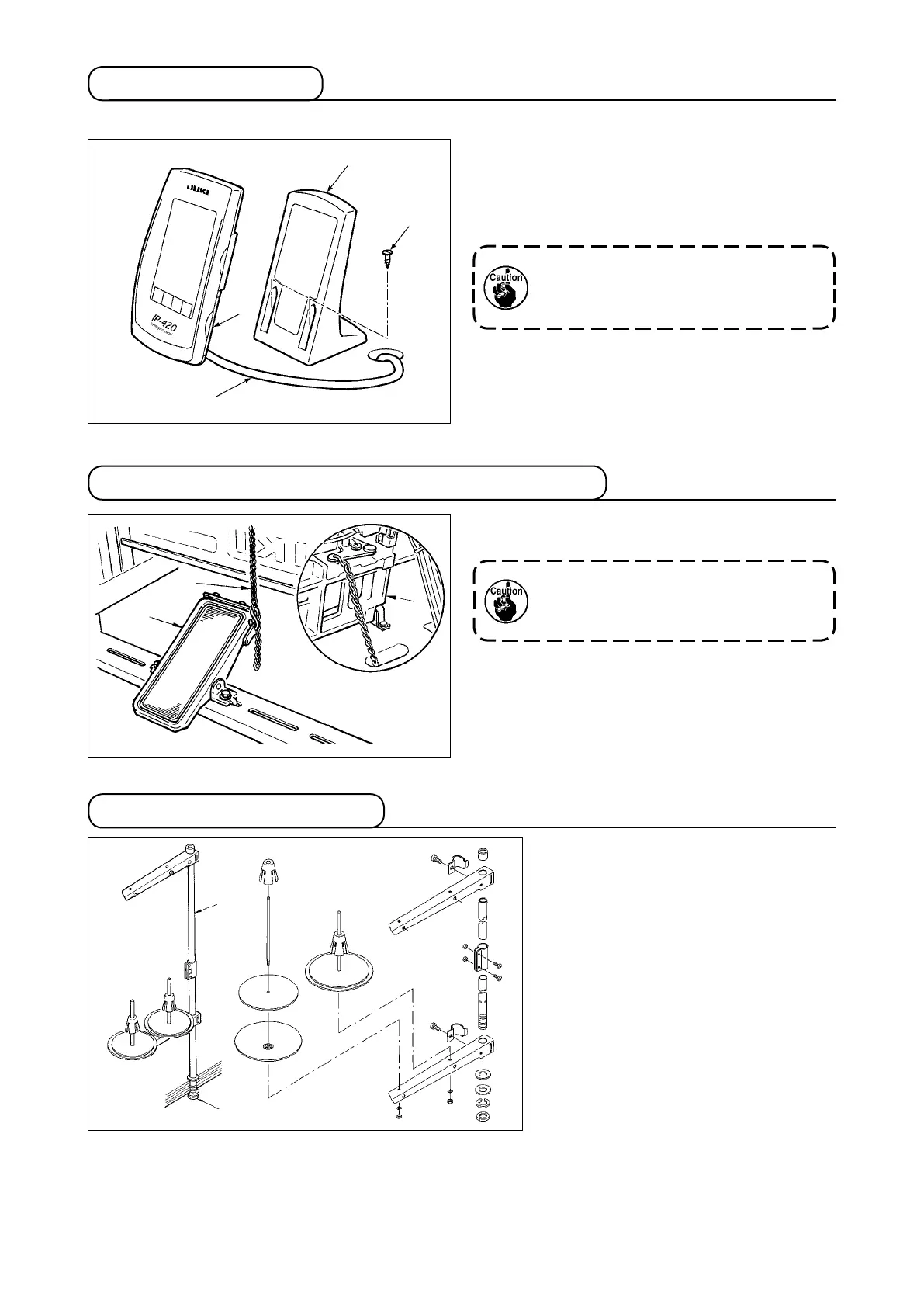
3-8. Attaching the pedal chain (For S specication only)
1
2
3-9. Installing the thread stand
1) Assemble the thread stand, and put
it in the hole in the top left corner of
the machine table.
2) Tighten locknut
1
to x the thread
stand.
3) When ceiling wiring is possible, pass
the power cord through spool rest
rod
2
.
Connect the machine
1
and manual pedal
3
with
chain
2
.
When you tilt the sewing machine, be
sure to tilt it after removing chain
2
from manual pedal
3
.
3-7. Installing the panel
1) Installing the IP-420
4
3
1
2
1) Open cover
1
and remove cable
2
once.
Then connect it again to the panel on the top
surface of the table after passing it through the
hole in the table.
2) Fix operation panel installing plate
3
to an op-
tional place on the table with two wood screws
4
.
Install the panel at the position where
X-move cover or head grip does not
interfere with it since breakage of the
panel will be caused.












 To Next Page