– 49 –
(1) Setting procedure of the counter
1
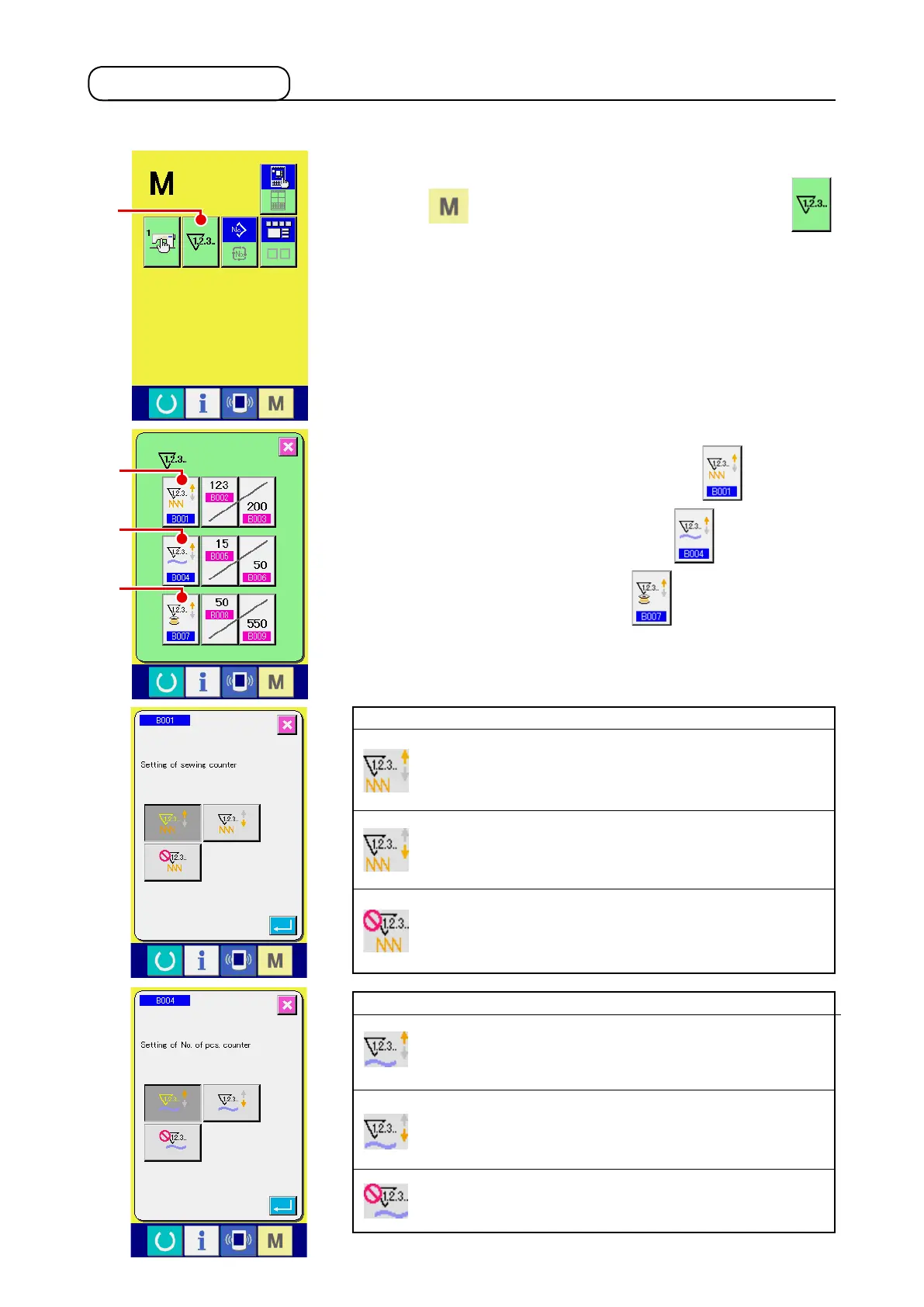
Display the counter setting screen.
Press switch and the COUNTER SETTING button
A
is displayed on the screen. When this button is pressed, the
counter setting screen is displayed.
2
Selection of kinds of counters
This sewing machine has three different counters; i.e., the
sewing counter, No. of pcs. counter and bobbin counter. When
SEWING COUNTER TYPE SELECT button
B
, NO. OF
PCS. COUNTER TYPE SELECT button
C
or BOBBIN
COUNTER TYPE SELECT button
D
is pressed, the
corresponding counter type select screen is displayed. On this
screen, the counter type can be selected individually.
[ Sewing counter ]
UP counter :
Every time the sewing of one shape is performed, the existing
value is counted up. When the existing value is equal to the set
value, the count-up screen is displayed.
DOWN counter :
Every time the sewing of one shape is performed, the existing
value is counted down. When the existing value is reached to “0”,
the count-up screen is displayed.
Counter disuse:
The sewing counter does not count a nished shape even when
the machine has sewn the shape. The counter screen of the
sewing counter is not displayed.
[ No. of pcs. Counter ]
UP counter :
Every time one combination sewing is performed, the existing
value is counted up. When the existing value is equal to the set
value, the count-up screen is displayed.
DOWN counter :
Every time one combination sewing is performed, the existing
value is counted down. When the existing value is reached to “0”,
the count-up screen is displayed.
Counter disuse:
The No. of pcs. counter does not perform counting. The counter
screen of the No. of pcs. counter is not displayed.
2-12. Using counter
A
B
C
D












 To Next Page