– 34 –
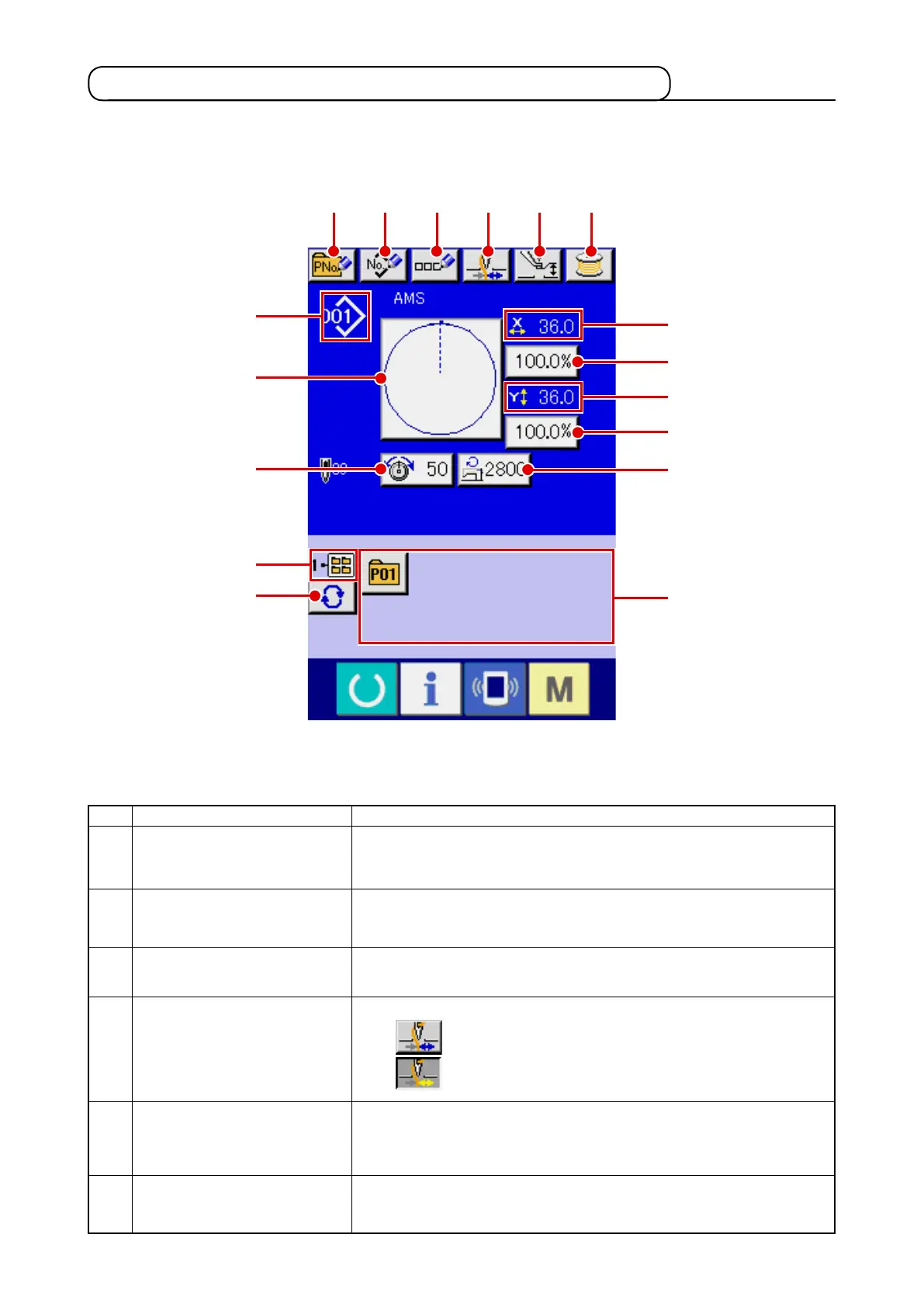
(1) Sewing shape data input screen
A
B
C
D
E
F
Button and display
PATTERN BUTTON
NEW REGISTER button
USERS’ PATTERN
NEW REGISTER button
PATTERN BUTTON
NAME SETTING button
THREAD CLAMP button
INTERMEDIATE PRESSER
SETTING button
BOBBIN WINDER button
Description
Pattern button new register screen is displayed.
/
Refer to
“
@
-2-15. Performing new register of pattern button” p.54
.
Users’ pattern new register screen is displayed.
/
Refer to
“
@
-2-13. Performing new register of users’ pattern” p.52
.
Pattern button name input screen is displayed.
/
Refer to
“
@
-2-14. Naming users’ pattern” p.53
.
Effective/ineffective of thread clamp is selected.
: Thread clamp ineffective
: Thread clamp effective
Intermediate presser is lowered and the intermediate presser reference
value change screen is displayed.
/
Refer to
“
@
-2-6. Changing item data” p.40
.
Bobbin thread can be wound.
/
Refer to
“
@
-2-11. Winding bobbin thread” p.48
.
B C D E F
G
J
M
K
L
N
I
O
P
Q
H
A
2-4. LCD display section at the time of sewing shape selection












 To Next Page