– 90 –
2-29. USING 2-STEP STROKE FUNCTION
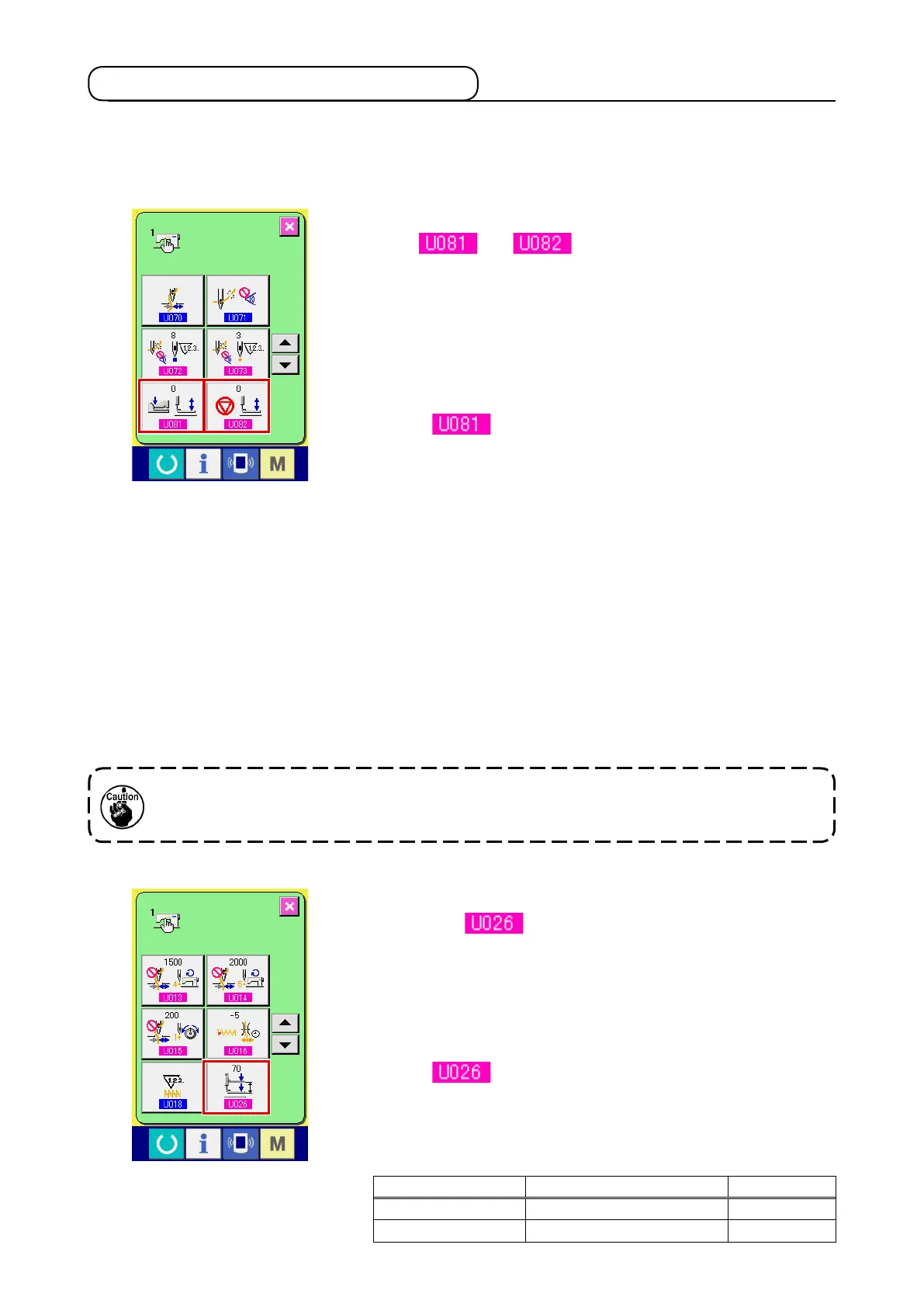
2-step stroke function can be used by changing setting of memory
switches and .
1
Display the memory switch data list screen.
Display the memory switch data list screen.
Refer to
"
@
-2-25. Changing memory switch data" p. 82
for
how to display the memory switch data list screen.
2
Change the memory switch data. (Make the 2-step stroke
function effective.)
Select
from the memory switch list screen and set as
below.
AMS-210EN-SS/HS-1306 : 0 to 1
AMS-210EN-SL/HL-1306
(Right/left separated pressers) : 1 to 10
Other (Solid presser) : 8 to 9
In case of the right/left separated pressers, it is possible to
perform the memory switch setting to limit the lowering order of
right/left pressers.
For the contents of memory switch setting, see
"
@
-3. MEMO-
RY SWITCH DATA", p. 96
.
When using the 2-step stroke function, you can stop the presser at the intermediate position you desire.
*
For the pneumatic type of AMS-210EN-1306, the presser, left only is of 2-step stroke.
(1) Setting of 2-step stroke function
(2) Setting of 2-step stroke position
In the setting of 2-step stroke position, perform the adjustment of intermediate position to stop the
presser. As the setting value is increased, the presser stops at the lower position.
For the pneumatic type presser, the presser gradually comes down with the lapse of time
after stopping at the 2-step stroke position. In this case, repeat the operation since the
presser goes up when the pedal is depressed again.
[ When setting 2-step stroke position of user's pattern ]
2-step stroke position used in the user's pattern can be set with
memory switch .
1
Display the memory switch data list screen.
Display the memory switch data list screen.
Refer to
"
@
-2-25. Changing memory switch data" p. 82
for
how to display the memory switch data list screen.
2
Change the memory switch data.
Select
from the memory switch list screen and set
2-step stroke position.
Input possible range of 2-step stroke position depends on the
presser types.
Presser used Input range Initial value
Motor type 50 to 90 70
Pneumatic type 10 to 300 (msec) 35












 To Next Page