2-19. Copying pattern button
The sewing data of the pattern button No. which has already been registered can be copied to the pat-
tern button No. which is not registered. Overwriting copy of the pattern button is prohibited. When you
desire to overwrite, perform it after deleting the pattern button once.
/
Refer to
“
@
-2-17. Performing pattern button No. selection” p.59
.
1
Display the data input screen.
Only in case of the data input screen (blue) at the ti
me of pat-
tern button selection, it is possible to copy. In case of the sew-
ing screen (green), press READY switch
to display the
data input screen (blue).
2
Call the pattern copy screen.
When P
ATTERN BUTTON COPY button
A
is pressed,
the pattern button copy (copy source selection) screen is dis-
played.
4
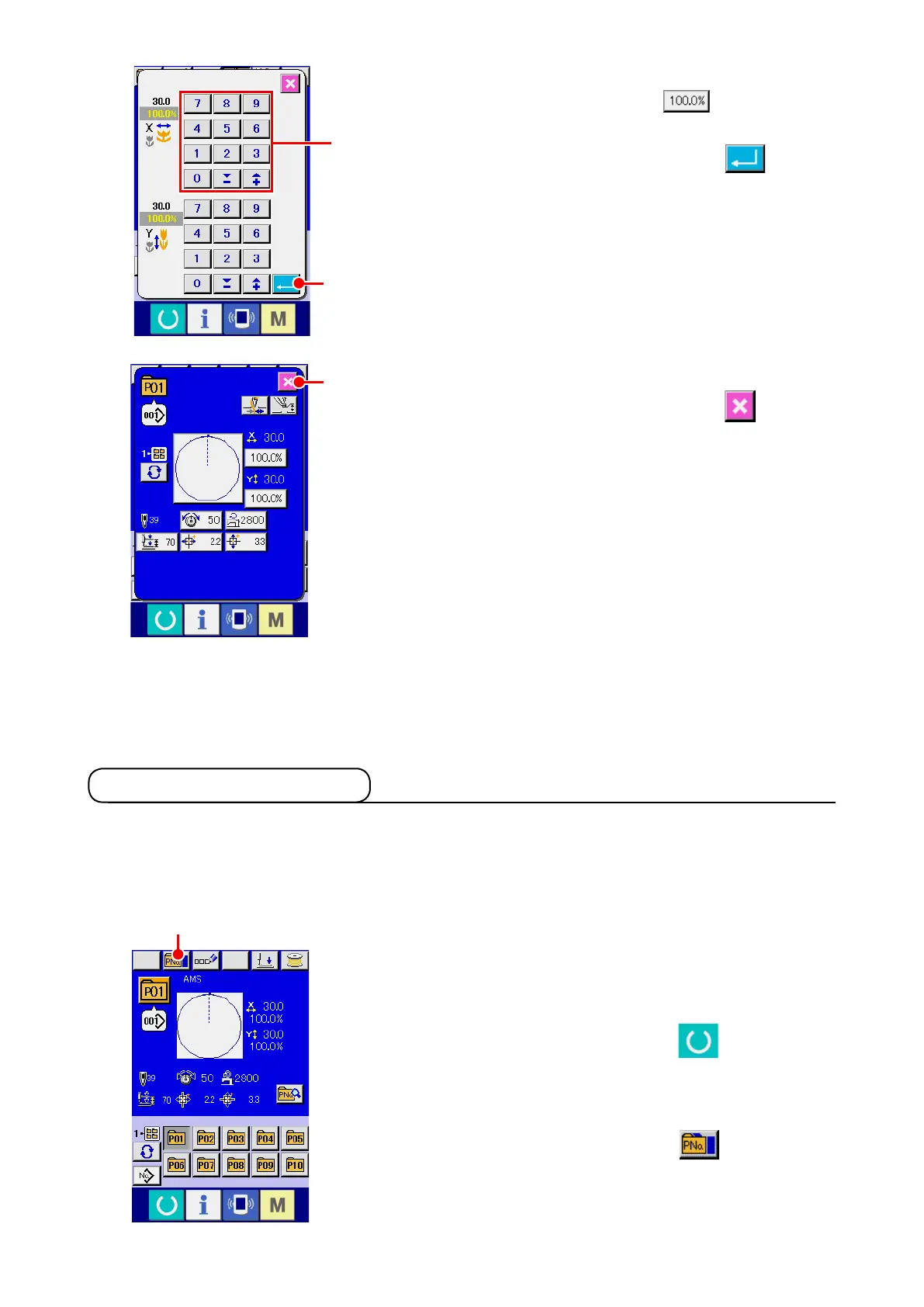
Determine the change of item data.
For example, input X scale rate. Press
B
to display
the item data input screen. Input the value you desire with the
ten keys or + or – key
K
. When ENTER button
L
is
pressed, the data is determined.
5
Close the pattern button data change screen.
When the change is over, press CLOSE button
M
. The
pattern button data change screen is closed and the screen
returns to the data input screen.
*
It can be performed to change the other item data by the same
operation.
M
L
K
A












 To Next Page