– 41 –
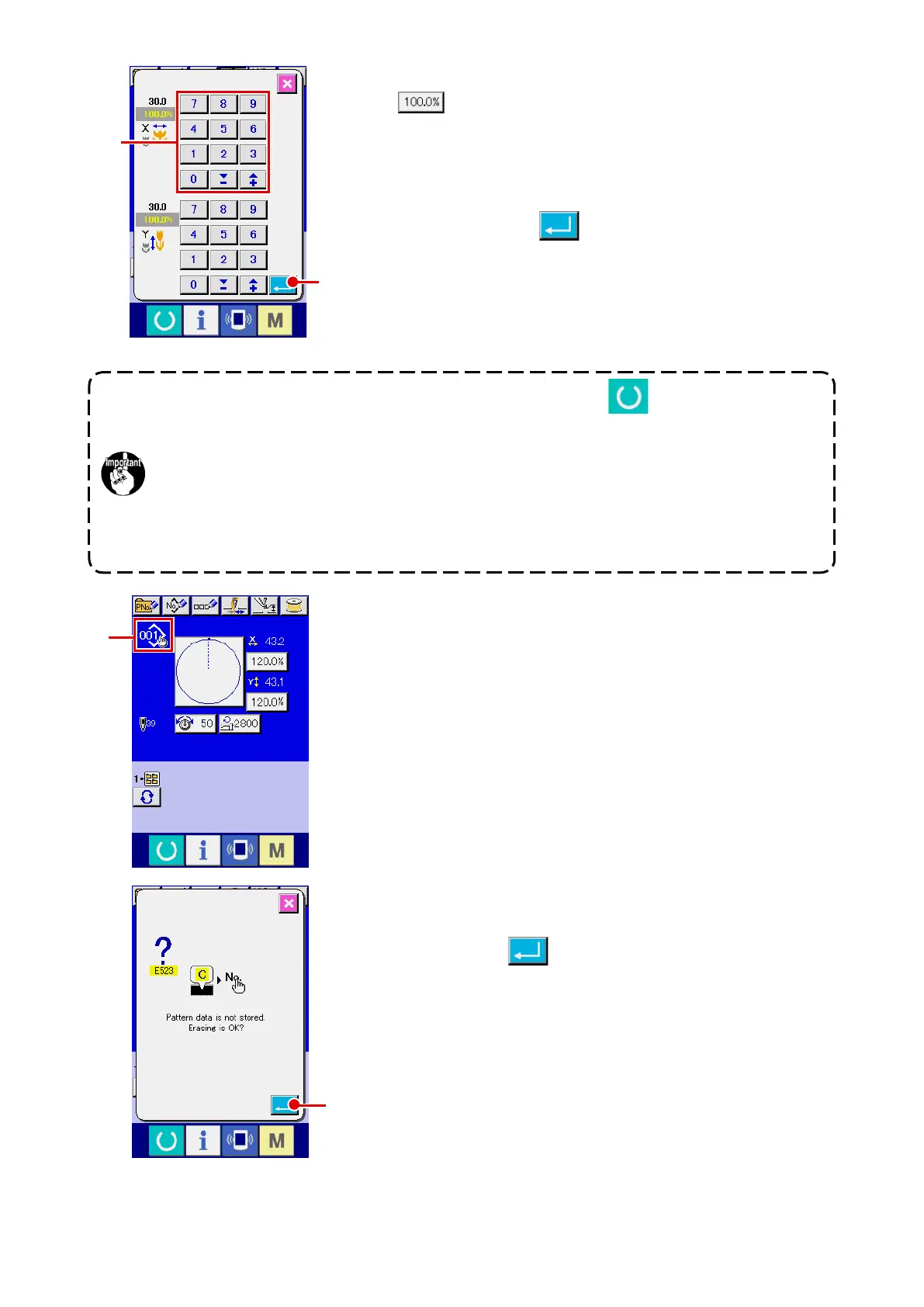
For example, input X scale rate.
Press
A
to display the item data input screen.
3
Input the data.
Input the value you desire with ten keys and + / – keys
F
.
4
Determine the data.
When ENTER button
G
is pressed, the data is deter-
mined.
* For the other item data, the data can be changed by the
same operation.
* It is possible to input X/Y value of enlargement/reduction
ratio and actual size value with one screen.
1. When turning OFF the power without pressing READY key , the set value of "Pat-
tern No.", "X enlargement/reduction ratio", "Y enlargement/reduction ratio", "Max. sew-
ing speed", "Thread tension" or "Intermediate presser height" is not stored in memory.
2. When operation processing cannot be performed since the reduction ratio is excessive
-
ly small, E045 Pattern data error is displayed.
3. When the scale rate is changed with increase/decrease of number of stitches (pitch is
xed), mechanical control command inputted to the points other than the shape point is
deleted.
H
I
When X/Y enlargement/reduction ratio, thread tension, intermedi-
ate presser, adding/deleting of thread tension command, or adding/
deleting of increase/decrease value of intermediate presser of us-
ers’ pattern or media pattern is performed, the pattern kind section
becomes change display
H
.
In case of change display
H
, the change conrmation screen is
displayed at the time of the change of pattern.
When ENTER button
I
is pressed, the information on the
current pattern is invalidated and the pattern No. is changed.
To store the changed pattern, refer to
“
@
-2-13. Performing new
register of users’ pattern” p.52
.
G
F












 To Next Page