Instructions for use ELECTROmatic TM and TMM/TMC
6 Operation | 6.5 ENDO Mode
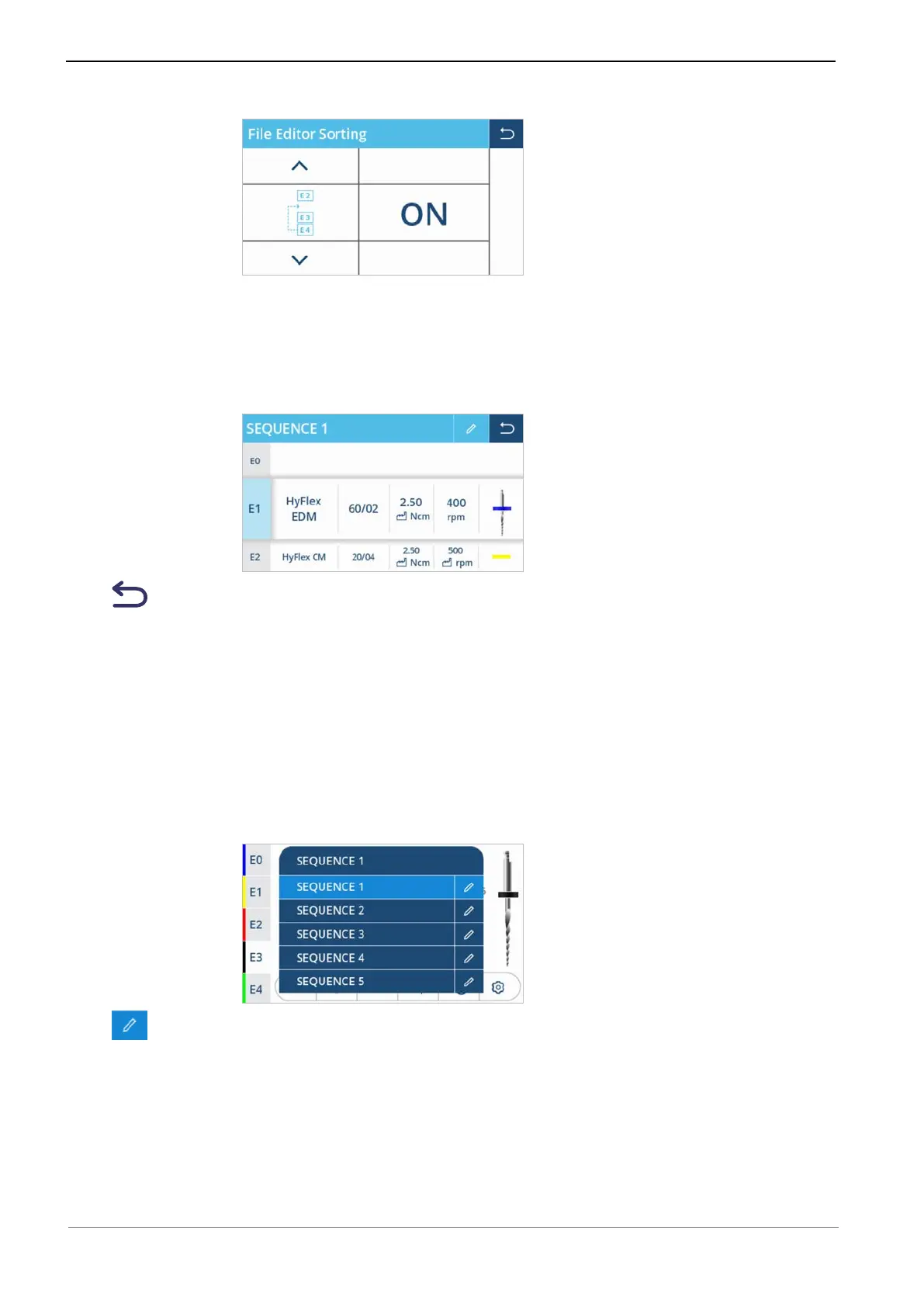
▶ Activate the "File Editor Sorting" setting of the device, if applicable.
See also:
2 5.4 Making the device settings, Page 53
▶ Tap the first column "File position" and shift the column vertically in order to
shift the position of the selected file in the sequence (presently: E1).
▶ Tap the "Back" control element to terminate the processing of file se-
quences.
ð The set data are saved.
Defining/changing user-defined files
By selecting and adapting the data of user-defined files, the user can insert a
file system that is not stored in the database into a sequence.
In order to define a user-defined file, the "FILE" entry in the second column
"File system" of the file editor must be selected.
▶ Open the file editor, then tap file sequence "SEQUENCE 1" to display the se-
lection list of the file sequences.
▶ Tap the "Pen" control element to edit the sequence.
65 / 90









 To Next Page