EasyManua.ls Logo

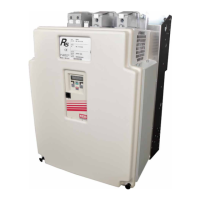
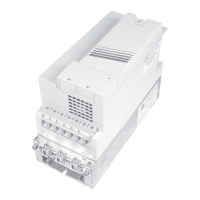
KEB combivert R6-S - User Manual

KEB combivert R6-S
56 pages
Print Icon
To Next Page IconTo Next Page
Loading...
COMBIVERT
GB INSTRUCTION MANUAL
Power Supply and Regenerative Unit
Type R6-S Size 29
Mat.No. Rev.
00R6SEB-KP00 1L

Table of Contents

Other manuals for KEB combivert R6-S

Questions and Answers

  • G
    George IbarraAug 19, 2025
    What to do if KEB combivert R6-S shows Over Current error?
    • R
      Richard RobertsonAug 19, 2025
      If your KEB Power Supply displays an 'Over current' error, it indicates that the output current is too high or there is a ground fault. To resolve this, check the output current and ground connections.
  • A
    Anthony ChandlerAug 21, 2025
    What to do if KEB combivert R6-S shows Over Voltage error?
    • E
      esimpsonAug 21, 2025
      If your KEB Power Supply displays an 'Over Voltage' error, it means the DC bus voltage is too high, exceeding 900VDC. You should check and reduce the DC bus voltage to fix this issue.
  • C
    Christopher LawrenceAug 23, 2025
    What to do if KEB combivert R6-S shows Over Load error?
    • E
      emilyjohnsonAug 25, 2025
      If your KEB Power Supply displays an 'Over Load' error, it means the actual load was greater than 105% and the overload timer timed out. Reduce the load to below 105% to resolve this error.
  • J
    Jessica LopezAug 26, 2025
    How to fix KEB combivert R6-S Over temperature error?
    • T
      torresmichaelAug 26, 2025
      If your KEB Power Supply displays an 'Over temperature' error, it indicates overheating of the heat sink. To fix this, allow the heat sink to cool down.
  • S
    Shannon WilsonAug 28, 2025
    What to do if KEB Power Supply shows Line error?
    • J
      James PatrickAug 28, 2025
      If your KEB Power Supply displays a 'Line' error, it indicates one or more phases are missing. To resolve this, check the line connections for missing phases.
  • P
    paulgalvanAug 30, 2025
    How to troubleshoot KEB combivert R6-S synchronization error?
    • A
      amyenglishAug 30, 2025
      If your KEB Power Supply displays a 'Synchronization' error, it indicates that the connection of line phases at the commutation choke is not correct. Check the synchronization of connections to resolve this.
  • C
    Corey BarrySep 1, 2025
    Why KEB combivert R6-S shows Over temperature commutation choke error?
    • G
      Gregory BishopSep 1, 2025
      If your KEB Power Supply displays an 'Over temperature commutation choke' error, it means the temperature sensing on the commutation choke indicates it's too hot. Check the temperature sensors and allow the system to cool down.
  • R
    Robert JohnsonSep 3, 2025
    What to do if KEB Power Supply indicates Under voltage error?
    • W
      William WardSep 3, 2025
      If your KEB Power Supply displays an 'Under voltage' error, it means the DC bus voltage is too low. Investigate the source of DC bus voltage and rectify.
  • R
    Richard SchultzSep 5, 2025
    What to do if KEB combivert R6-S Power Supply shows External Fault error?
    • S
      Susan HoweSep 5, 2025
      If your KEB Power Supply displays an 'External Fault' error, it's triggered by an external device through one of the digital inputs. Inspect the external devices connected to the digital inputs.
  • B
    Barbara OrtizSep 7, 2025
    How to fix KEB Power Supply Main Line Frequency error?
    • E
      Elizabeth CarterSep 7, 2025
      If your KEB Power Supply displays a 'Main Line Frequency' error, it means the frequency is out of tolerance. Check the main line frequency and ensure it's within the acceptable range.

Summary

Introduction to COMBIVERT R6-S

Preface and Safety Pictograms

General introduction to the manual and safety pictograms.

Product Description and Features

Describes the features of the COMBIVERT R6-S supply and regenerative unit.

Validity, Liability, and Warranty Terms

Outlines the terms of use, responsibility, and warranty exclusions for the product.

Copyright and Trademark Information

Details the usage rights of the manual and KEB's trademarks.

Specified Application and Usage Limitations

Defines the intended use of the COMBIVERT R6-S and its limitations.

Standard Operating Procedures

Explains how the unit operates under normal conditions during regeneration.

Handling Abnormal Operation Conditions

Describes error conditions and actions for abnormal operation like overcurrent.

Unit Identification Codes Explained

Explains the coding system used to identify different versions of the COMBIVERT R6-S.

Safety Instructions for COMBIVERT R6-S

General Safety Precautions

Provides essential safety warnings regarding dangerous voltages and qualified personnel.

Transport, Storage, and Installation Guidelines

Details safe practices for handling, storing, and installing the unit.

Electrical Connection Safety Measures

Outlines critical safety precautions for electrical connections, including power isolation and grounding.

Preventing Disturbances, Auto-Restart, and Short-Circuit Protection

Guidelines for preventing operational issues, automatic restart, and short-circuit protection.

Cyclic Operation, Deactivation, and RCD Usage

Advises on cyclic activation, deactivation, and the use of RCDs.

EMC Instructions and Conform Installation

EMC Conform Installation Guidelines

Lists measures for ensuring electromagnetic compatibility during installation.

Technical Data and Specifications

General Specifications and Operating Parameters

Covers unit size, voltage, frequency, and general operating parameters.

Operating Conditions and Overload Function

Details overload function, operating conditions, and environmental compliance.

Accessories, Options, and Ferrite Rings

Lists optional accessories, filters, and ferrite rings for the unit.

Dimensions, Weights, and Related Components

Provides dimensional drawings and weight for the unit and related components.

Installation Procedures

EMC-Compatible Control Cabinet Setup

Shows a diagram and lists components for an EMC-compliant control cabinet.

General Installation Best Practices

Provides general installation guidelines, including environmental and placement requirements.

COMBIVERT R6 Connection Details

Inverter Input Terminals Overview

Explains terminal functions for DC voltage input/output and mains input.

Power Circuit Terminal Connections

Illustrates and describes power circuit terminals for different housings.

External Fan Power Supply Connection

Details the connection and specifications for the external fan power supply.

Control Board and Synchronization Unit Connections

Shows terminal assignments for control board, synchronization unit, and operator interface.

Power Unit R6-S Connection Configurations

Single Unit Power and Regenerative Operation

Wiring diagram for single unit operation in power supply/regenerative mode.

Multi-Unit Power and Regenerative Operation

Wiring diagram for multiple units in power supply/regenerative mode.

Parallel Operation of Multiple R6-S Units

Wiring diagram for parallel operation of up to three units.

Parallel Regenerative Operation with Decoupling Diodes

Wiring diagram for parallel regenerative operation with decoupling diodes.

Control Board Version S Connections

Control Terminal Strip X2 A Assignment

Detailed pin assignment for the X2A terminal strip, including digital inputs/outputs and relays.

Socket X2 B and Terminal Block X2 C Assignments

Details RJ45 socket X2B and terminal block X2C assignments for synchronization and control.

Control Wiring Example and EMC Tips

Illustrates a wiring example for control inputs with EMC considerations.

Operator Interface and Operation

Operator Types and Connection

Describes the different operator types and interfaces for local/external operation.

Operation and System Setup

PC Software Operation (COMBIVIS)

Refers to separate instructions for operating with PC software.

Unit Switch-On and Initialization Procedure

Details the startup sequence, including power circuit identification and synchronization phase.

Parameter Summary and Settings

Comprehensive Parameter List

Lists all available parameters with their settings, resolution, and origin.

Monitoring and Analysis Parameters

Status Messages and Error Code Explanations

Explains operational statuses and lists error codes with their meanings.

Key Operating Parameter Overviews (CP.01-CP.17)

Details parameters for status display, frequency, current, utilization, voltage, temperature, and power.

Special Adjustments and Configuration

Analog Output Gain and Comparison Level Settings

Explains adjustments for analog output gain (CP.18) and comparison level (CP.19).

Fault Reset and Software Parameters

Describes fault reset (CP.20), software version (CP.29), date (CP.30), and operating mode (CP.33).

Regeneration Level and Other Parameters

Details parameters for overload counter (CP.12), regeneration level (CP.34), and last errors (CP.21-28).

Appendices

A.1 Dimensioning Power Supply and Regenerative Units

Provides a flowchart and formulas for dimensioning power supply and regenerative units.

A.2 DC Link Capacitors for Frequency Inverters

Lists DC link capacitor values for COMBIVERT F5, G6, and S6 inverters.

A.3 Decoupling Diodes: Assignment and Dimensions

Lists and dimensions decoupling diodes for use with regenerative units.

Appendix B: Certification

B.1 CE Marking and Compliance

Details CE marking and compliance with relevant directives like Low-Voltage and EMC.

KEB combivert R6-S Specifications

General IconGeneral
CategoryPower Supply
Input Voltage3 x AC 380-480V
Protection FeaturesOvercurrent, overvoltage, short circuit, overtemperature
Communication InterfacesCANopen, Profibus, Ethernet
Cooling MethodAir or liquid cooling

Related product manuals