SANARIUM B, S
PAGE 10
50701206/02.18
7. Controller
7.3. Touchscreen - Basic operation and display symbols
The control panel must be switched on at the main switch.
' See page 18.
Operate the control panel by pressing on the touchscreen with your finger.
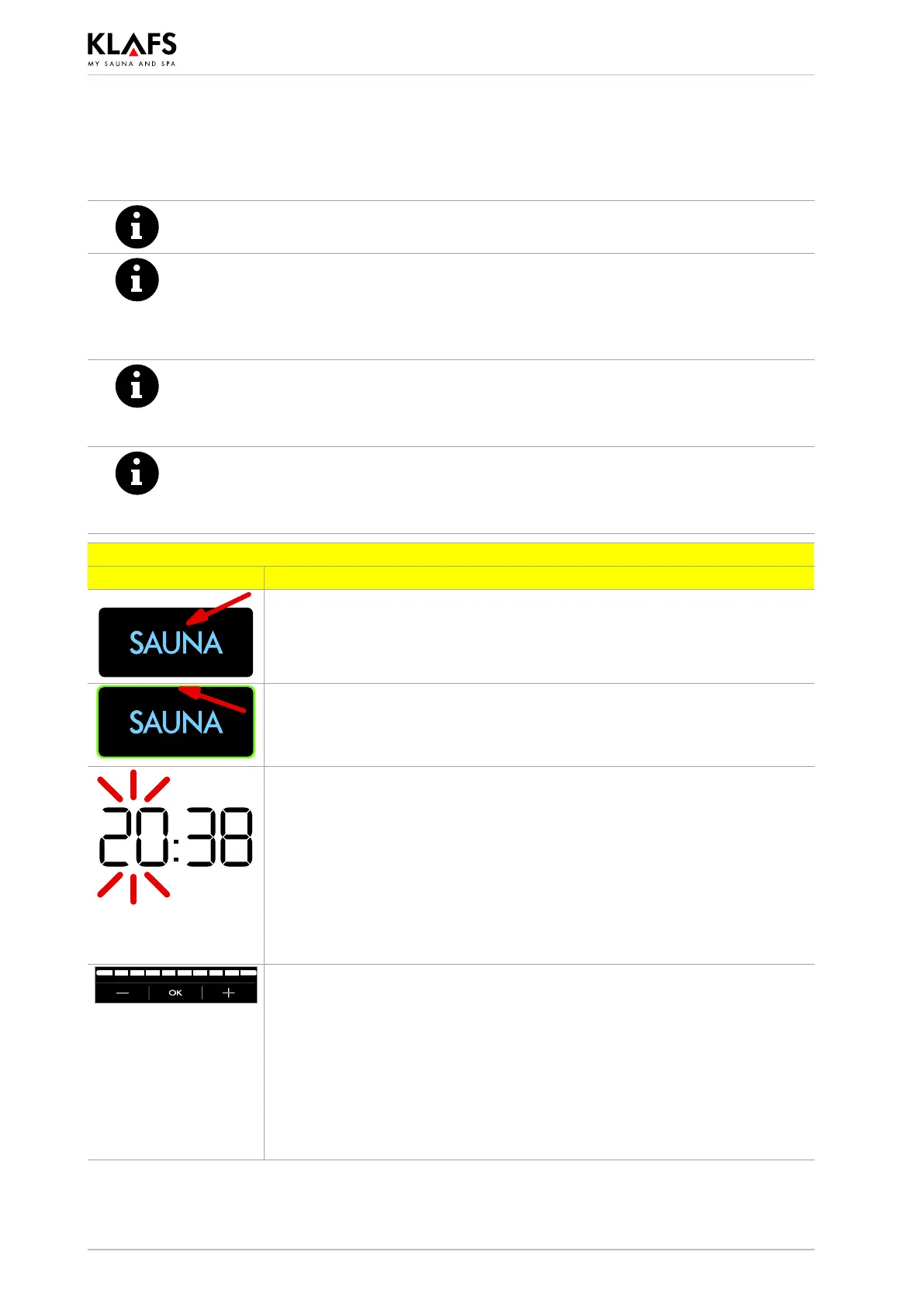
The touchscreen is divided into display sections and function symbols.
Functions are activated by pressing the symbols displayed.
Entering and changing settings will be quicker if a short pause of around 0.5 seconds
is left between presses.
When settings that can be changed are selected, they flash at a frequency of 1 Hz.
The controller will automatically cancel input mode and retain the existing setting if no
symbol is pressed or the altered setting is not confirmed by pressing the OK symbol
within five seconds.
After five minutes of non-use, the backlighting will gradually start to dim and then the
screen will switch off fully within a minute.
If you touch the display while it is dimmed or switched off, the backlighting will switch
on first. You will then be able to operate the controller via the display.
Example
Symbol: Display/function:
Symbol.
e.g. a word, icon or number.
Pressing a symbol executes the relevant function.
Backlit ring.
Indicates that a function has been activated or started.
Pressing the relevant symbol again deactivates or stops the function or
allows the settings to be changed.
Numerical value.
A numerical value that can be changed flashes.
Touching the value allows you to change it.
Increase or decrease the value by pressing the ”+” or ”-” symbol.
Confirm any changes by pressing the OK symbol.
. The controller will automatically cancel input mode and retain the
existing setting if the altered setting is not confirmed by pressing OK
within five seconds.
Bar scale.
Increase or decrease the value on the bar scale by pressing the
”+” or ”-” symbol.
Or touch the bar scale to change it in the same way as for numerical
settings.
Confirm any changes by pressing the OK symbol.
. The controller will automatically cancel input mode and retain the
existing setting if the altered setting is not confirmed by pressing OK
within five seconds.



 To Next Page