SANARIUM B, S
PAGE 30
50701206/02.18
9. Operation
9.5. Remote power-on unit (optional)
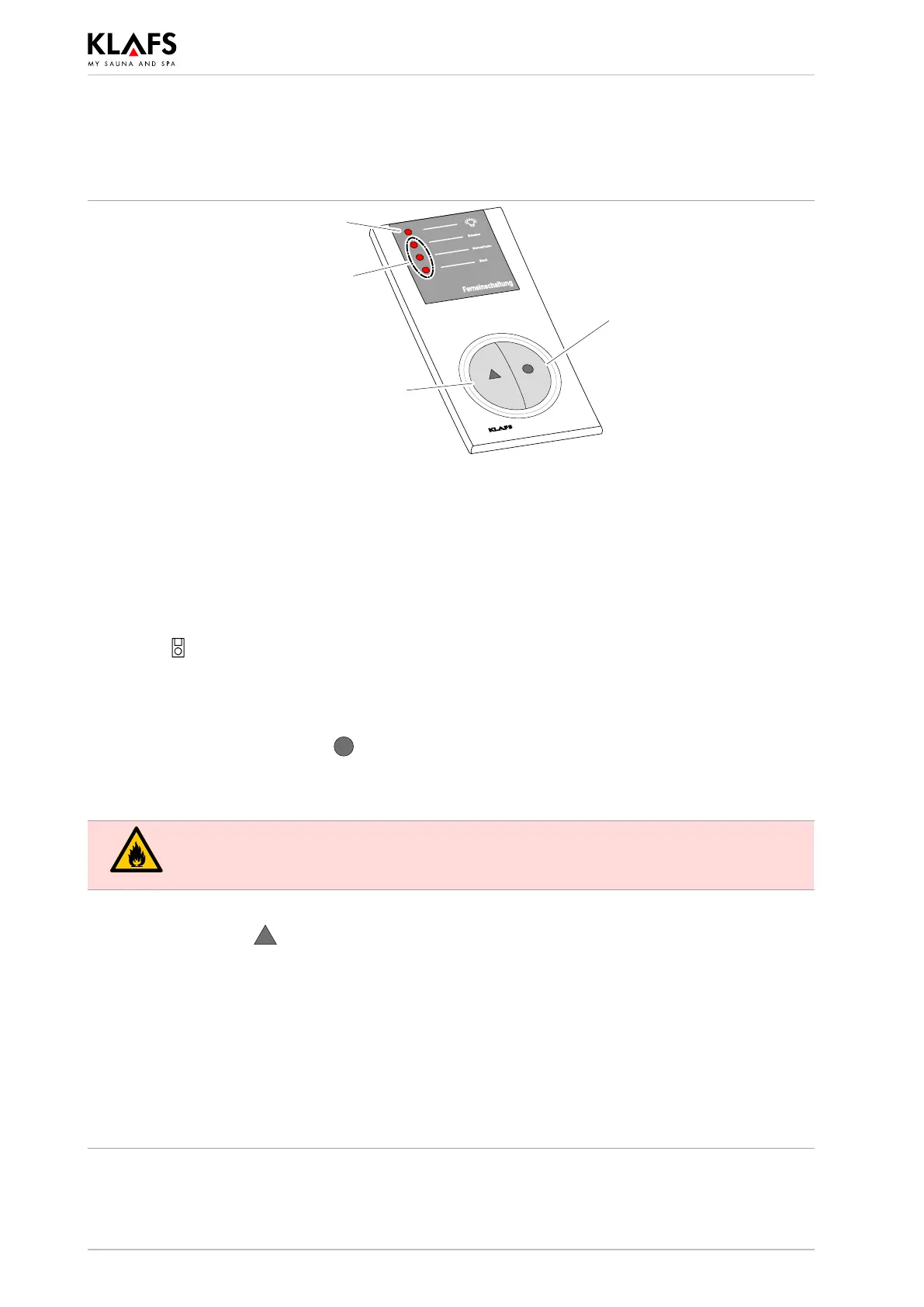
Cabin light button H,
Switches cabin light
on/off.
Cabin light LED.
Mode button G, for selecting bathing
mode.
Bathing mode LEDs.
Indicates the selected bathing
mode.
The remote power-on unit is available as an optional extra. Please see delivery documents for scope of
supply.
Function
The remote power-on unit is used for:
d Starting and stopping Sauna/SANARIUM modes
d Selecting the bathing mode
d Switching the cabin light on and off.
The symbol
appears in the control panel display when the remote power-on unit is connected.
. The cabin light and the bathing mode can be operated independently of each other on the
remote power-on unit and the controller.
Switching the cabin light on/off
1. Press the cabin light button H
.
. The cabin light cannot be switched off during use.
Switching bathing mode on/off
Risk of fire!
Before commissioning the controller, always ensure that there are no flammable objects
near the sauna heater or infrared heater in the cabin.
1. Switch on the main switch on the controller.
2. Press the mode G
button. The LED for the selected bathing mode lights up.
3. The selected bathing mode starts automatically three seconds after the last time a button is
pressed.
. Each time the button is pressed, the next bathing mode is selected.
' If a different program is to be started for the selected bathing mode, see page 40.
. If SANARIUM was used for more than ten minutes prior to the end of the program, the follow-on
program will start automatically after the program has finished. The END LED flashes in the
display of the remote power-on unit during the follow-on program. The LED goes out after the
follow-on program has finished.
' See page 26 for further steps on using the follow-on program.



 To Next Page