SANARIUM B, S
PAGE 16
50701206/02.18
7. Controller
7.9. Touchscreen - Section 5: Special features, cabin light,
clock
The symbol display depends on the configuration.
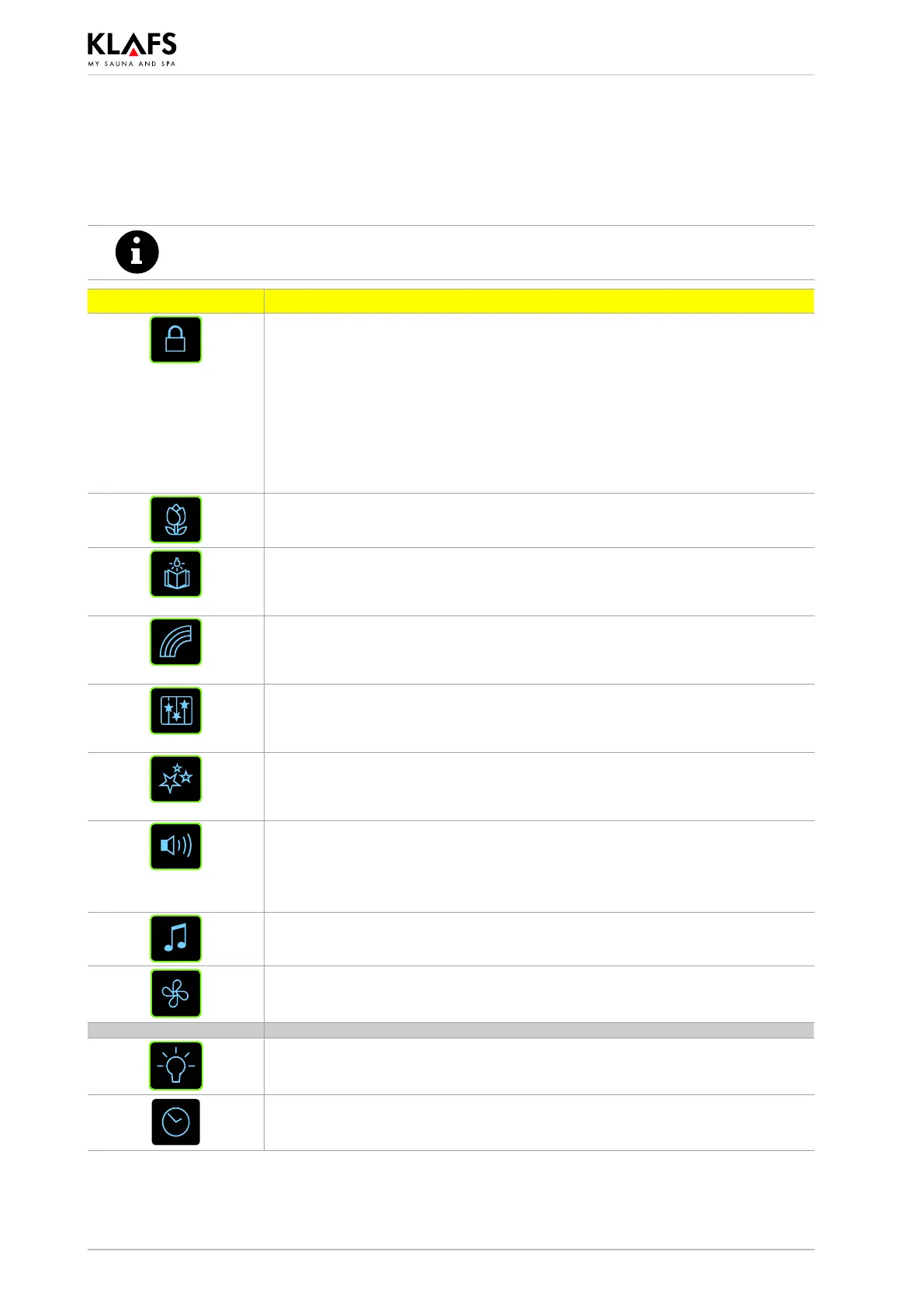
Symbol: Display/function:
Touchscreen lock.
The controller can only be used after entering your password via the
touchscreen.
d Symbol is flashing at 1 Hz = Touchscreen can be used.
d Symbol appears = Touchscreen is locked.
' Setting up the touchscreen lock - See Servicing Instructions 18029,
18033, 18040.
' To switch the touchscreen lock on/off, see page 48.
Set the scent pump.
' To adjust the settings, see page 49.
Switches the reading light on/off.
. Reading light switches off after a delay of up to 30 seconds after the
bathing program has finished.
Switches the coloured light on/off.
. Coloured light switches off after a delay of up to 30 seconds after the
bathing program has finished.
Switches AQUAVIVA on/off.
. AQUAVIVA switches off after a delay of up to 30 seconds after the
bathing program has finished.
Switches Starry Sky on/off.
. Starry Sky switches off after a delay of up to 30 seconds after the
bathing program has finished.
Adjusts the volume of the connected music source.
. This symbol does not appear until the music track symbol has been
pressed.
' To set the volume, see page 46.
Select a music track.
' See page 45.
Adjusts the fan.
' To adjust the settings, see page 49.
Cabin light.
' See page 19.
Sets the time.
' See page 20.



 To Next Page