SANARIUM B, S
PAGE 42
50701206/02.18
10. Custom settings
10.2. Setting the temperature
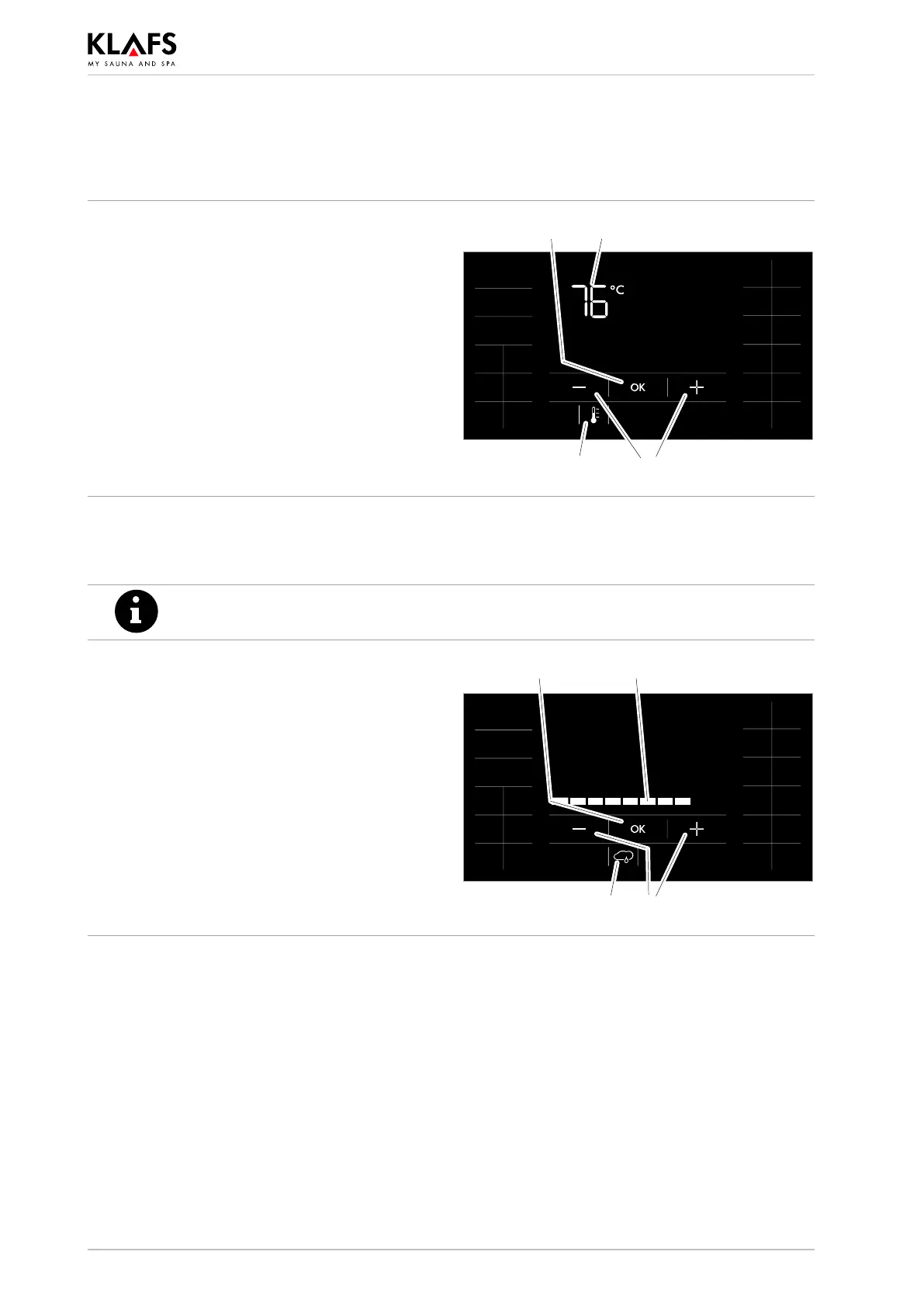
Changing the temperature
1. Press the symbol (1) or (2).
The temperature display (2) starts flashing.
2. Set the desired temperature by pressing the
+/- symbols (3).
3. Apply the set temperature by pressing the
OK symbol (4).
. The controller will automatically cancel input
mode and retain the existing setting if the
altered setting is not confirmed by pressing
OK within five seconds.
1 3
24
10.3. Setting SANARIUM humidity
The humidity can be adjusted only in SANARIUM mode.
Changing the humidity
1. Press the symbol (5).
The bar scale (6) appears.
2. Select the desired humidity by pressing the
+/- symbols (7).
3. Apply the set humidity by pressing the
OK symbol (8).
. The controller will automatically cancel input
mode and retain the existing setting if the
altered setting is not confirmed by pressing
OK within five seconds.
5
8
7
6



 To Next Page