SANARIUM B, S
PAGE 20
50701206/02.18
8. Basic functions and settings
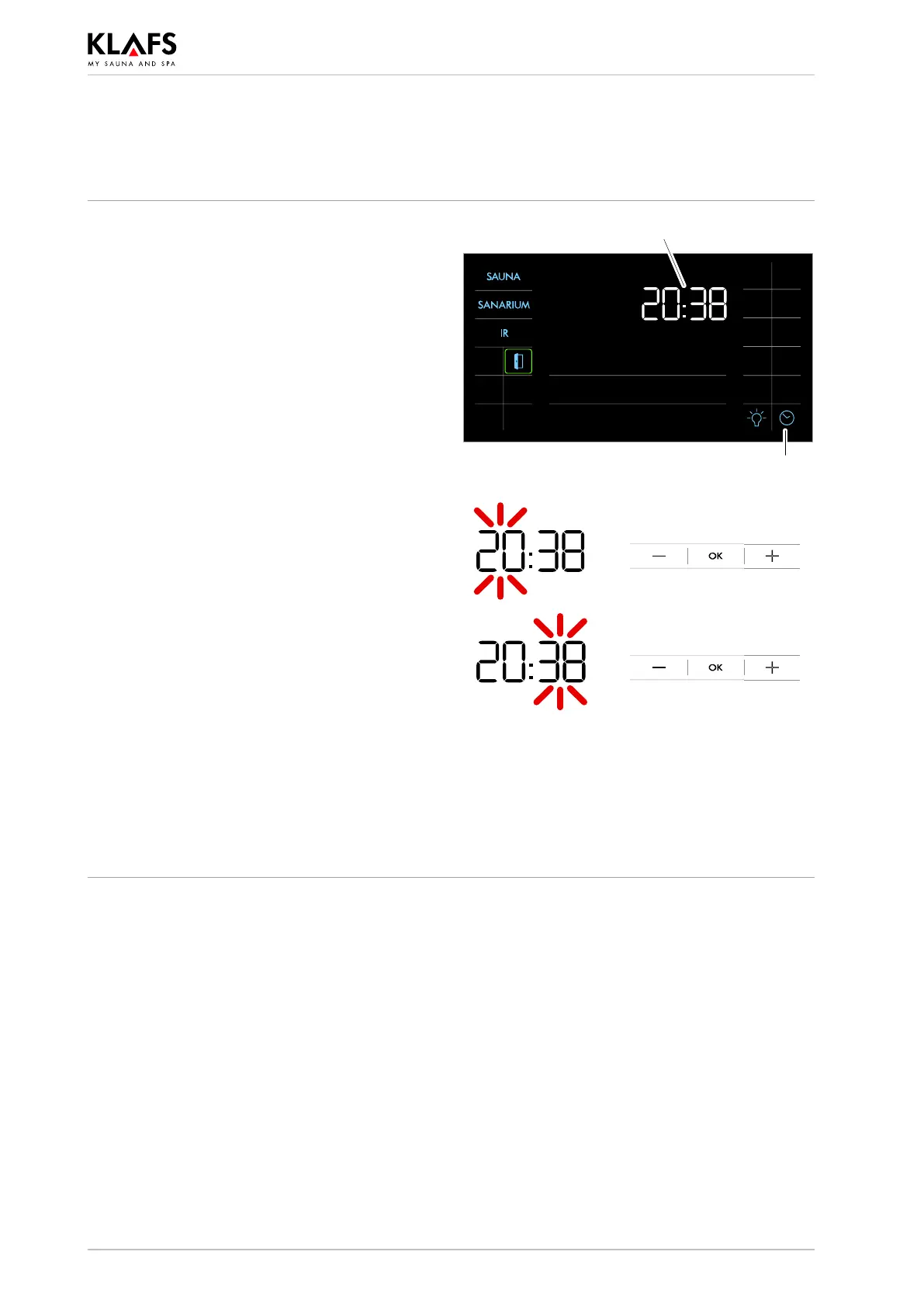
8.3. Setting the time
1. Press the symbol (1) or (2).
The digits for the hour start flashing.
2
1
2. Set the hour by pressing the +/- symbols.
3. Confirm the set hour by pressing the OK
symbol.
The digits for the minutes start flashing.
4. Set the minutes by pressing the +/- symbols.
5. Confirm the set hour by pressing the OK
symbol.
The time has been set.
. The controller will automatically cancel input
mode and retain the existing setting if the
altered setting is not confirmed by pressing
OK within five seconds.
. The internal clock has a power reserve for a
few months in the event of a power failure.



 To Next Page