SANARIUM B, S
PAGE 22
50701206/02.18
8. Basic functions and settings
8.5. Setting the water hardness
Requirement:
d Ask your water supplier about your area's water hardness in order set the correct
settings on the control panel.
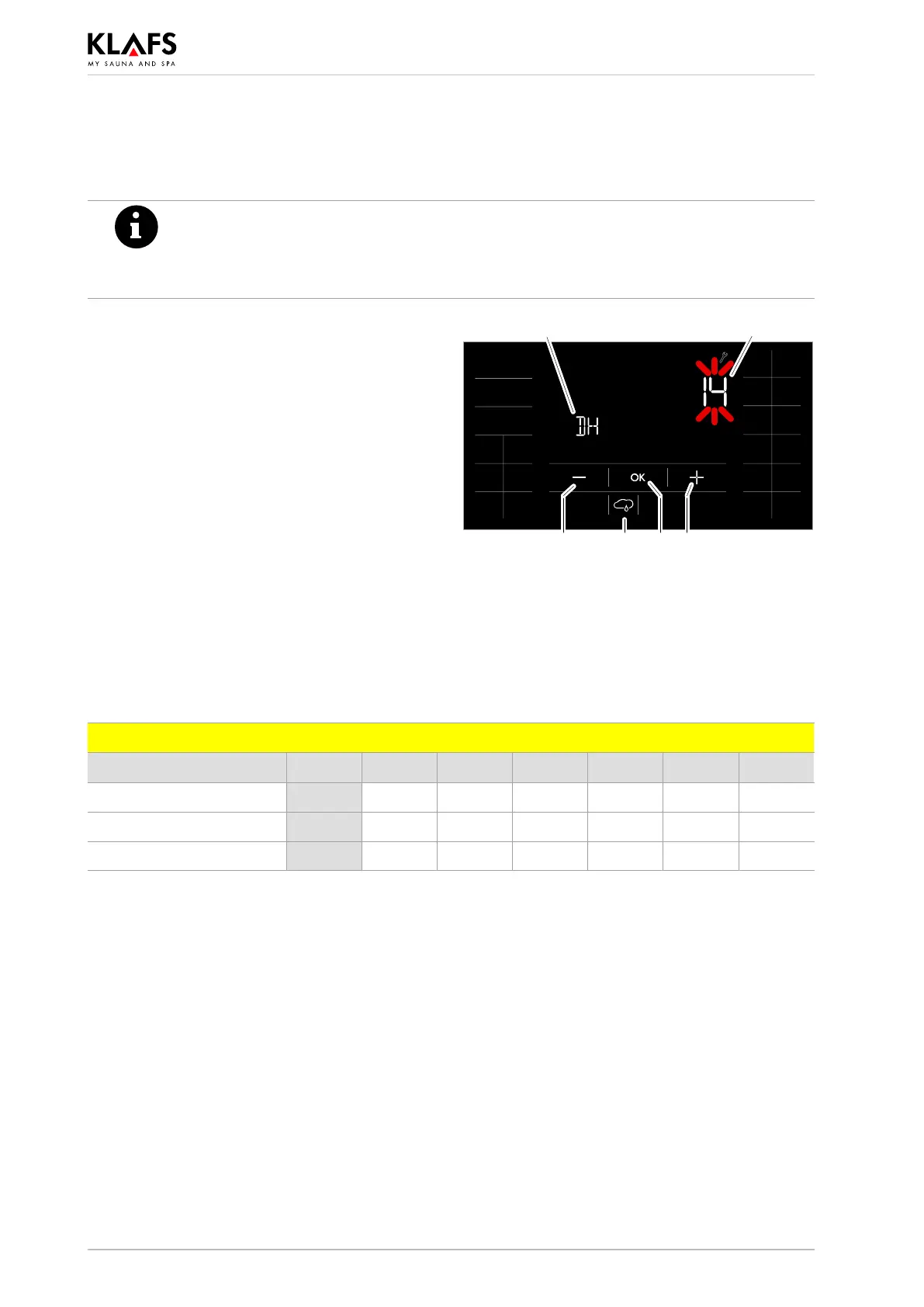
d Start SANARIUM mode.
1. Press the symbol (1).
The screen for setting the humidity is displayed.
2. Press the symbol (1) again twice within one
second.
The display (2) now shows ”DH”.
The display (3) flashes and displays the water
hardness currently set.
. Water hardness can be set to between 0 and
30° dH.
. The standard setting is 15° dH.
. If the water hardness is set to 0° dH, the error
message prompting you to service the
evaporator is deactivated.
3. Press the +/- symbols (4) to change the
water hardness setting.
4. Apply the setting by pressing the OK
symbol (5).
2
1 5 44
3
Water hardness conversion table
°dH °e °fH ppm mval/l mmol/l
German level 1 °dH = 1 1.253 1.78 17.8 0.357 0.1783
English level 1 °e = 0.798 1 1.42 14.3 0.285 0.142
French level 1 °fH = 0.560 0.702 1 10 0.2 0.1



 To Next Page