SANARIUM B, S
PAGE 40
50701206/02.18
10. Custom settings
10.1. Selecting the standard/custom program
For Sauna, SANARIUM* and InfraPLUS** (optional) modes, there is a custom
program (Pr 1) in which you can set personalised bathing parameters (temperature,
humidity*, intensity** and bathing time).
There are three standard programs for Sauna mode and four standard programs for
SANARIUM* or InfraPLUS** mode (optional); all standard programs have fixed
bathing parameters.
Changes to the bathing parameters are automatically saved to the custom program
(Pr 1) for the bathing mode selected.
If the personalised bathing parameter settings are the same as the settings in one of the
standard programs, the standard program is automatically selected.
. *) The ”humidity” parameter is only available in SANARIUM mode.
. **) The ”intensity” parameter is only available in InfraPLUS mode (optional).
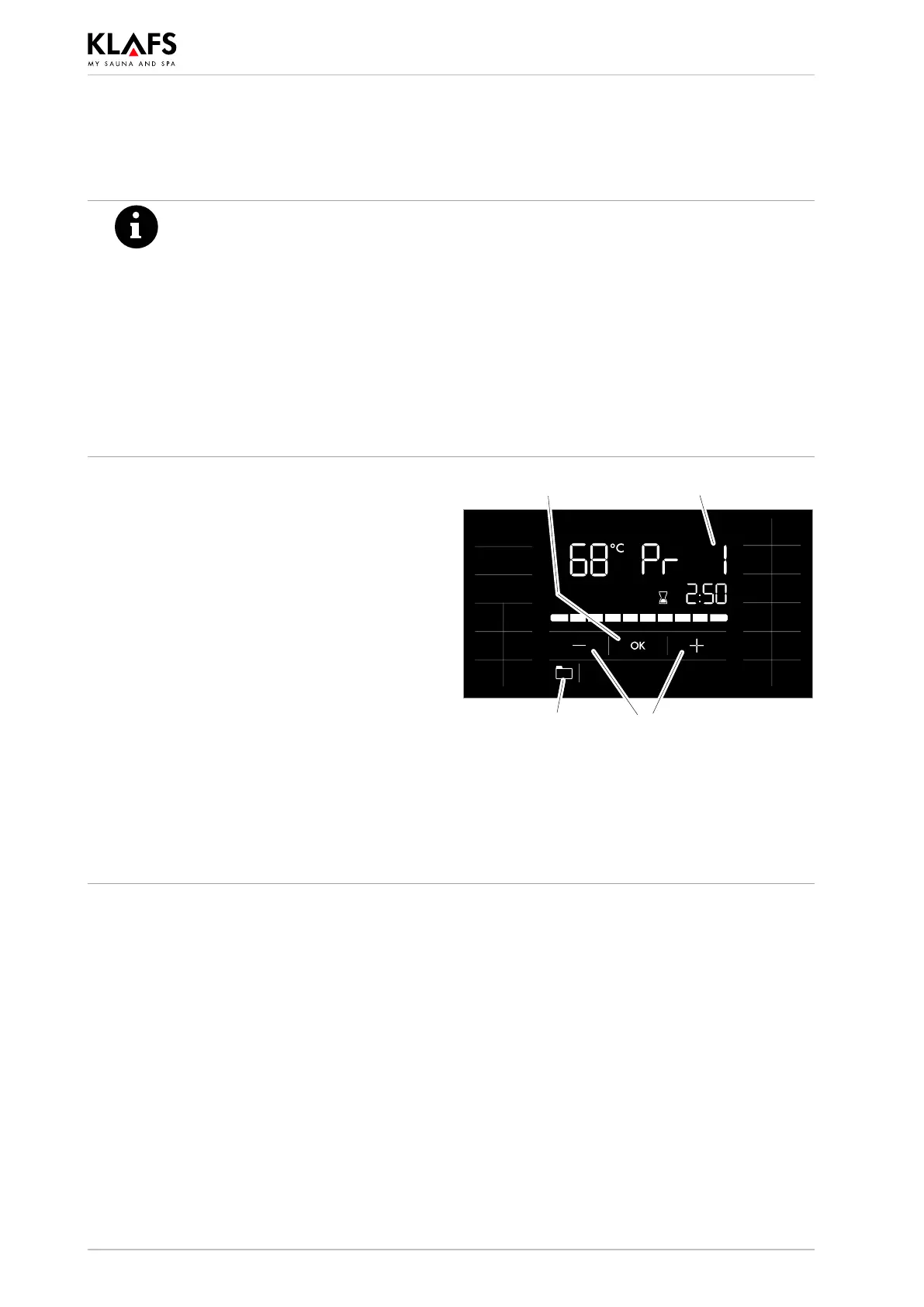
Selecting and starting a program
. Requirement: Select the desired bathing mode
by pressing the Sauna, SANARIUM* or
InfraPLUS** symbol.
1. Press the symbol (1).
2. Select the desired program by pressing the
+/- symbols (2).
The storage location of the selected program (3) is
displayed.
The stored bathing parameters - such as
temperature, humidity*, intensity** and bathing
time - for the selected program are displayed.
3. Start the selected program by pressing the
OK symbol (4).
. The controller will automatically cancel input
mode and retain the existing setting if the
altered setting is not confirmed by pressing
OK within five seconds.
1 2
34
Continued on the next page



 To Next Page