The values of the pH, air and water temperature sensors flash when filtering is stopped. Their
display is steady when filtering is running for at least 10 min. Wait for 30 to 90 min with ORP.
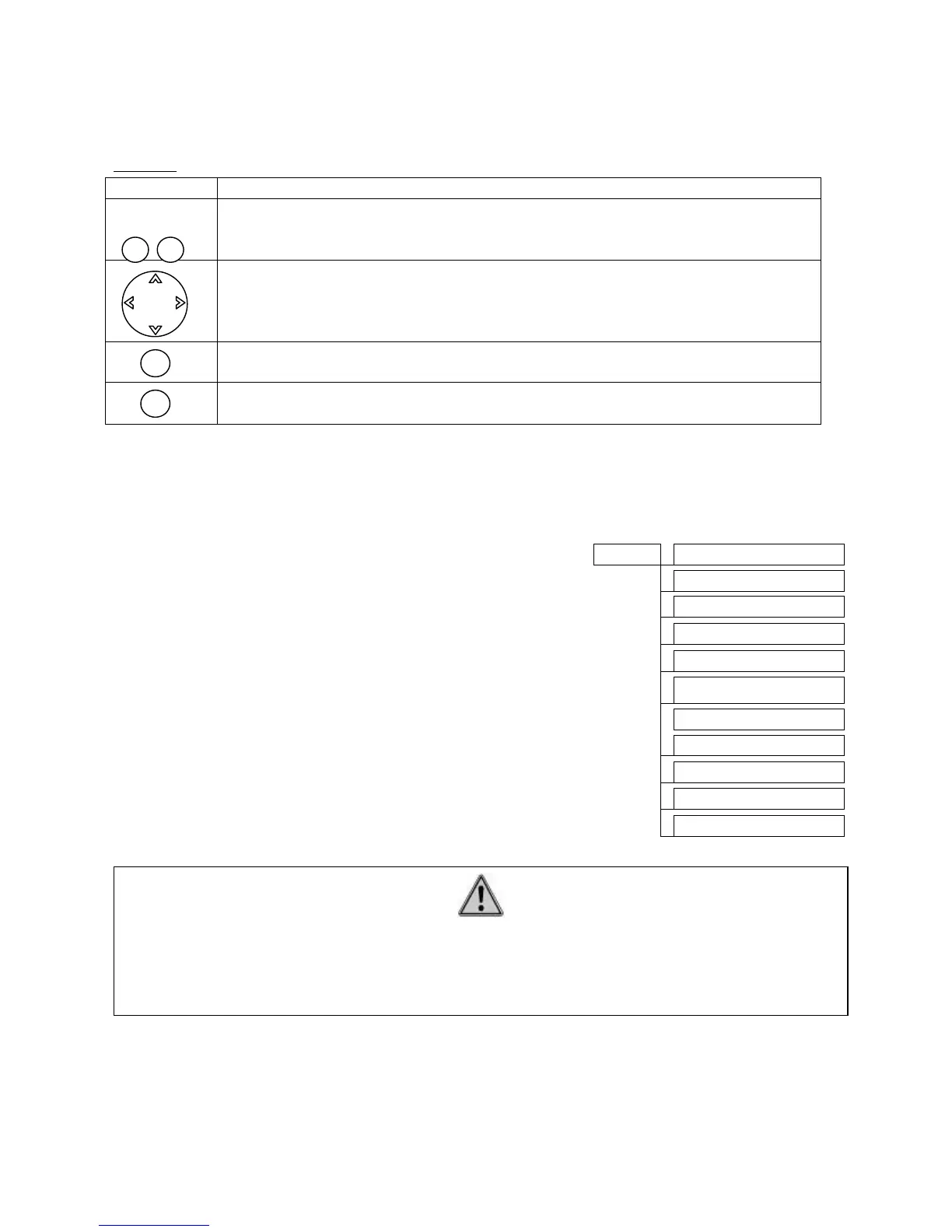
Browse:
5.2 Main menu:
Press screen selection key to access main menu, use the browse key to select the required
sub-menu and press OK to enter. The main menu is used to access the pool functions and
other sub-menus:
- Messages: to read the pool alerts.
- Sensor value: list of sensors value
- Filtering, Water treatment, Lighting, Heating, and
Auxiliary: to parameter the different pool equipments.
- Maintenance: to indicate the different elements
consumptions (water treatment products and pool
equipments) and to check and calibrate the probes.
- Control Modes: to select between “comfort” and
“eco” mode
- System Status: shows the operational status of the
Klereo system
- Parameters: to access system parameters
- Software: to know the installed software version and
do the updating.
5.3 Interface:
This menu is used to set date and time, select language and adjust brightness and contrast
Screen selection key: the functions for these keys are listed in the display
at the bottom of the LCD screen. The functions vary according to the menu
shown.
Browse key: for browsing and sometimes for changing values displayed.
Confirm key: for accessing a sub-menu or confirming an action
Back or Cancel key: for cancelling an action or returning to the previous
menu
Klereo
Software
IMPORTANT
In case of message, the symbol « MESSAGES » flashes on the top right end of the
display alternately with the date and time. A sub-menu « messages » is then added in
the main menu listing.


 To Next Page