- Active Oxygen concentration must be maintained below 10mg/L.
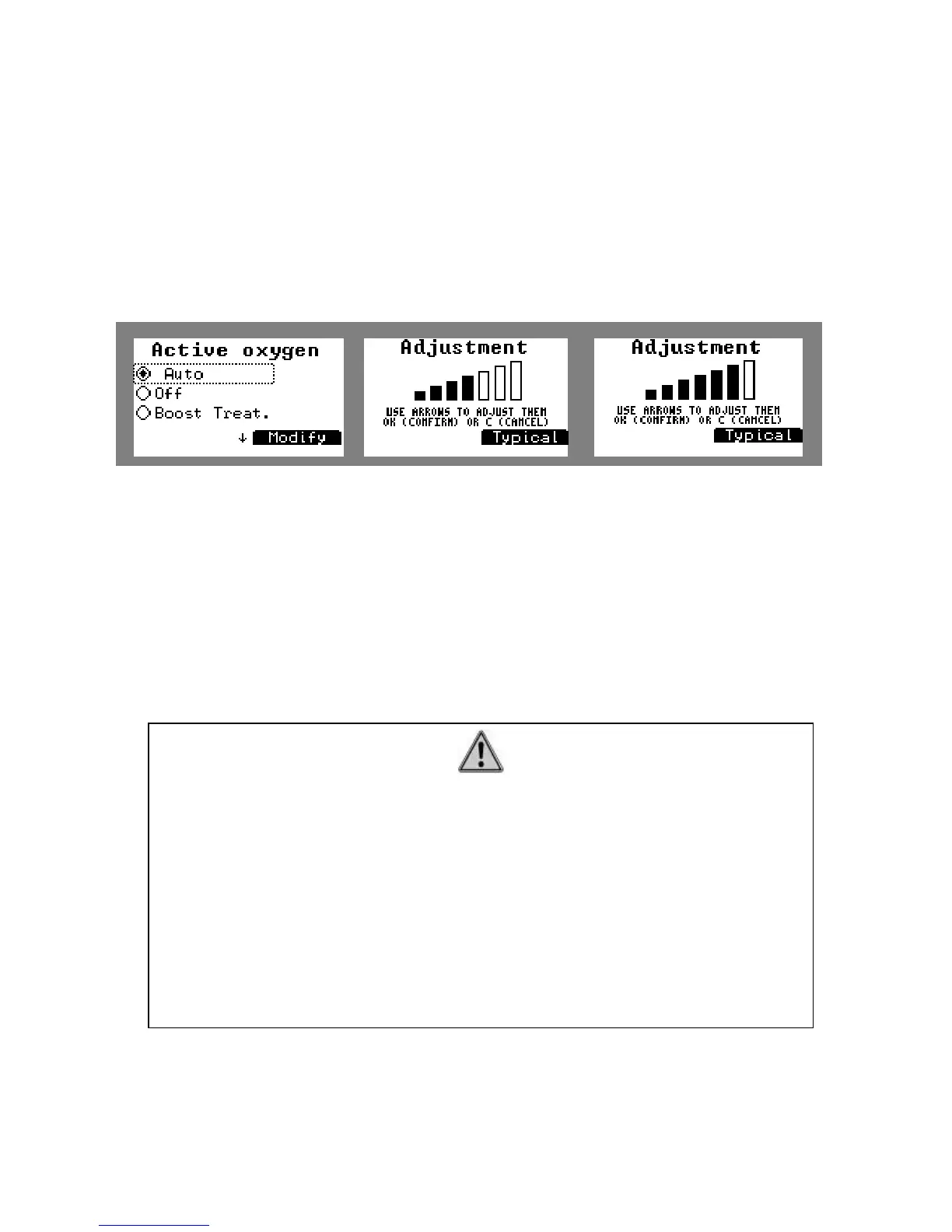
The regulated temperature mode is set up in « typical » mode. To modify it, press the sceen
selection key below « modify » and by using the arrows on the browse key it is possible:
• To decrease the injections (in case of active Oxygen) by -20, -40, -60% or to
increase them by +20, +40, +60%.
• To decrease the operation time (in case of Salt Chlorinator) by -20, -40, -60% or
to increase it by +20, +40, +60%.
This operation can be very useful when there are many people in the pool.
Figure 47. Modifying the regulated mode
c. ORP security
There is an adjustable ORP security when using a Salt Chlorinator treatment (whatever
the model, Klereo or another brand) in order to stop Chlorine production when reaching a
maximum value.
The default value is 800mV.
It can be modified by going to menu:
“ Klereo” / “”Water treatment” / “Advanced parameters” / “ORP Salt chl. sec.”
5.11 Equipments set-up
Go to menu « Equipments» to set up the pool environment:
IMPORTANT
Indoor pool and/or pool cover ratio
When a Klereo Salt Chlorinator is installed, Chlorine production will be
reduced by 80% in the following 2 cases:
- When the pool cover is closed and
- When the pool is set-up as an indoor pool.
This 80% ratio is adjustable in the menu:
- Klereo / water treatment / advanced parameters / pool cover ratio
- Klereo / water treatment / advanced parameters / indoor pool ratio


 To Next Page