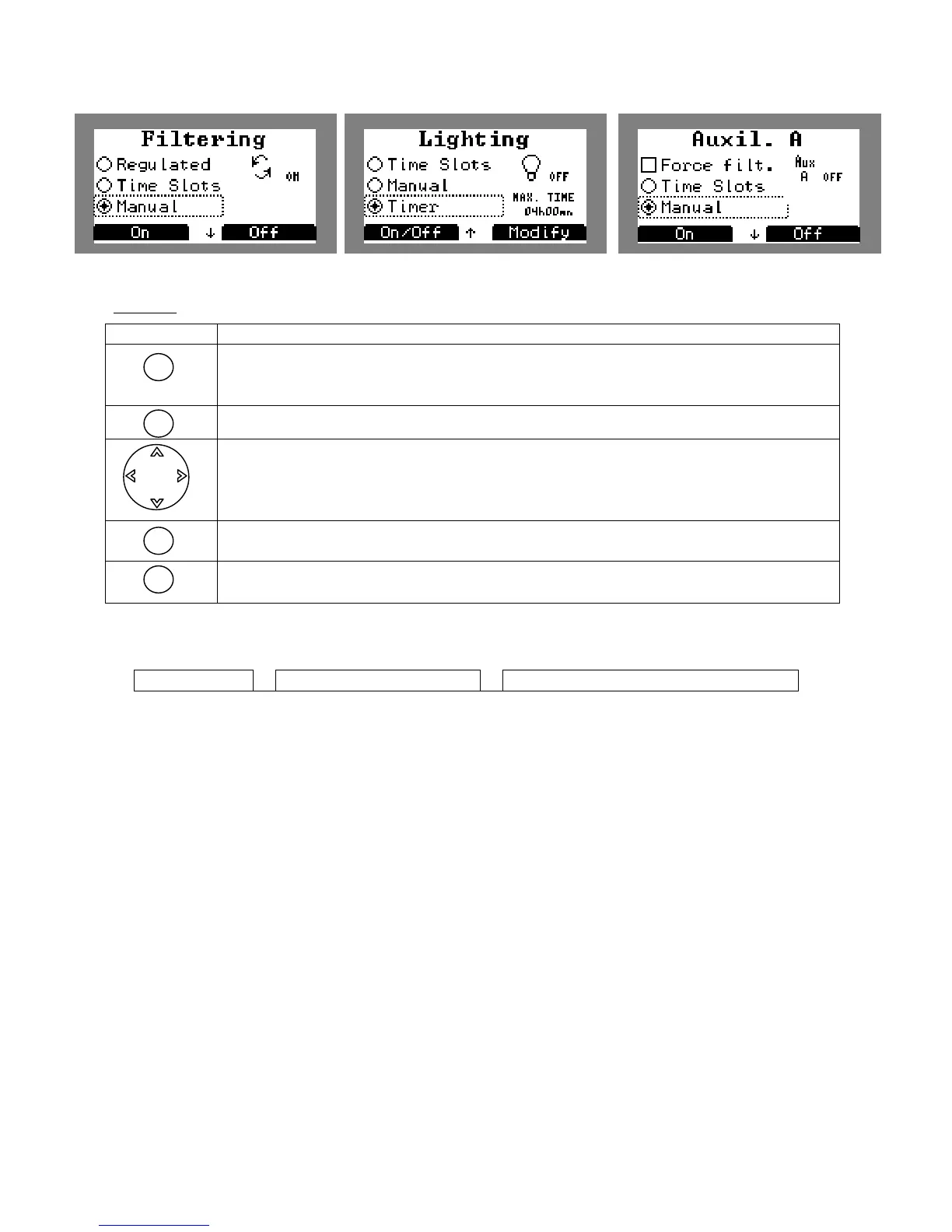
the change of programming mode and perform the following
actions: Stop in manual mode, modify in time slot or timer mode and info in
regulated mode
in timer mode
Browsing to choose programming mode.
For accessing a sub-menu or confirming an action
Cancel or return to previous menu
5.18 Selecting the control modes:
Klereo Parameters Control modes
Select with this menu:
• Comfort mode will always favour water quality. Indeed, when filtering time is coming
to an end, filtering will continue if one of the 3 parameters (pH, disinfectant and
heating) has not reached its target value. Filtering will stop when the target value is
reached. This control mode is ideal during the season to guarantee the best water
quality.
or
• Eco mode to favour energy savings. When filtering time is coming to an end, filtering
will stop even though one of the 2 parameters (pH and disinfectant) has not reached
its target value. Regulation will resume the following day after the new filtering cycle
has been initiated. This control mode can be used at the beginning and at the end of
the season.


 To Next Page