5.5.2 Checking ORP probe (if installed)
This menu is used to check the ORP probe in order to make sure that the probe is suitable
for regulation.
The ORP probe is supplied with a cover containing a preservation product. Remove the
cover to make the probe operational (keep it and put it back onto the probe if the pool is
winterised or unused for a long period).
Before the pH probe is installed, let it sit in a glass of tap water for at least 30 minutes.
The pH probe must be checked when installed and each time the season starts. For
calibration go to the following menu:
On the display unit, enter the ORP check menu and run the procedures following the
instructions given by the display:
- Connect the ORP probe
- Rinse the probe with tap water
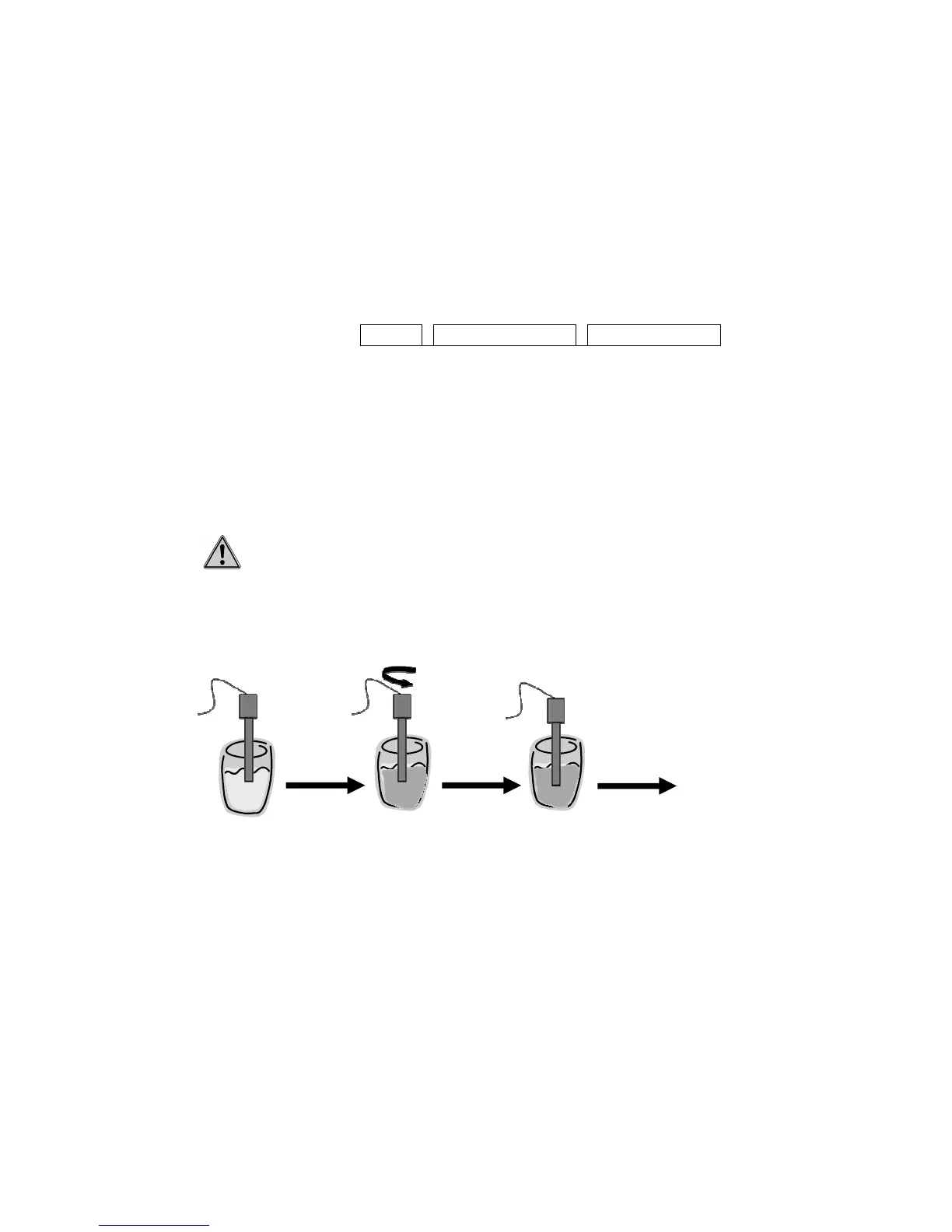
- Immerse the probe in a 468mV solution for 10-15 min. Ideally the 468mV
solution must be between 20°C and 30°C.
- The probe must be kept vertical ± 10°
- Do not hold the probe, and check there are no 220V cables nearby (to
avoid false readings)
- Press one of the display keys (except the black or cancel one, “C”) and
wait 2 min
- The display shows whether or not the sensor is OK.
- Rinse and insert the probe into the probe holder, then place it on its base
if OK.
Figure 42. Checking ORP probe
Once the calibration is successful, position the probe in the selected base (holding collar,
multi-sensor tube, chamber of analysis).
5.6 Regulations test
Now that all parts of the Klereo Kompact are in place, the various regulations must be
checked.
Use the button keys below the display to check operation of filtering, lighting and auxiliary A.
Klereo


 To Next Page