Klereo Kompact installation manual V 3
31
“Klereo Salt Chlor 1” is a basic Salt Chlorinator no more available for sale. If you have bought
a Kompact Salt, it is delivered with a more sophisticated model. Select as disinfectant
« Klereo Salt Chlor 2 ». Select then the Klereo Salt Chlorinator model (KL50-S15, KL50-
S20, and KL50-S25 ;…) by pressing the screen selection key below «Model».
5.8 pH correcting agent set-up
Define the choices for pH treatment from the menu:
Klereo
pH correcting agent PH-Minus
None
The selected default pH is pH minus.
5.9 Sensors values
To check the values measured for the sensors, go to the menu:
Klereo
Values are transmitted by the Kompact control box unit at regular intervals.
The pH and ORP values shown are only used for regulation after a filtration period of 10 min
(pH) and 30 to 90 min (ORP).
5.10 Programming regulation target values
5.10.1 Balanced pH
Klereo
Balanced pH
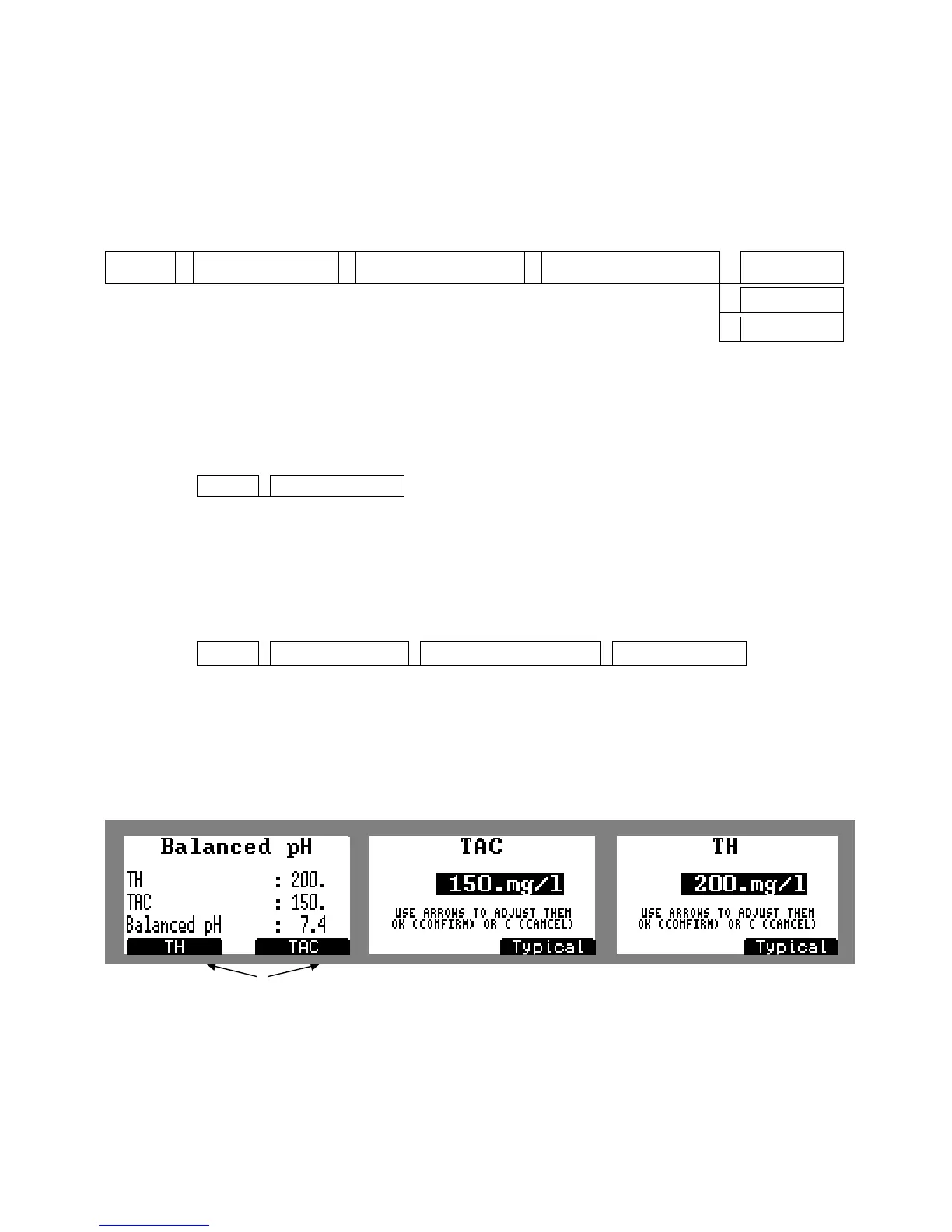
This menu indicates the balanced pH by measuring and entering the TAS (alkalinity) and TH
(hardness) values. The balanced pH is the « reference » pH respecting the water balance,
ensuring it does not become aggressive or cause scale build-up. Whenever possible we
advise to fix a target pH value close to the balanced pH value, taking also into consideration
the type of disinfectant selected to as to set a target value to guarantee the best treatment
efficiency.
Figure 44. Balanced pH calculation
Press the screen selection key below TAS and TH to enter measured values in the pool


 To Next Page