Klereo Kompact installation manual V 3
30
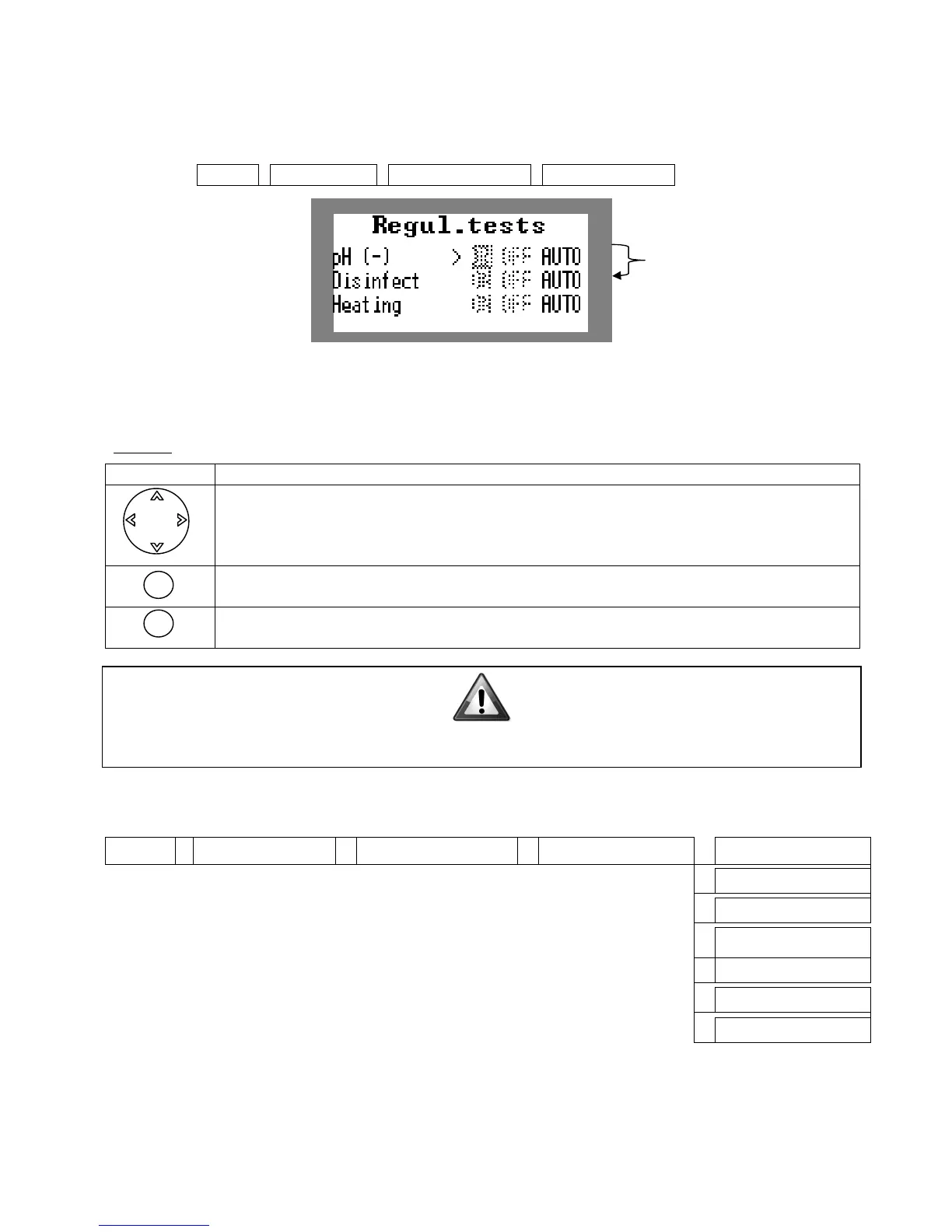
Then test the pH metering pump and the disinfectant (metering pump, solenoid valve or Salt
Chlorinator). Starting-up the metering pumps enable to activate them. Let them run by
selecting ON until the treatment products reach their injection point.
Klereo
Figure 43. Regulations test screen
When coming out of the regulations test screen, the regulations return to the « auto »
regulated mode.
Browse
Used to select the fields to be enabled (ON, OFF or Auto).
To validate the field enabled (the selected function is highlighted)
Back or Cancel key: for cancelling an action or returning to the previous menu
5.7 Disinfectant set-up
Define the choices for disinfectant from the menu:
Klereo
Advanced param. Disinfectant type Liquid Chlorine
None
The default disinfectant is the one as ordered. For a non Klereo Salt Chlorinator, select
« other Salt Chlor”
IMPORTANT : When activating the dosing pumps, check that the liquid is circulating in
the right direction and up to the pool's filtration circuit.
OK
The first two lines appear if
pH / disinfectant regulation
is set-up.


 To Next Page