Connecting to an
MS/TP network
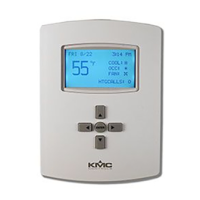
Before connecting the AppStat to a BACnet MS/TP network, configure the
network properties. See the topic Set up communications on page 43 for the
procedure to set the following:
Device instance
MAC address
Baud
Use the following principles when wiring the AppStat to an MS/TP network:
Connect no more than 128 addressable BACnet devices to one MS/TP
network. The devices can be any mix of AppStat controllers, other
BACnet controllers, or BACnet routers.
To prevent network traffic bottlenecks, limit the MS/TP network size to
60 controllers.
Use 18 gauge, twisted pair, shielded cable with capacitance of no more
than 51 picofarads per foot for all network wiring. Belden cable model
#82760 meets the cable requirements.
Connect the -A terminal in parallel with all other - terminals.
Connect the +B terminal in parallel with all other + terminals.
Connect the shield to an earth ground at one end only.
Use a KMD-5575 repeater between every 32 MS/TP devices or if the total
cable length will exceed 4000 feet (1220 meters). Use no more than four
repeaters per MS/TP network.
Place a KMD-5567 surge suppressor in the cable where it exits a building.
For more information on installing HVAC system controllers, see Application
Note AN0404A, Planning BACnet Networks.
Installation, Operation, and Application Guide for AppStat Section 7: System integration
Revision G 121


 To Next Page
 Loading...