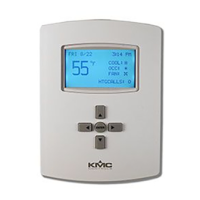
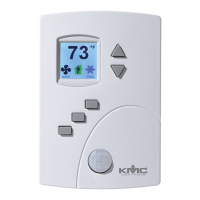
user interface during system setup. See the topic Set fan coil unit system
options on page 50.
Automatic fan control
A user with Password 1 can set the AppStat controlled fan to either run
continuously or to start automatically on a call for cooling or heating.
Auto—When Auto is selected, the fan runs only when there is a call for
cooling or heating. It continues to run after the call for cooling or heating for
the period set by the fan delay timer.
On—The fan will run continuously regardless of the heat/cool modes or
occupied/standby states.
Low, Medium, High—For systems with three-speed fans, the user has the
choice of low, medium or high speed as the continuous running speed for the
fan.
Modulating cooling
and heating for Roof
Top Units
Modulating cooling and heating is used in AppStat controlled systems with
modulating valves and chilled or hot water coils. A single modulating valve
can be used with staged cooling or heating.
Cooling
Modulating cooling does not start until the cooling loop reaches 100%. Once
the loop reaches 100%, the analog cooling output modulates over 10 volts DC
as the cooling loop changes from 0 to 100%. When the cooling loop returns to
0%, cooling stops until the loop again reaches 100%.
If the economizer is enabled, cooling will not start modulating until the
economizer damper is fully open.
Heating
Modulating heating does not start until the heating loop reaches 100%. Once
the loop reaches 100%, the analog heating output modulates over 10 volts DC
as the heating loop changes from 0 to 100%. When the heating loop returns to
0%, heating stops until the loop reaches 100% again.
Valve action
The AppStat supports both normal and reverse valve action that can be set
from the user interface.
Normal—The valve is fully closed when the output signal is 0 volts and
fully open when the output is 10 volts DC.
Reverse—The valve is fully closed when the output signal is 10 volts and
fully open when the output is 0 volts DC.
Installation, Operation, and Application Guide for AppStat Section 5: Sequences of operation
Revision G 73


 To Next Page
 Loading...