User manual - DATA RECORDER and cooperating software
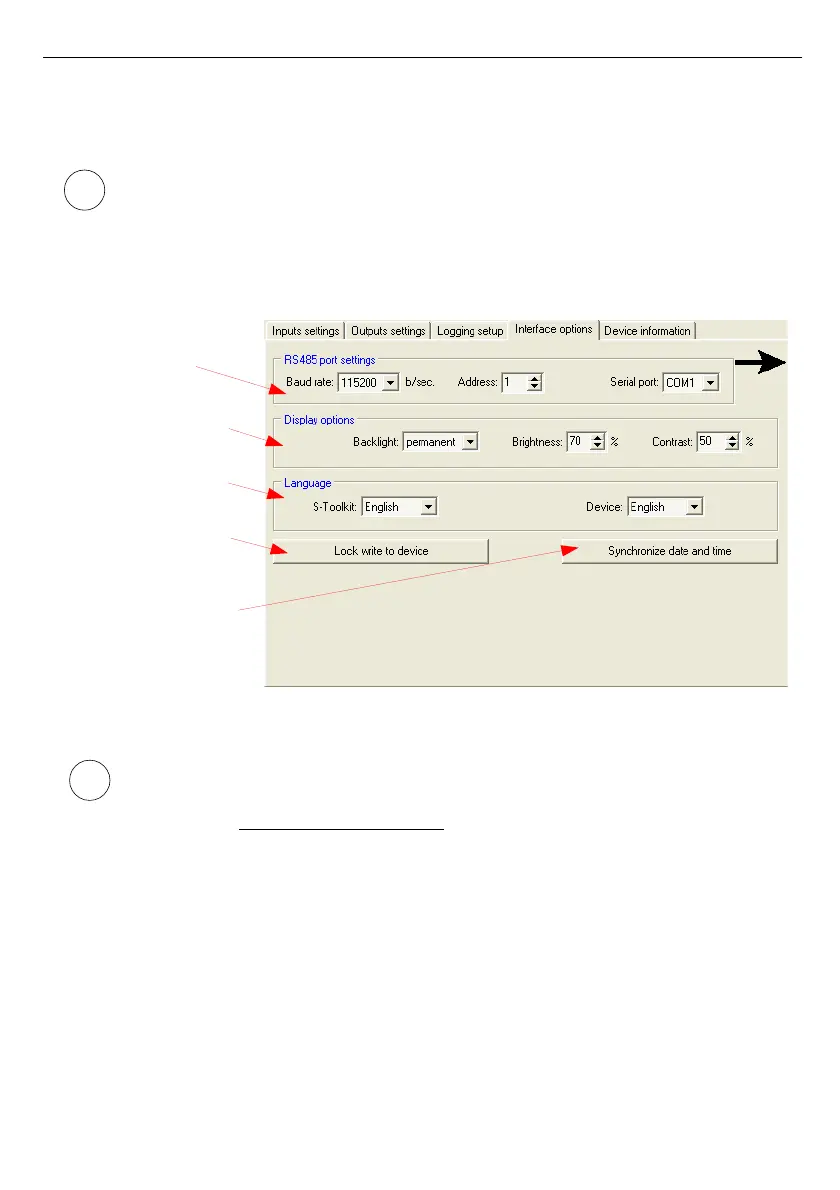
There are two buttons in the lower part of the tab:
•
[Lock write to device]
- lock the possibility of writing configuration registries of the
device through the RS-485 interface;
Unlocking the possibility of writing configuration registries through the RS-485 serial
interface is only available from the device menu (manual configuration of device).
•
[Synchronize date and time]
- synchronizes date and time of configured device with
computer’s time and date.
Fig. 3.5. Interface options tab functions
If device clock shows later time than computer's system clock, then the
synchronization (in this case reversing device clock) will cause all data recorded by
device after the time set during synchronization to be deleted. Download the data to
the computer
prior to synchronization



 To Next Page