User manual - DATA RECORDER and cooperating software
7.4.5.
”Input settings” menu (
U/I version
)
”Unit”
- 4-character sequence constituting the unit for the value measured on the given
channel.
”Input type”
- type of input/sensor. The following options are available:
”inactive”
- input is not active
”0-20 mA”, ”4-20 mA”
- current inputs, displayed value is defined by “
Hi value
”,
“
Lo value
” and "
Dec. point
" parameters.
”
0-5 V”,
”
1-5 V”,
”
0-10 V”,
”
2-10 V”
- voltage inputs, displayed value is defined by “
Hi value
”,
“
Lo value
” and "
Dec. point
" parameters.
”Hi value”
”Lo value”
- these parameters define the values displayed for maximum (Hi), and
minimum (Lo) current (voltage) of
user defined range
(0-20 mA, 4-20 mA,
0-5 V, 1-5 V, 0-10 V, 2-10 V). The aforesaid parameters can be set in the
range - 9999 ÷ 9999. A negative number can be input by entering a
'–'
mark
(using
[^]
,
[v]
keys).
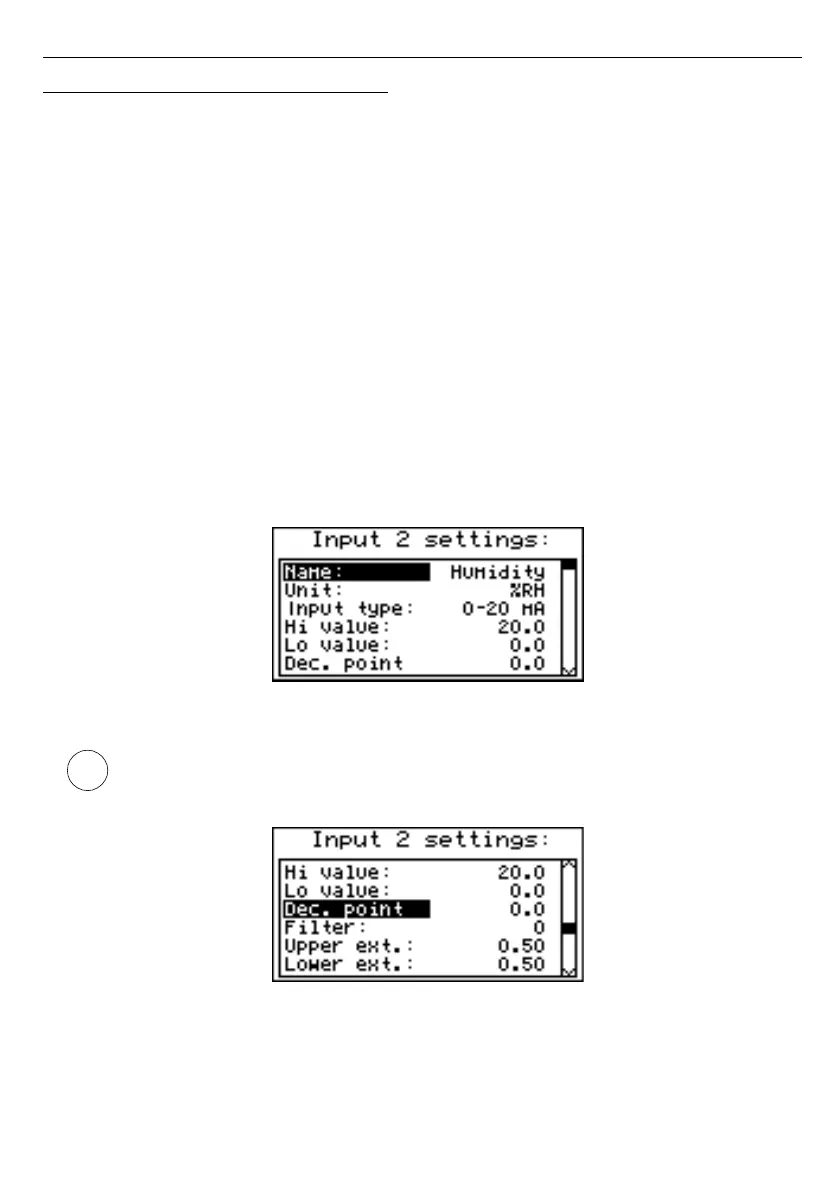
Fig. 7.20. ”Inputs settings”
(part 1)
The value of the
“Lo value”
parameter can be higher than the value of
“Hi value”
parameter. In such a case, for an increasing value of input current (voltage)
the displayed value decreases.
Fig. 7.21. ”Inputs settings” menu
(part 2)
5
4



 To Next Page