User manual - DATA RECORDER and cooperating software
3.1.
„
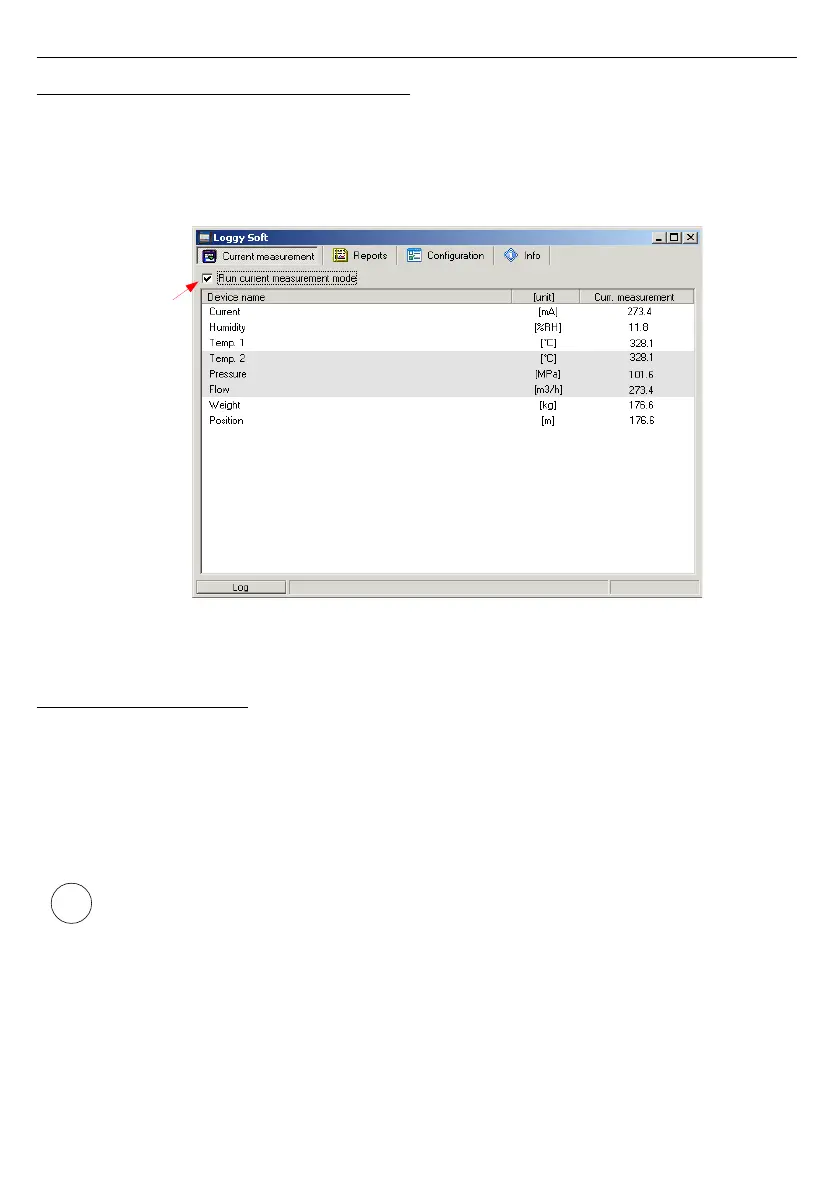
CURRENT MEASUREMENT
” MENU
Current measurement
menu allows to view current measurements results in table
format. This table contains measures of channels of all installed devices. Only the
measurements from devices installed using the RS-485 interface will be available. To enable
continuous reading of data from the devices check
Enable current measurement mode
.
Presently read data will be showed in column named
Current measurement
.
Fig. 3.2. Current measurement menu
3.2. „ REPORTS ” MENU
Reports
menu is used to view and print reports containing recorded measurement
results in the form of tables or graphs. This menu also enables export of measurement data to
a text format file.
Creating new reports is possible in two modes:
• for a group (collective report for a maximum of 12 measurement channels),
• for a single channel.
Creating a report for a channel belonging to a removed device is possible only in
single channel mode.



 To Next Page