User manual - DATA RECORDER and cooperating software
Reversing the Data Logger unit’s clock (date and time) shall delete all data recorded
by the unit, the recording time of which was later than the new time. In order not to
lose the recorded data, it must be downloaded to a PC before the clock is reversed.
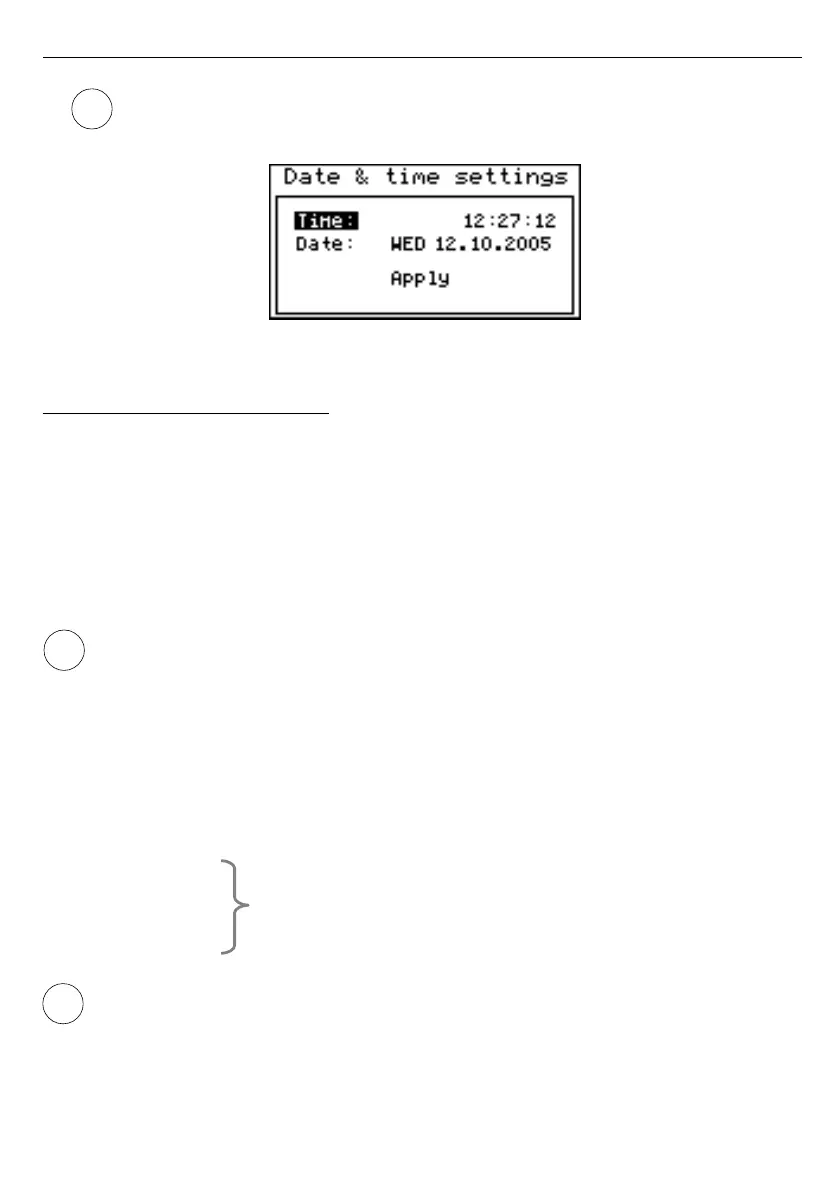
Fig. 7.27. ”Date & time settings” menu
7.4.9. ”RS485 port settings” menu
This menu contains options to configure the RS-485 interface:
”Address”
- this parameter specifies the unit’s address, according to the Modbus protocol
(in the range of 0 to 99). If the address is set as 0, then the unit responds to
the FFh address.
”Baud rate”
- this option defines the RS-485 serial interface transmission speed.
8 possibilities are available:
”
1200
”, ”
2400
”,”
4800
”
,
”
9600
”, ”
19200
”
,
”
38400
”, ”
57600
”, ”
115200
” b/sec.
Default baud rate value is 115200 b/sec. Some RS-485 converters may not work
properly with this setting. In such a case set lower baud rate (according to converter
data sheet).
”Resp. delay”
- this parameter defines minimal (additional) delay between the Modbus
message and the answer of the device (received and sent via RS-485
interface). This additional delay allows the device to work with poor
RS-converters which do not works properly on baud rates higher than 19200.
This parameter can be set to one of values:
”stand.”
- device responds without any additional delay
”+10 ch.”
”+20 ch.”
”+50 ch.”
”+100 ch.”
”+200 ch.”
The unit response with additional delay equal to
transmission time of 10, 20, 50, 100 or 200 characters.
In the most cases parameter
”Response delay”
should be set to
”Stand.”
(no
additional delay). Unfortunately for some third party RS-converters
”Response delay”
should be adjusted experimentally. Table below contains most
frequently used values.
60



 To Next Page