User manual - DATA RECORDER and cooperating software
•
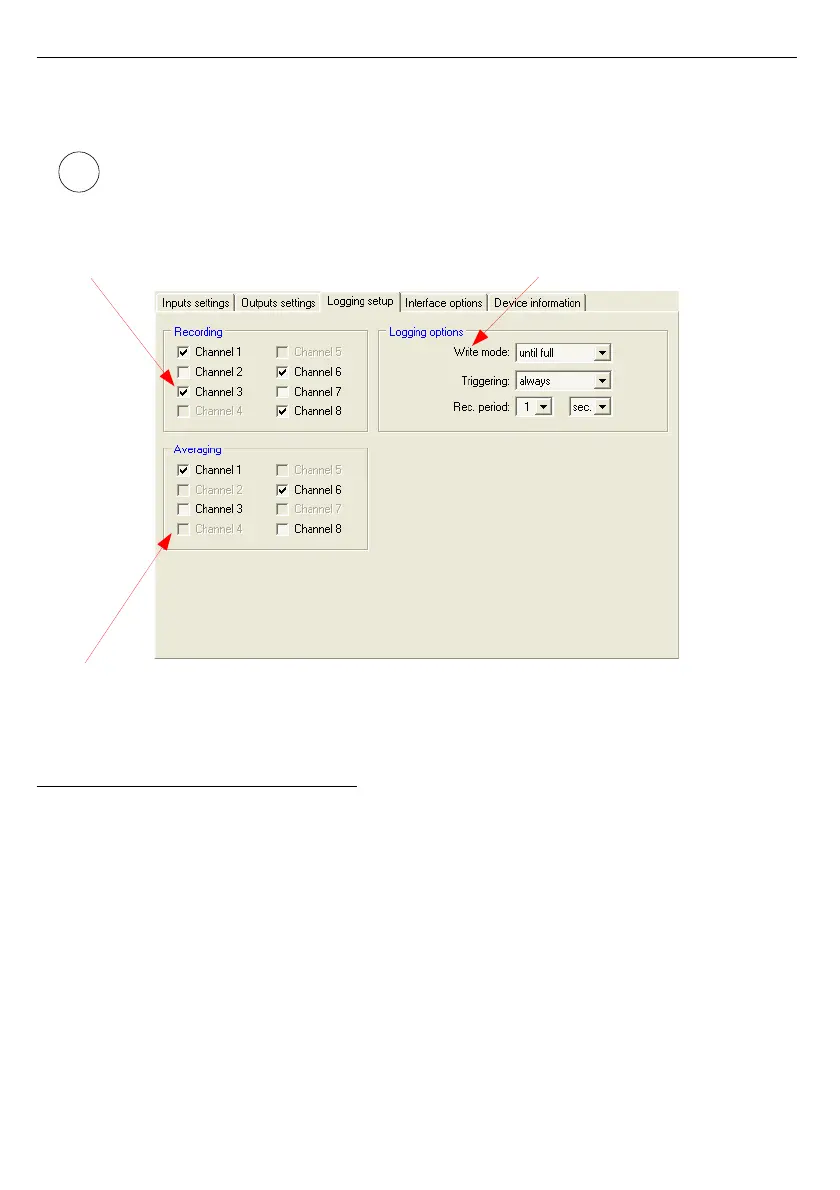
Logging options
- in this section define recording-related parameters for all
recorded measurement channels of the device.
• ”
Logging setup
” tab is available for devices equipped with data logging
function,
• detailed description of individual parameters can be found in the user manual for
data logger.
Fig. 3.4. Logging setup tab options
3.4. “INTERFACE OPTIONS” TAB
This tab contains three sections:
•
RS485 port settings
- in this section define the address of configured device,
transmission speed for the serial interface and the number of the
serial port, to which the configured device is connected. In order for
communication between the program and the device to be possible,
the address and baud rate set in the program must be same as the
ones set in the device.
•
Display options
- this section allows changing parameters of LCD display
of configured device.
•
Language
- in this section user can select the language of
S-Toolkit
software and device firmware.
113
i
Selection of recorded channels
Selection of averaging for channels
Defining logging options



 To Next Page