User manual - DATA RECORDER and cooperating software
• go to main menu (press and hold for approx. 2 seconds),
• go to "
Graph options
" menu, description on page
46
,
• change channel number,
• change results presentation mode.
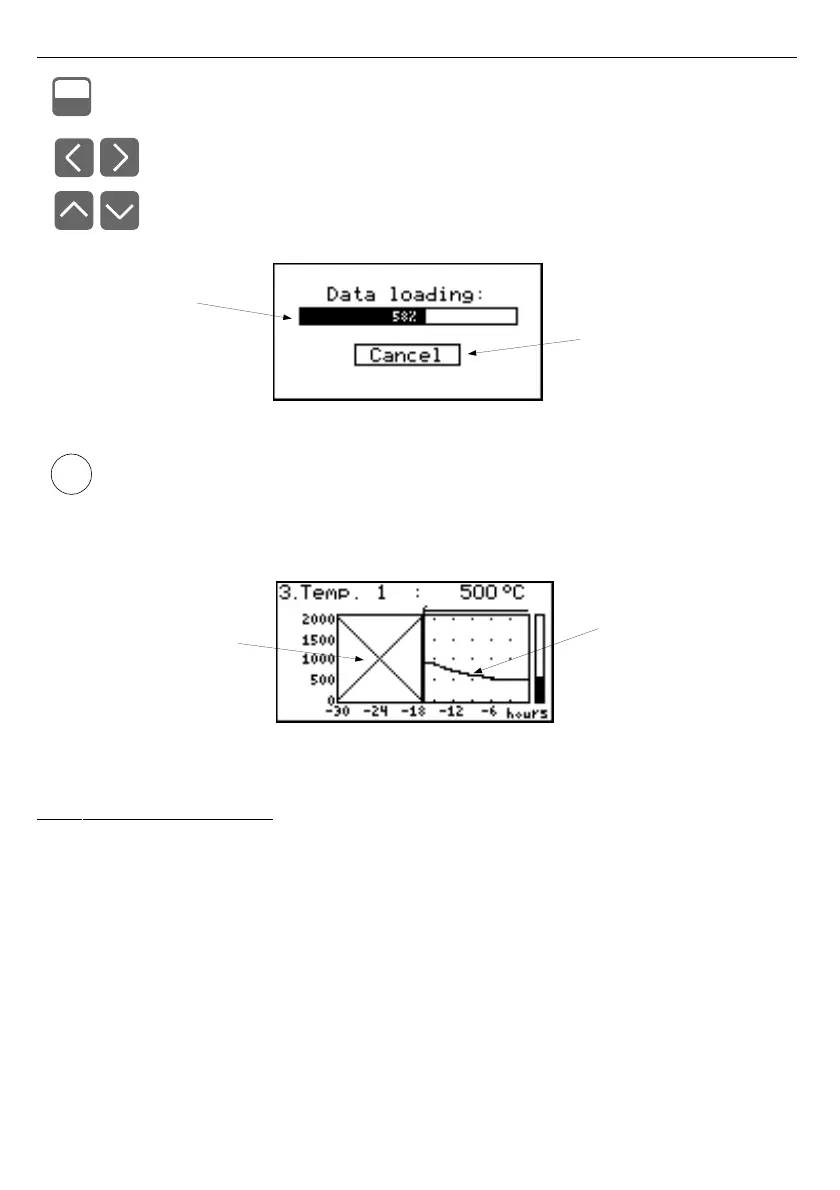
Fig. 6.22. Message displayed when loading data to be displayed on the graph
If downloading the data (recorded measurement results) necessary for displaying the
graph takes more than 1 second an appropriate message is displayed (
Fig.
6.22
).
Pressing
[ENTER]
will stop the data downloading process and display a graph made
on the basis of the data downloaded so far. "
X
" will be displayed instead of data that
was not downloaded (
Fig.
6.23
).
Fig. 6.23. Display in "Graph" mode in the case where data download was stopped.
6.2.4. ”Channels List” mode
Fig.
menu. Graphic indicators (bars) always show the measurement result to the
ratio.



 To Next Page