APPENDIX A — CURTIS PROGRAMMING DEVICES
Curtis Model 3401T – August 2022 Return to TOC
pg. 54
APPENDIX A — CURTIS
PROGRAMMING DEVICES
Curtis programming devices provide programming, diagnostic, and test capabilities for Curtis
devices. Two programming devices are available for the 3401T:
• 1313 handheld programmer
• Curtis Integrated Toolkit
TM
(CIT)
CIT has the advantage of a large, easy-to-read screen. On the other hand, the 1313 handheld
programmer is more portable, making it convenient for working in the eld.
e programming devices include the following features:
• Parameter adjustment. Save and restore the values of programmable parameters.
• Monitoring: Display real-time values during vehicle operation. ese values include data for
inputs and outputs.
• Diagnostics and troubleshooting: Display active faults and the fault history, and clear the
fault history.
• Flashing: Update rmware of Curtis devices.
e programmers are available for the following access levels. e bullets are sorted from the highest
to lowest access level:
• OEM Factory
• OEM Dealer
• Field Advanced
• Field Intermediate
• Field Basic
A Curtis programmer can perform the actions available at or below its access level. For example, a
Field Basic programmer can only perform actions available for the Field Basic access level, while an
OEM Factory programmer can perform all actions available for any of these access levels.
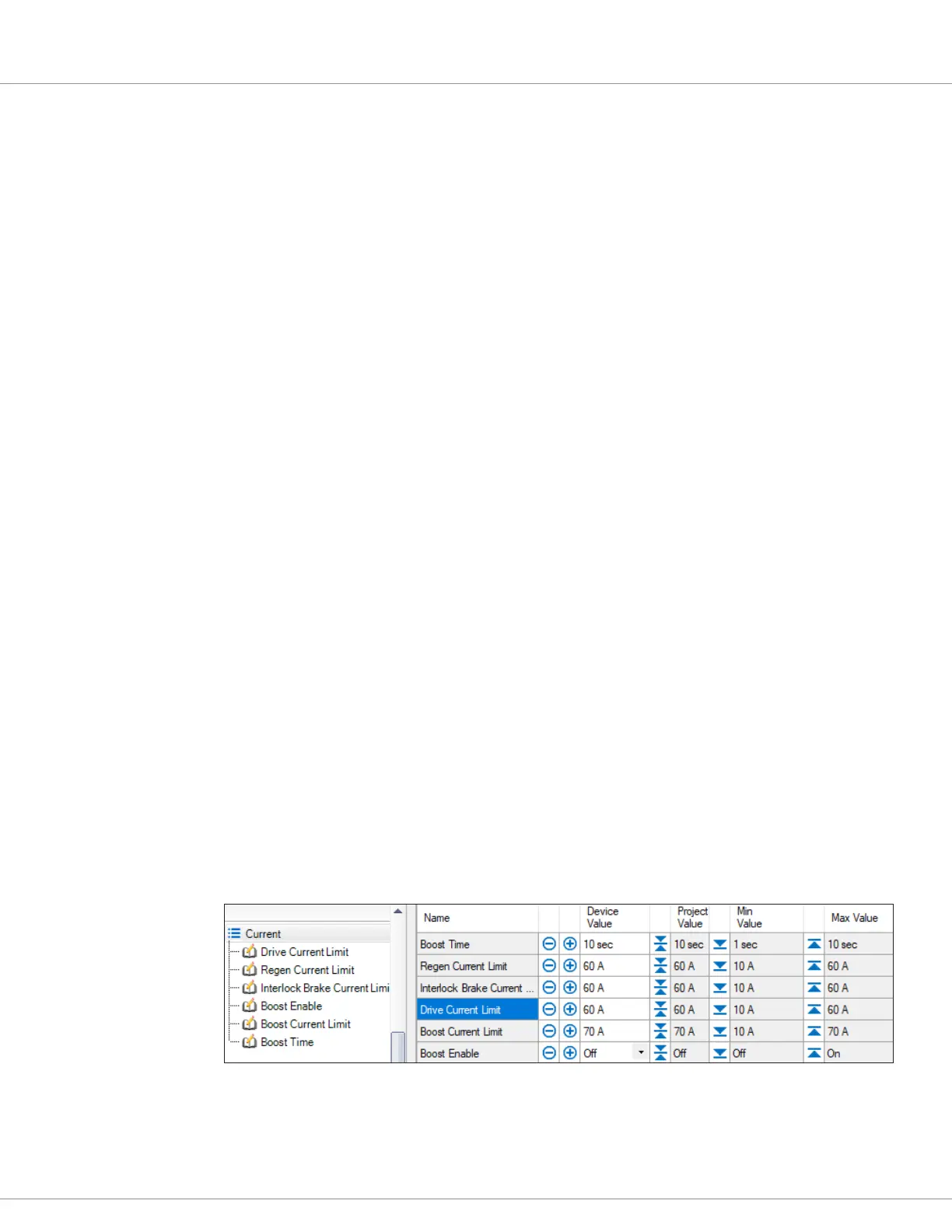
e following example shows the Current menu in the CIT Programmer application. You can view
or edit a parameter by selecting it on the le-hand side. You can also view and edit all of a menu’s
parameters in one window by selecting the menu as shown below:


 To Next Page
 Loading...