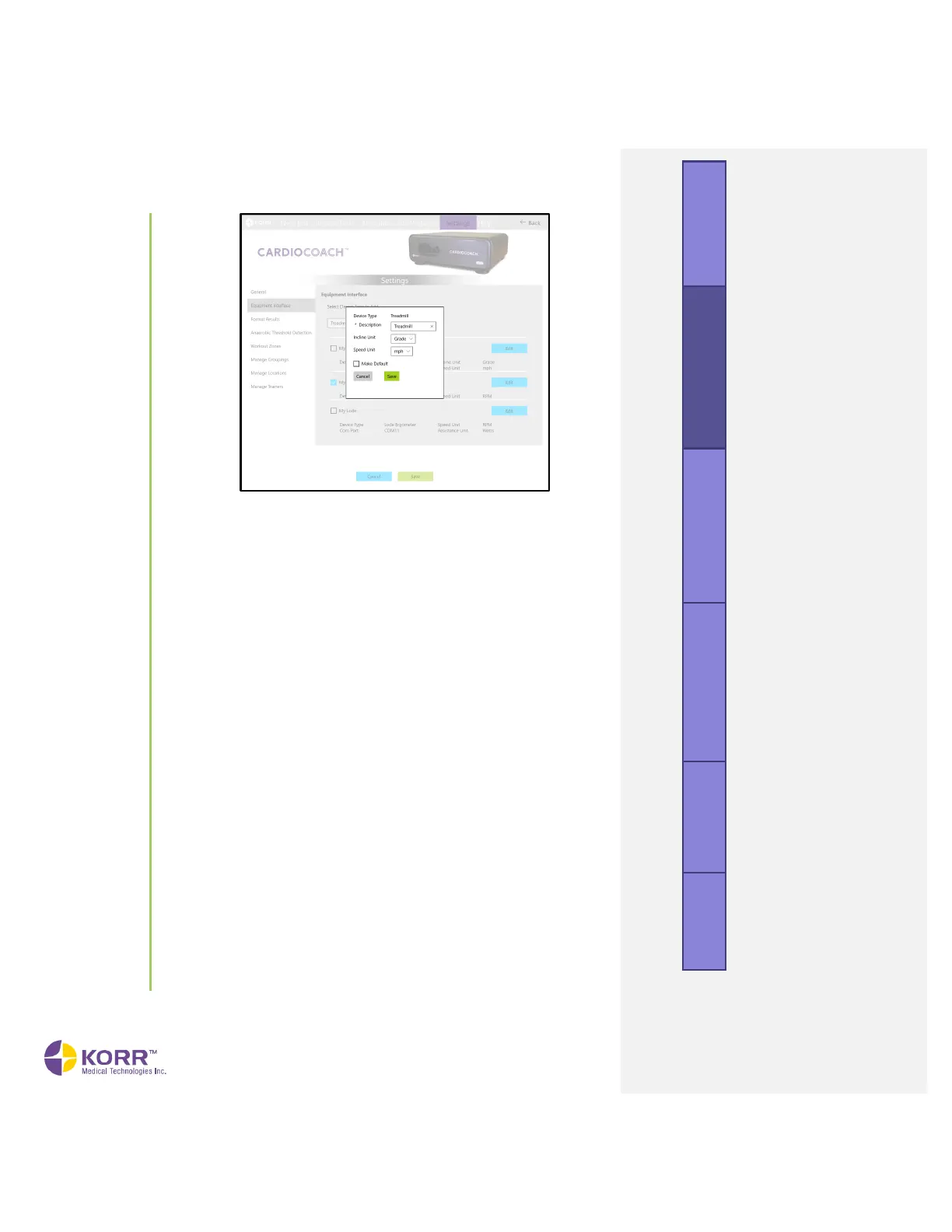
3. Enter the options described below, and then click the Save button.
Note that options may differ, depending on the type of equipment
you select.
a) Description. Give the device a unique descriptive name that
everyone in your facility will recognize.
b) COM Port. Displays a dropdown list of serial devices connected
to your computer. If your desired exercise equipment isn’t
showing in the list, make sure the equipment is connected to your
computer via cable and powered on, then click Refresh. If it still
doesn’t show on the list or you have multiple options and aren’t
sure which is your desired exercise equipment, disconnect all
devices that aren’t needed and click Refresh.
c) Grade Unit. Indicate the units your treadmill uses to communicate
the increase in incline:
• Grade (percent)
• Incline (percent)
d) Speed Unit. Indicate the units your treadmill or cycle uses to
communicate the increase in speed:
• miles per hour (mph)
• kilometers per hour (kph)
• rotations per minute (rpm) cycle only
• min/mile treadmill only
• min/km treadmill only
• none
e) Watts Unit. Indicate the units your cycle uses to communicate the
increase in resistance:
• watts
• percent
• level



 To Next Page