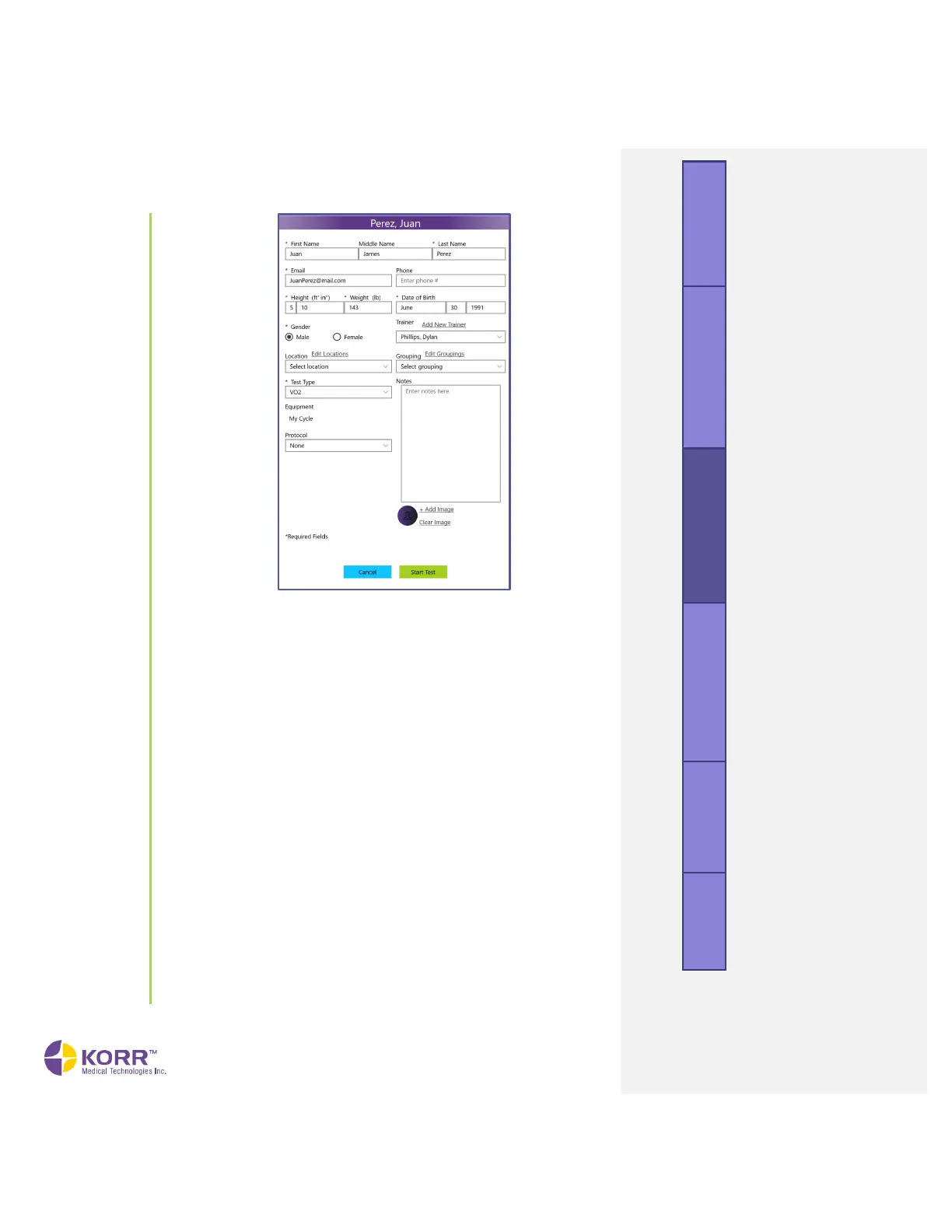
g) Personal Information. Enter personal information about the client.
Required fields are marked with an asterisk. Phone and Trainer
are optional.
h) Trainer, Location and Groupings. Enter the Trainer, Location, and
Grouping assigned to the client.
• Trainer (optional)
o Allows you to choose from the list of trainers created
during set-up. You may also edit the list by using the
Add New Trainer option.
• Location (optional)
o Allows you to choose from the list of locations created
during set-up. You may also edit the list by using the
Edit Locations option.
• Grouping (optional)
o Allows you to choose from the custom groupings
created during set-up. You may also edit the list by
using the Edit Groupings option.
i) Test Type. Identify RMR as the Test Type when administering an
RMR Test.
j) Activity Level/Cardio Exercise Frequency & Intensity. This
information is required in order to calculate estimated caloric
burn through exercise.



 To Next Page