82
4
© 2018 KOSTAL Solar Electric GmbH
Operation and operating the device
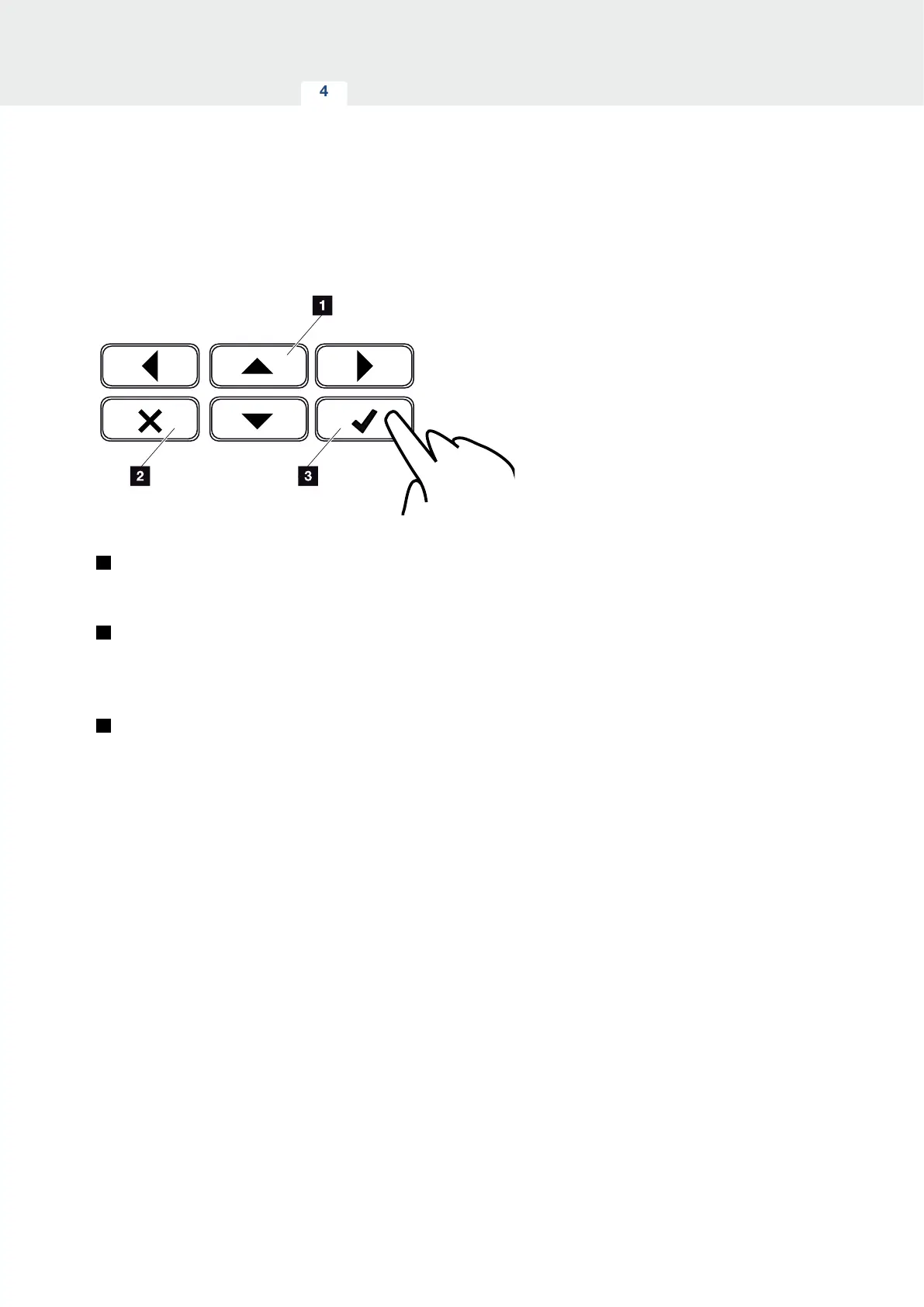
Operation of the display
Fig. 42: Operation of the display
1
UP / DOWN / LEFT / RIGHT: Characters, buttons,
functions and input fields are selected with the arrow
keys.
2
DELETE / abort: Pressing the “DELETE” key can-
cels the selection, input or value, aborts an input
or jumps up a menu once the input has been
confirmed.
3
ENTER / confirm: Pressing the "ENTER" key acti-
vates the selected menu element or confirms the
input. Clicking in the “ENTER” input box saves the
value.



 To Next Page