83
4
© 2018 KOSTAL Solar Electric GmbH
Operation and operating the device
Entry of text and numbers
Text
<Name>
-
1 2 3 4 5 6 7 8 9 0
Q W E R T Z U I O P
+
*
A S D F G H J K L
@
Y X C V B N M
:
.
X
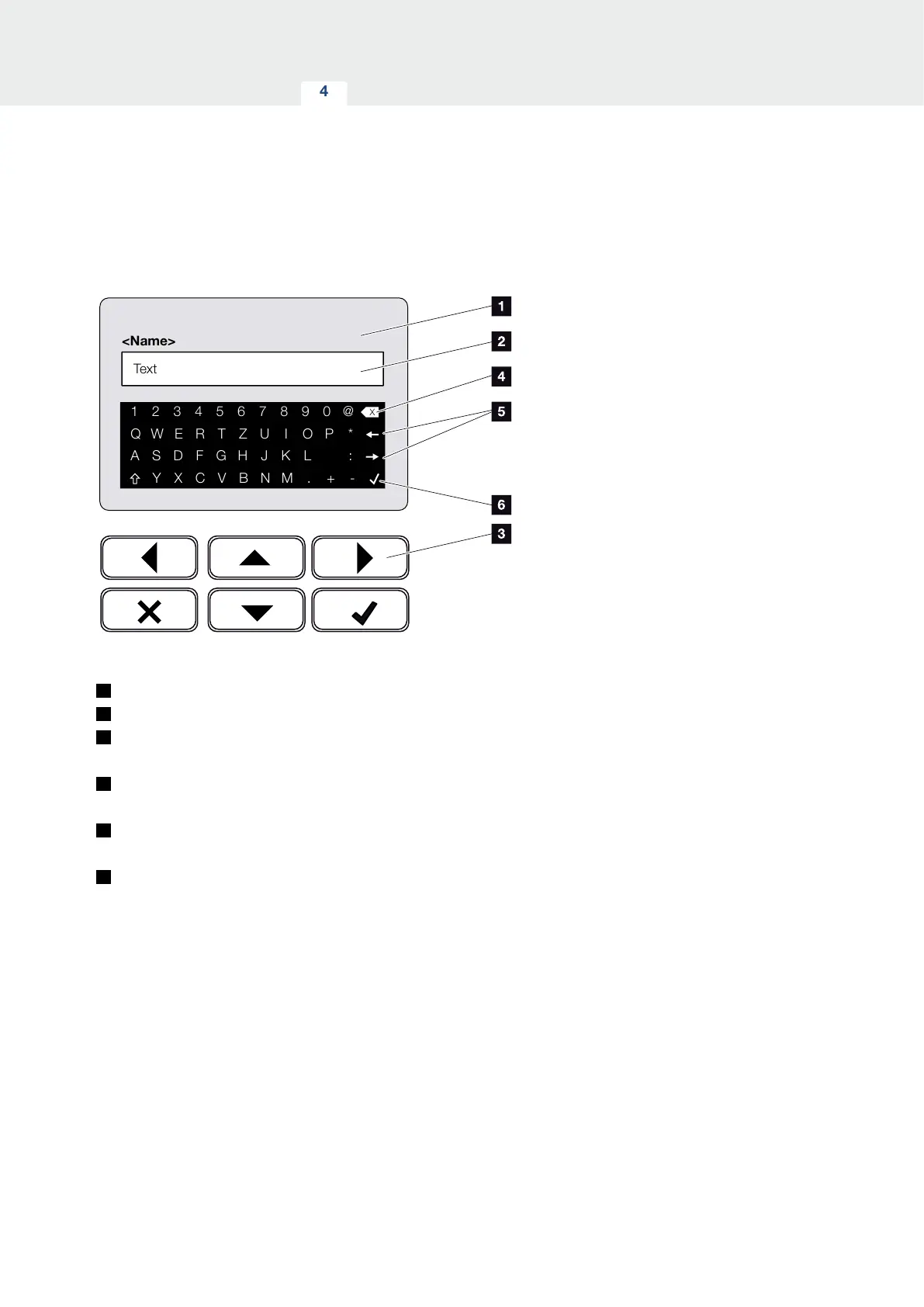
Fig. 43: Using keyboard to operate the display
1
Inverter display
2
Input box
3
Select character using the arrow keys, confirm with
“ENTER” or exit the menu with “X”.
4
Individual characters to the left of the cursor can be
deleted with the backspace key (<-).
5
The arrow keys can be used to move the cursor
within the text.
6
The “Accept data” button is used to save the entry
and close the menu.
The display can be used to enter texts and numbers
(e.g. inverter name). When input is required, a keypad
of letters and numbers appears under the input box in
order to do this.



 To Next Page