84
4
© 2018 KOSTAL Solar Electric GmbH
Operation and operating the device
4.5 Operational status (display)
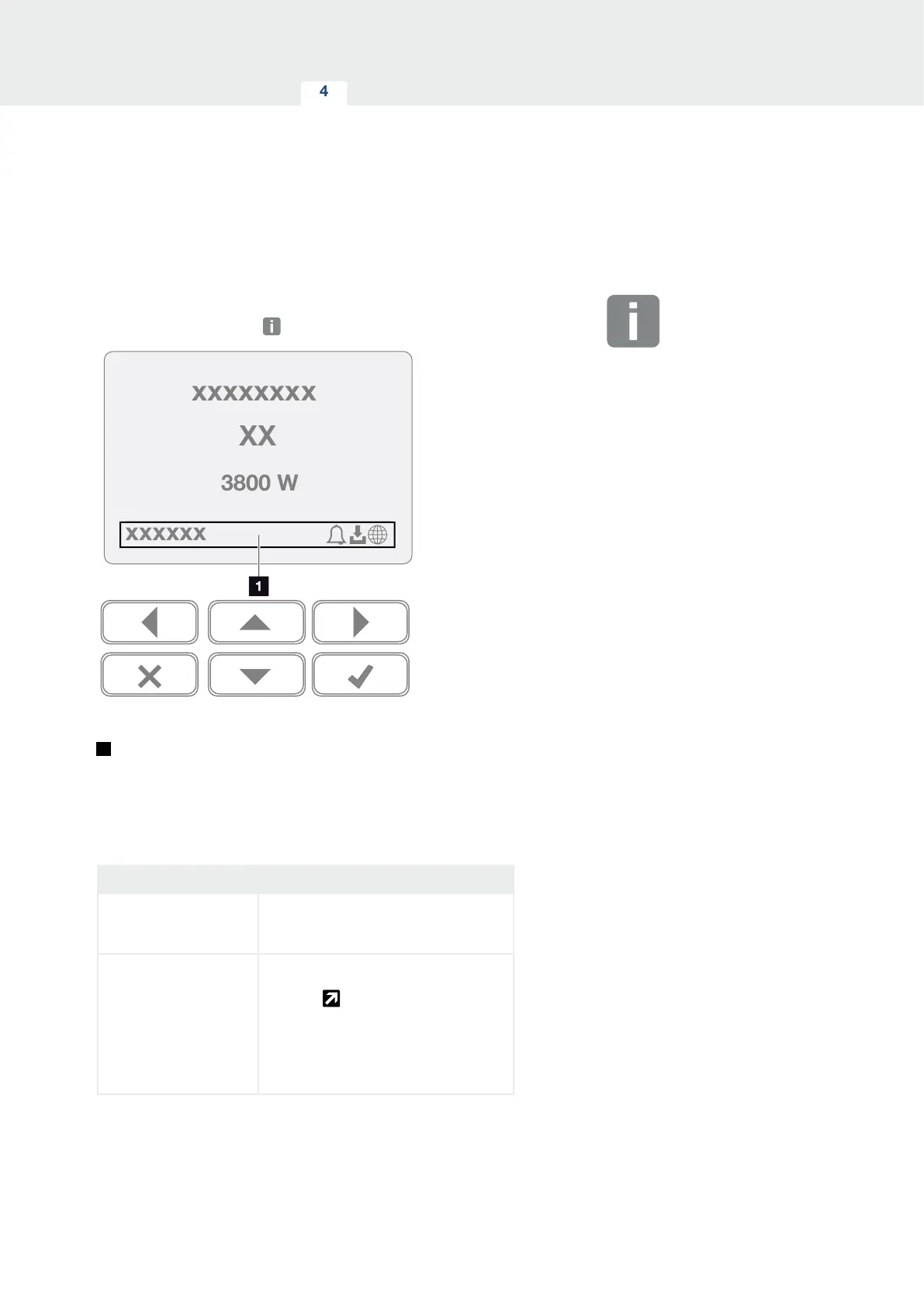
The operational statuses of the inverter are shown on the
display of the inverter:
Fig. 44: "Operational status" display area
1
Display area, information and inverter status
displayed
The following table explains the operational notifications
that can appear on the display:
Display Explanation
O
Input voltage on the DC side (photo-
voltaic modules) is too low or inverter
switched o.
Bell symbol
An event is present. Remedial meas-
ures can be found in the "Event codes"
chapter
Ch. 10.5
The result can be queried in the inverter
menu by going to Service > Event list
or can be called up using the “Down”
arrow key.
INFO
The user interface/menu entries in
the inverter depend on the installed
inverter firmware (FW) and the user
interface software (UI) in the inverter
and may deviate from the description
provided here.



 To Next Page