88
4
© 2018 KOSTAL Solar Electric GmbH
Operation and operating the device
4.7 The menu structure of the inverter
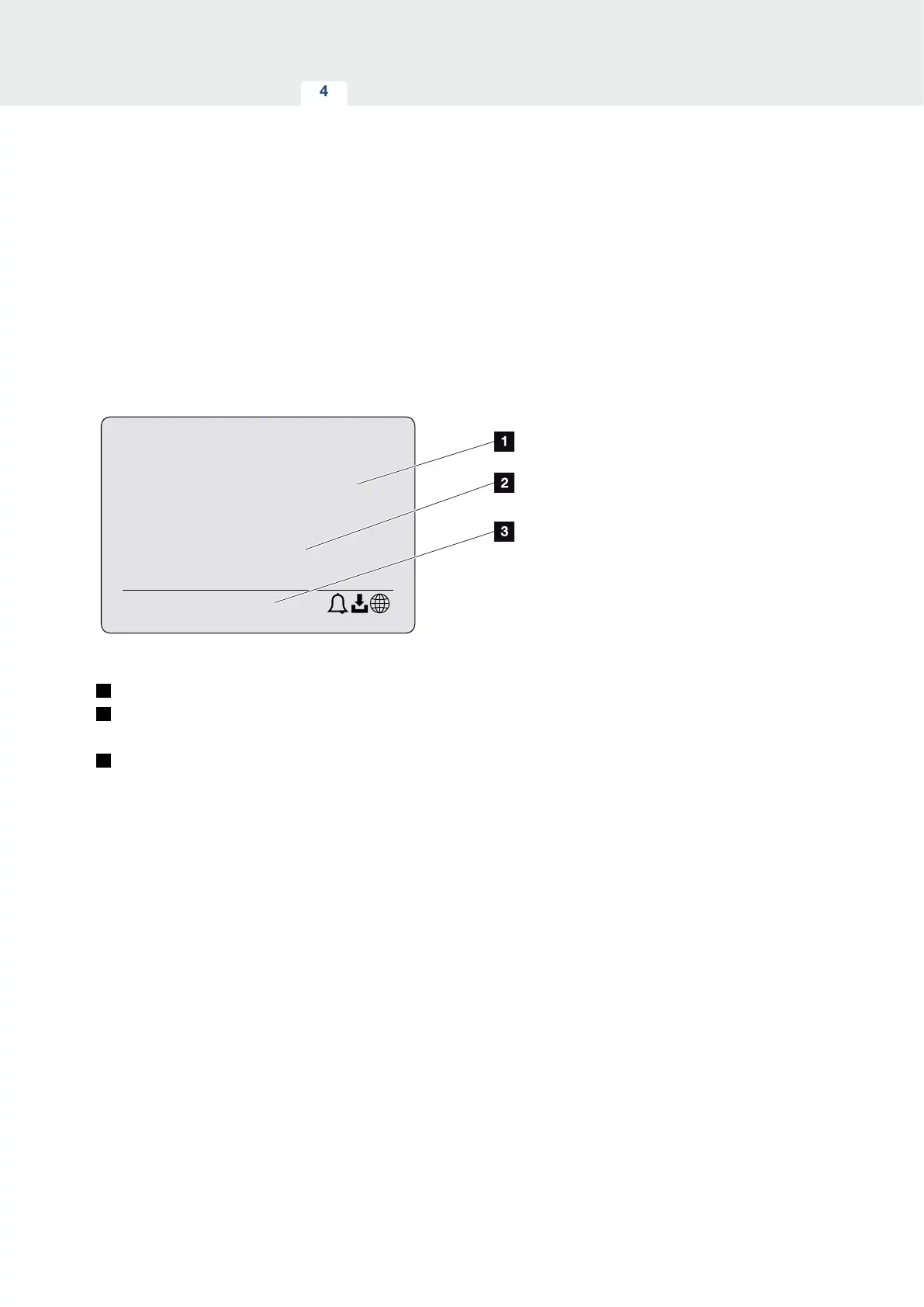
The screensaver
After starting up or if no key has been pressed for a long
time, the screensaver is displayed on the inverter.
Pressing any key activates the background lighting. The
screensaver is exited by pressing another key (any key).
3800 W
xxxxxx
xxxxxxxx
XX
Fig. 46: Screensaver
1
Inverter type with power class
2
Current AC power, which is being fed into the public
grid.
3
Status line, alternates every 5 seconds with:
- IP address (if configured)
- Inverter status
- Event code (if available)
- Solar portal connection active (if configured)



 To Next Page