89
4
© 2018 KOSTAL Solar Electric GmbH
Operation and operating the device
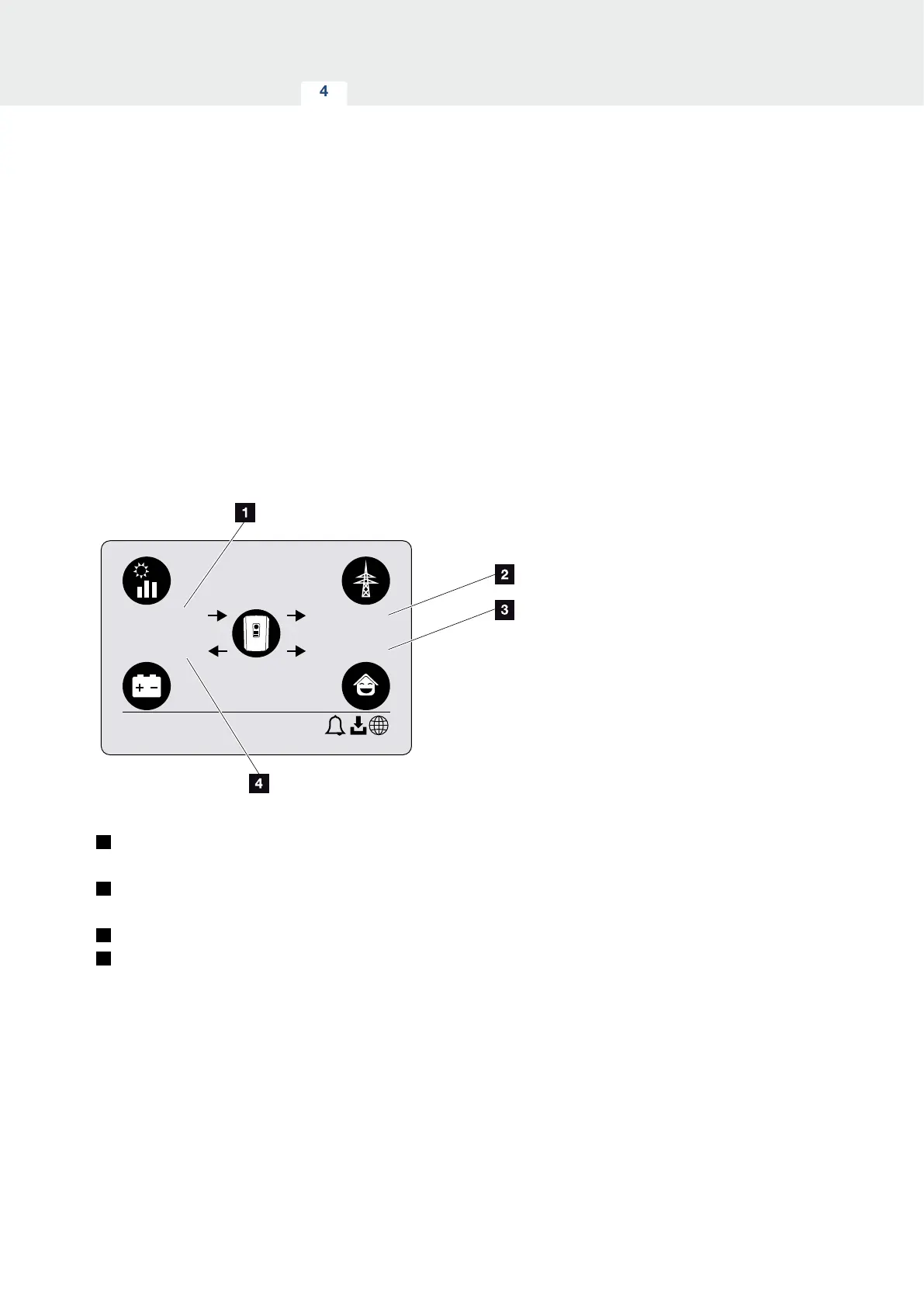
The power flow diagram
When the screensaver is being displayed, the power
flow diagram can be displayed by pressing another key.
The diagram is a very clear representation of the current
power flow in the home network and includes the rele-
vant power values. The arrows indicate the direction in
which power is flowing at present.
Pressing the “OK” key exits the power flow diagram and
switches to the inverter menu level.
xxxxxx
XXXX W
XXXX W
XXXX W
XXXX W
Fig. 47: Power flow diagram
1
Indication of power being generated by the PV
modules.
2
Indication of power, which is being fed into or
purchased from the public grid.
3
Indication of power being consumed in the house.
4
Indication of power with which the battery is being
charged or discharged.



 To Next Page