90
4
© 2018 KOSTAL Solar Electric GmbH
Operation and operating the device
The inverter menus
xxxxxx
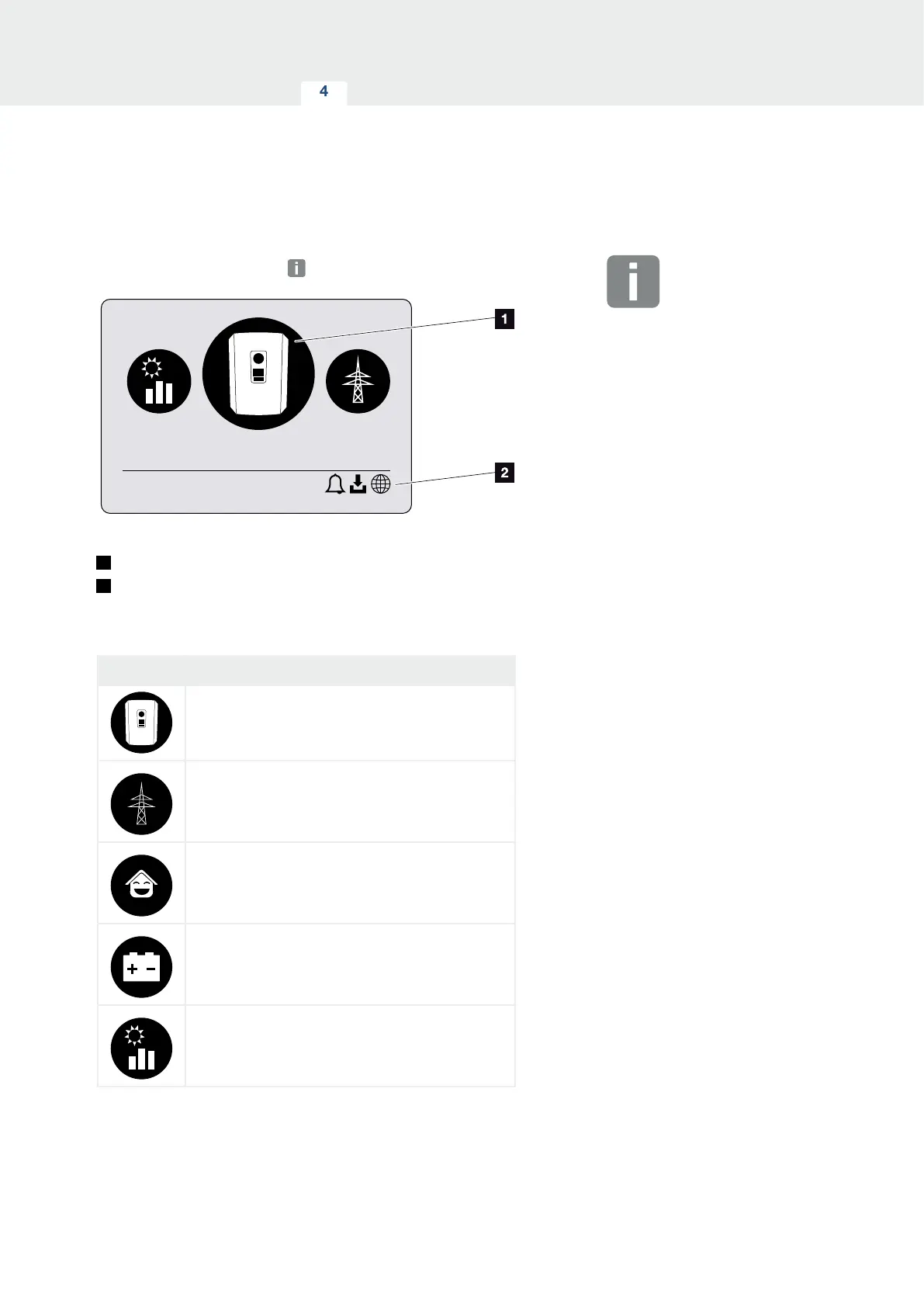
Fig. 48: Main menu structure
1
Active menu, selected using “ENTER”
2
Status line
The inverter provides the following menu items for query-
ing statuses and configuring the inverter:
Symbol Function
Inverter settings
Status query and information about the
grid feed-in (AC side)
Home consumption status query
Battery charge and discharge power status query
PV generators status query (DC side)
The menus are listed individually on the following pages.
INFO
The user interface/menu entries in
the inverter depend on the installed
inverter firmware (FW) and the user
interface software (UI) in the inverter
and may deviate from the description
provided here.



 To Next Page